

Introduction
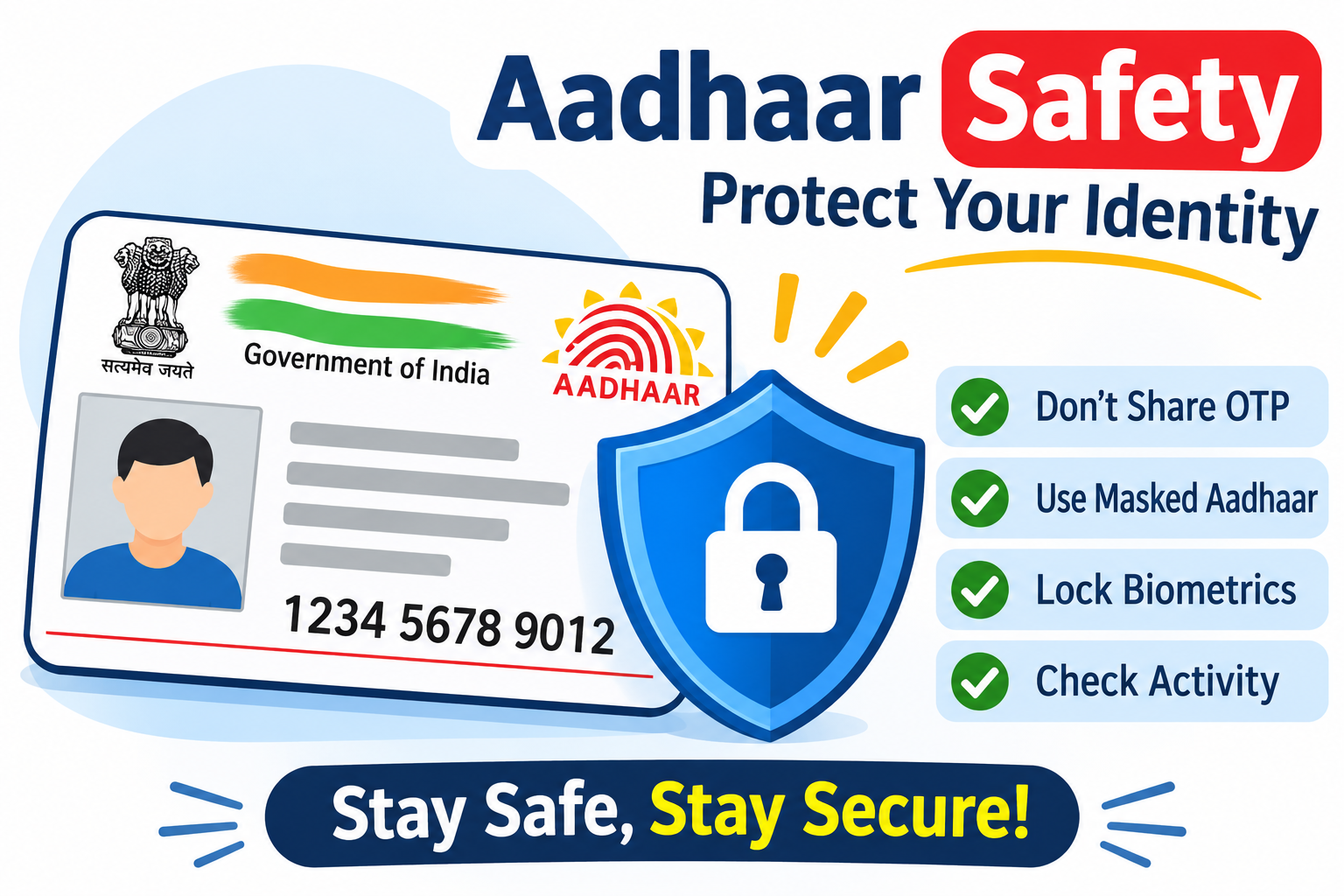
Aadhaar has become an important identity document for people across India. Issued by the Unique Identification Authority of India (UIDAI), it provides residents with a unique 12-digit identification number.
Aadhaar is commonly used for identity verification, government services, financial KYC procedures and various digital services.
However, increasing digital transactions have also created opportunities for scammers to misuse personal information. Fake KYC calls, fraudulent websites, unauthorized biometric authentication and OTP scams can put individuals at risk.
For example, a fraudster may pretend to be a bank employee and ask for Aadhaar details to complete an urgent verification process. If someone shares sensitive information without checking the request, it may expose them to identity-related fraud.
Aadhaar safety is therefore important for everyone who uses digital and financial services.
This guide explains how Aadhaar information can be misused, how to secure biometric data, how to use UIDAI security features and what to do if you suspect unauthorized activity.
AI Answer Box: What Is Aadhaar Safety?
Aadhaar safety means protecting your 12-digit Aadhaar number, biometric information, personal details and authentication records from unauthorized access and misuse.
To keep your Aadhaar secure:
-
Never share Aadhaar OTPs with unknown individuals.
-
Use masked Aadhaar whenever accepted.
-
Generate a Virtual ID (VID) when appropriate.
-
Lock your Aadhaar biometrics when they are not required.
-
Check your Aadhaar authentication history.
-
Submit documents only through verified websites.
-
Avoid suspicious KYC links and unknown applications.
-
Report suspected Aadhaar-related fraud to UIDAI and the appropriate authorities.
Quick Answer: The best way to protect Aadhaar is to limit unnecessary sharing, use UIDAI security features, secure your registered mobile number and regularly monitor authentication activity.
What Is Aadhaar and Why Is It Important?
Aadhaar is a 12-digit unique identification number issued by UIDAI to eligible residents of India.
It helps establish identity through demographic and biometric information collected during enrolment.
Common Uses of Aadhaar
Aadhaar may be used for:
-
Identity verification.
-
Government welfare schemes and services.
-
Bank and financial institution KYC.
-
Digital identity verification.
-
Mobile-related verification processes where permitted.
-
Certain financial and official transactions.
-
Authentication for eligible government services.
Aadhaar usage must follow applicable laws, regulations and consent requirements.
Why Is Aadhaar Safety Important?
Aadhaar contains sensitive identity information. Careless sharing may expose individuals to:
-
Identity theft attempts.
-
Fake KYC scams.
-
Unauthorized authentication attempts.
-
Financial fraud.
-
Social engineering attacks.
-
Misuse of personal information.
-
Fraudulent document submissions.
Protecting Aadhaar information helps reduce unnecessary exposure and improves digital security.
How Can Someone Misuse Your Aadhaar Details?
Aadhaar misuse happens when someone attempts to use another person's Aadhaar information without proper authorization or consent.
Understanding common fraud methods can help individuals recognize suspicious activity.
1. Fake KYC Verification Scams
Fraudsters may contact people pretending to represent banks, telecom companies or financial institutions.
They may claim that Aadhaar KYC is incomplete and threaten account suspension unless the person shares an OTP or clicks a link.
Safety tip: Contact the organization using its official website or customer care number before responding.
2. Aadhaar OTP Scams
Scammers may try to convince individuals to disclose an OTP received on their registered mobile number.
An OTP is intended for a specific authentication or verification process. Never disclose it to an unknown caller.
3. Biometric Misuse Attempts
Aadhaar authentication can involve fingerprints, iris or face authentication.
Biometric locking is an important UIDAI security feature that helps prevent biometric authentication while the lock remains enabled.
4. Fake Loan Applications
Some fraudulent agents may collect Aadhaar photographs and other personal documents by promising instant loans.
These documents may be misused in unauthorized financial applications or identity-related scams.
5. Phishing Websites
Fake websites may resemble official government portals and request Aadhaar numbers, OTPs or other personal details.
Always verify the website address before entering sensitive information.
6. Unauthorized Document Collection
Some unofficial agents may request Aadhaar photocopies without explaining why they need them.
Avoid sharing complete identity documents unnecessarily.
15 Important Aadhaar Safety Tips Everyone Should Follow
A few simple security habits can help reduce the risk of Aadhaar-related fraud.
1. Never Share Your Aadhaar OTP
An OTP is a sensitive verification code.
Never disclose it to:
-
Unknown callers.
-
Fake bank representatives.
-
Loan agents.
-
Suspicious customer care numbers.
-
Unknown WhatsApp contacts.
2. Use Masked Aadhaar
Masked Aadhaar is a safer document-sharing option when the receiving organization accepts it.
It hides the first eight digits of your Aadhaar number and displays only the last four digits.
You can download it through the official UIDAI website.
3. Lock Your Aadhaar Biometrics
UIDAI provides a biometric locking facility to help protect fingerprint, iris and face authentication.
When biometrics are locked, biometric authentication cannot be completed until you temporarily unlock or disable the lock.
4. Generate a Virtual ID
A Virtual ID (VID) is a temporary 16-digit number that can be used instead of sharing your Aadhaar number for supported authentication services.
It provides an additional privacy option.
5. Check Aadhaar Authentication History
Use UIDAI services to review available authentication records.
Look for unfamiliar authentication activity, dates, times and requesting entities.
6. Avoid Unknown KYC Links
Do not click suspicious links claiming that your Aadhaar will be blocked or deactivated immediately.
Open the official UIDAI website directly instead.
7. Share Aadhaar Only When Necessary
Before submitting Aadhaar details, ask why the information is required and whether another accepted verification method is available.
8. Protect Your Registered Mobile Number
Your registered mobile number is important for receiving OTPs and accessing several Aadhaar services.
Protect your SIM card and contact your telecom operator if it is lost or unexpectedly stops working.
9. Avoid Uploading Aadhaar to Unknown Websites
Never upload Aadhaar photographs or PDF documents to unverified websites.
Check the website's authenticity and privacy policy first.
10. Use Official UIDAI Services
Access Aadhaar-related services through the official UIDAI website or its authorized applications.
Avoid downloading unknown applications that claim to provide Aadhaar verification services.
11. Avoid Public Computers for Aadhaar Downloads
Downloading sensitive identity documents through public computers can expose your information.
If you must use a public computer, ensure that downloaded files are permanently deleted and that you log out of all accounts.
12. Never Share Your Biometric Information Carelessly
Do not allow unknown individuals to collect fingerprints or perform biometric authentication without understanding the purpose.
Verify the organization and the transaction before proceeding.
13. Keep Digital Aadhaar Copies Secure
Protect Aadhaar PDF files using secure storage and strong device passwords.
Avoid forwarding documents through unofficial messaging groups.
14. Verify Financial and KYC Requests
Banks, NBFCs and other regulated entities may require identity verification.
Confirm that the request comes from the genuine organization before sharing information.
15. Report Suspicious Activity Quickly
If you notice unexpected authentication attempts or possible identity misuse, contact UIDAI and the relevant organization without delay.
Aadhaar Safety Features Provided by UIDAI
UIDAI offers several facilities to help Aadhaar holders manage privacy and authentication security.
| Security feature | Purpose |
|---|---|
| Masked Aadhaar | Hides the first eight Aadhaar digits |
| Virtual ID | Provides a 16-digit alternative to sharing Aadhaar |
| Biometric Lock | Restricts biometric authentication |
| Aadhaar Lock | Restricts authentication using the locked Aadhaar number |
| Authentication History | Helps review available authentication records |
| Secure QR Code | Supports offline Aadhaar verification |
| Paperless Offline e-KYC | Allows privacy-conscious offline identity verification |
These features can be accessed through UIDAI's official services, subject to the applicable requirements.
How to Lock Aadhaar Biometrics for Better Security
Biometric locking is one of the useful security features provided by UIDAI.
It helps prevent fingerprint, iris and face authentication while biometrics remain locked.
Step-by-Step Guide to Lock Aadhaar Biometrics
-
Visit the official UIDAI website.
-
Open the My Aadhaar section.
-
Select the Lock/Unlock Biometrics service.
-
Enter your Aadhaar number or follow the available verification process.
-
Complete OTP verification using your registered mobile number.
-
Follow the instructions to enable biometric locking.
-
Confirm the locking status.
What Happens After Biometric Locking?
-
Fingerprint authentication is restricted.
-
Iris authentication is restricted.
-
Face-based biometric authentication is restricted.
-
Biometric authentication must be unlocked when required.
Important: Unlock your biometrics only when you need a legitimate authentication service. Lock them again after completing the required activity if you want to maintain this additional protection.
What Is Masked Aadhaar and How Does It Protect Your Privacy?
Masked Aadhaar is an Aadhaar document in which the first eight digits of the Aadhaar number are hidden.
Only the last four digits remain visible.
For example:
| Document type | Aadhaar number displayed |
|---|---|
| Regular Aadhaar | Full 12-digit number |
| Masked Aadhaar | XXXXXXXX1234 |
Benefits of Masked Aadhaar
-
Reduces unnecessary exposure of the full Aadhaar number.
-
Provides a privacy-conscious document-sharing option.
-
Helps protect personal identity information.
-
Can be downloaded from the official UIDAI website.
How to Download Masked Aadhaar
-
Select the Aadhaar download option.
-
Enter your Aadhaar number or another accepted identifier.
-
Complete the verification process.
-
Select the masked Aadhaar option.
-
Download your document.
Use masked Aadhaar only where the receiving organization accepts it. Some services may require a different authorized verification method.
What Is Aadhaar Virtual ID (VID)?
Aadhaar Virtual ID is a temporary 16-digit number that can be used instead of your actual Aadhaar number for supported authentication services.
It gives Aadhaar holders an additional way to protect their primary identification number.
Benefits of Using VID
-
Reduces the need to disclose the actual Aadhaar number.
-
Offers an additional privacy option.
-
Can be generated and retrieved through UIDAI services.
-
Supports eligible Aadhaar authentication processes.
How to Generate a Virtual ID
-
Visit the official UIDAI website.
-
Open the Virtual ID generation service.
-
Enter your Aadhaar details as requested.
-
Complete the required verification.
-
Generate or retrieve your 16-digit VID.
-
Use it for supported authentication services.
Keep your VID private and share it only when required for a legitimate purpose.
How to Check Aadhaar Authentication History
Checking authentication history helps you review available records of Aadhaar authentication activity.
UIDAI provides this facility through its official portal and Aadhaar application.
Steps to Check Authentication History
-
Select Aadhaar Authentication History.
-
Enter the required Aadhaar or VID details.
-
Complete the security verification.
-
Verify your registered mobile number through OTP.
-
Select the available date range.
-
Review the authentication records.
What Information Can You See?
Available records may include:
-
Date and time of authentication.
-
Authentication modality.
-
Requesting agency details.
-
Transaction information.
-
Authentication success or failure status.
-
Relevant response codes.
UIDAI's service provides authentication records for up to six months, subject to the portal's available limits and display options.
What Should You Do If You Find Unknown Activity?
-
Check the date and time.
-
Review the requesting agency information.
-
Determine whether you authorized the activity.
-
Lock biometrics if suspicious biometric attempts are observed.
-
Contact UIDAI through its official support channels.
-
Report suspected fraud to the appropriate authorities.
An unfamiliar entry should be investigated before concluding that fraud has occurred.
Is It Safe to Share Aadhaar Details with Loan Apps?
Some genuine financial institutions may request Aadhaar-related information for permitted KYC and identity verification purposes.
However, not every loan application or digital lending platform is trustworthy.
Before sharing Aadhaar details, verify the actual lender and the application.
Things to Check Before Sharing Aadhaar with a Loan App
1. Verify the Actual Lending Institution
Identify the bank or NBFC responsible for providing the loan.
2. Check the Application
Verify the app publisher and whether the application is officially associated with the lender.
3. Read the Privacy Policy
Understand how your personal information is collected, processed, stored and shared.
4. Check App Permissions
Be cautious if a loan application requests unrelated permissions, such as access to contacts or call logs, without a valid reason.
5. Review the Loan Terms
Check the interest rate, processing fees, repayment schedule and Key Fact Statement (KFS), wherever applicable.
6. Use Verified KYC Channels
Submit documents only through official websites or authorized applications.
Expert Tip: Never assume a loan application is genuine simply because it promises instant approval or asks for Aadhaar verification. Verify the actual regulated lender before submitting personal documents.
How to Protect Aadhaar While Applying for a Personal Loan
Aadhaar information may be requested during personal loan verification, depending on the lender's KYC requirements and permitted verification methods.
Follow these precautions:
-
Verify the bank or NBFC offering the loan.
-
Check the official loan application or website.
-
Understand why Aadhaar information is required.
-
Use an accepted privacy-preserving verification option where available.
-
Never share OTPs with loan agents.
-
Avoid sending Aadhaar documents to personal WhatsApp numbers.
-
Read the privacy policy and consent statements.
-
Save the application acknowledgement.
-
Monitor financial communications after submitting your application.
Common Documents Requested for Personal Loans
Depending on the lender and applicant profile, documents may include:
-
Aadhaar or another accepted identity document.
-
PAN card.
-
Salary slips.
-
Bank statements.
-
Address proof.
-
Employment or business information.
The exact documentation requirements vary by lender.
What Should You Do If Someone Misuses Your Aadhaar?
If you suspect Aadhaar-related fraud, take action quickly.
Step 1: Identify the Suspicious Activity
Check for unfamiliar authentication messages, unexpected KYC requests or unusual financial activity.
Step 2: Lock Your Biometrics
If you suspect biometric misuse, use UIDAI's biometric locking facility to restrict further biometric authentication.
Step 3: Check Authentication History
Review available records through the official UIDAI portal.
Step 4: Contact UIDAI
Contact UIDAI through its official helpline or support channels.
-
UIDAI Helpline: 1947
-
Official Website: https://uidai.gov.in/
-
Email: help@uidai.gov.in
Step 5: Contact Your Bank or Financial Institution
If the suspected misuse involves a loan, bank account or financial transaction, contact the concerned institution immediately.
Request an investigation and obtain a complaint reference number.
Step 6: Report Cyber Fraud
For suspected online financial fraud, use the National Cyber Crime Reporting Portal.
Website: https://cybercrime.gov.in/
For urgent financial cyber fraud assistance, call 1930.
Step 7: Keep Evidence
Save suspicious messages, emails, transaction alerts, screenshots and complaint acknowledgements.
These records may help during an investigation.
Aadhaar Safety: Safe Practices vs Unsafe Practices
| Safe practices | Unsafe practices |
|---|---|
| Using official UIDAI services | Visiting fake Aadhaar websites |
| Sharing masked Aadhaar where accepted | Sharing full Aadhaar unnecessarily |
| Locking unused biometrics | Leaving biometrics unlocked without considering security |
| Checking authentication history | Ignoring unknown activity |
| Generating a Virtual ID | Sharing Aadhaar with unknown agents |
| Protecting OTPs | Disclosing OTPs to callers |
| Verifying KYC requests | Clicking suspicious links |
Aadhaar Safety for Different Types of People
Aadhaar security is important for people from every age group and profession.
| Category | Recommended safety practice |
|---|---|
| Students | Avoid sharing Aadhaar with unknown agents |
| Salaried employees | Verify employer and financial KYC requests |
| Freelancers | Use verified digital platforms |
| Business owners | Restrict access to employee and customer identity records |
| Senior citizens | Avoid responding to suspicious verification calls |
| Self-employed individuals | Store digital identity documents securely |
| Loan applicants | Verify the lender before submitting Aadhaar |
Pros and Cons of Digital Aadhaar Usage
Digital Aadhaar services make identity verification more convenient, but users should understand the importance of privacy.
| Pros | Cons and risks |
|---|---|
| Convenient identity verification | Risk of phishing attempts |
| Faster digital KYC | Fake verification websites |
| Easy document downloads | Unauthorized document collection |
| Online security features | Risk of OTP-related scams |
| Biometric security controls | Requires careful account and mobile security |
| Digital verification options | Privacy risks from careless sharing |
Digital Aadhaar services are not inherently unsafe. Responsible use of official services and security features helps reduce avoidable risks.
Common Aadhaar Safety Mistakes to Avoid
Many people unintentionally expose their personal information through everyday activities.
Avoid these mistakes:
-
Sharing Aadhaar OTPs with unknown callers.
-
Posting Aadhaar photographs on social media.
-
Using unofficial Aadhaar applications.
-
Uploading Aadhaar PDFs to unknown websites.
-
Ignoring unexpected authentication alerts.
-
Sharing full Aadhaar details without understanding the purpose.
-
Providing biometric information to unverified agents.
-
Clicking fake KYC links.
-
Storing Aadhaar documents in unsecured folders.
-
Ignoring suspicious financial activity.
Expert Commentary: Why Aadhaar Protection Matters in Digital India
Aadhaar has an important role in India's digital identity and service delivery ecosystem. As more organizations adopt digital verification, protecting identity information becomes increasingly important.
A secure verification process should involve informed consent, a legitimate purpose and appropriate data protection practices.
From a practical perspective, individuals should focus on three important habits:
-
Control when and where Aadhaar details are shared.
-
Use UIDAI's available privacy and authentication security features.
-
Monitor authentication records and report suspicious activity.
These measures help individuals make informed decisions while using digital financial and government services
Frequently Asked Questions (FAQs)
1. What is Aadhaar safety?
Aadhaar safety means protecting your Aadhaar number, biometric information and personal details from unauthorized access, identity theft and fraud.
2. Why is Aadhaar card safety important?
Aadhaar is used for several identity verification and financial services. Protecting it helps reduce the risk of identity misuse and unauthorized authentication.
3. Can someone misuse my Aadhaar number?
Aadhaar details may be misused as part of identity fraud attempts, particularly when combined with other personal information. However, simply knowing your Aadhaar number does not automatically provide access to your bank account.
4. Is it safe to share Aadhaar details online?
It can be safe when using verified and authorized platforms for legitimate purposes. Avoid unknown websites, suspicious links and unofficial agents.
5. What is masked Aadhaar?
Masked Aadhaar is a document that hides the first eight digits of your Aadhaar number and displays only the last four digits.
6. How can I lock my Aadhaar biometrics?
Visit the official UIDAI website or use its supported Aadhaar application. Select the biometric lock option and complete the required verification.
7. What is Aadhaar Virtual ID?
Aadhaar Virtual ID is a temporary 16-digit number that can be used instead of the actual Aadhaar number for supported authentication services.
8. How do I check Aadhaar authentication history?
Visit the UIDAI My Aadhaar portal, select Authentication History and complete the required verification using your registered mobile number.
9. What should I do if someone misuses my Aadhaar?
Check your authentication history, lock your biometrics if necessary, contact UIDAI and report any related financial or cyber fraud through official channels.
10. Is it safe to share Aadhaar with loan apps?
Only share Aadhaar information after verifying the actual lender, checking the application and understanding its privacy policy and KYC requirements.
11. Can someone withdraw money using only my Aadhaar number?
Knowing your Aadhaar number alone does not automatically allow someone to withdraw money from your bank account. However, unauthorized biometric or other authentication-related fraud attempts should be taken seriously.
12. What is the UIDAI customer care number?
The official UIDAI toll-free helpline is 1947.
13. Can I use Aadhaar without sharing my full number?
For supported services, you may use a Virtual ID or other accepted privacy-preserving verification options.
14. Does locking Aadhaar biometrics affect normal Aadhaar services?
Locking biometrics restricts fingerprint, iris and face-based authentication. Other services may remain available depending on the authentication method required.
15. Where can I report Aadhaar-related cyber fraud?
You can contact UIDAI at 1947 and report suspected online financial fraud through cybercrime.gov.in or by calling 1930.
Conclusion
Aadhaar safety is an important part of protecting your identity in India's digital economy. Although Aadhaar makes identity verification and access to services more convenient, careless sharing of personal details can expose individuals to fraud and privacy risks.
The best way to stay protected is to use masked Aadhaar where accepted, generate a Virtual ID when appropriate, lock biometrics when not needed and regularly review authentication history.
Never share OTPs with unknown individuals, avoid suspicious KYC links and use only official UIDAI services.
If you notice suspicious activity, take immediate action and report it through the appropriate channels.
Protect your Aadhaar. Secure your identity. Stay safe in the digital world.
Published on : 04th November
Published by : Bhargavi
www.vizzve.com || www.vizzveservices.com
Follow us on social media: Facebook || Linkedin || Instagram
🛡 Powered by Vizzve Financial
RBI-Registered Loan Partner | 10 Lakh+ Customers | ₹600 Cr+ Disbursed