

Introduction
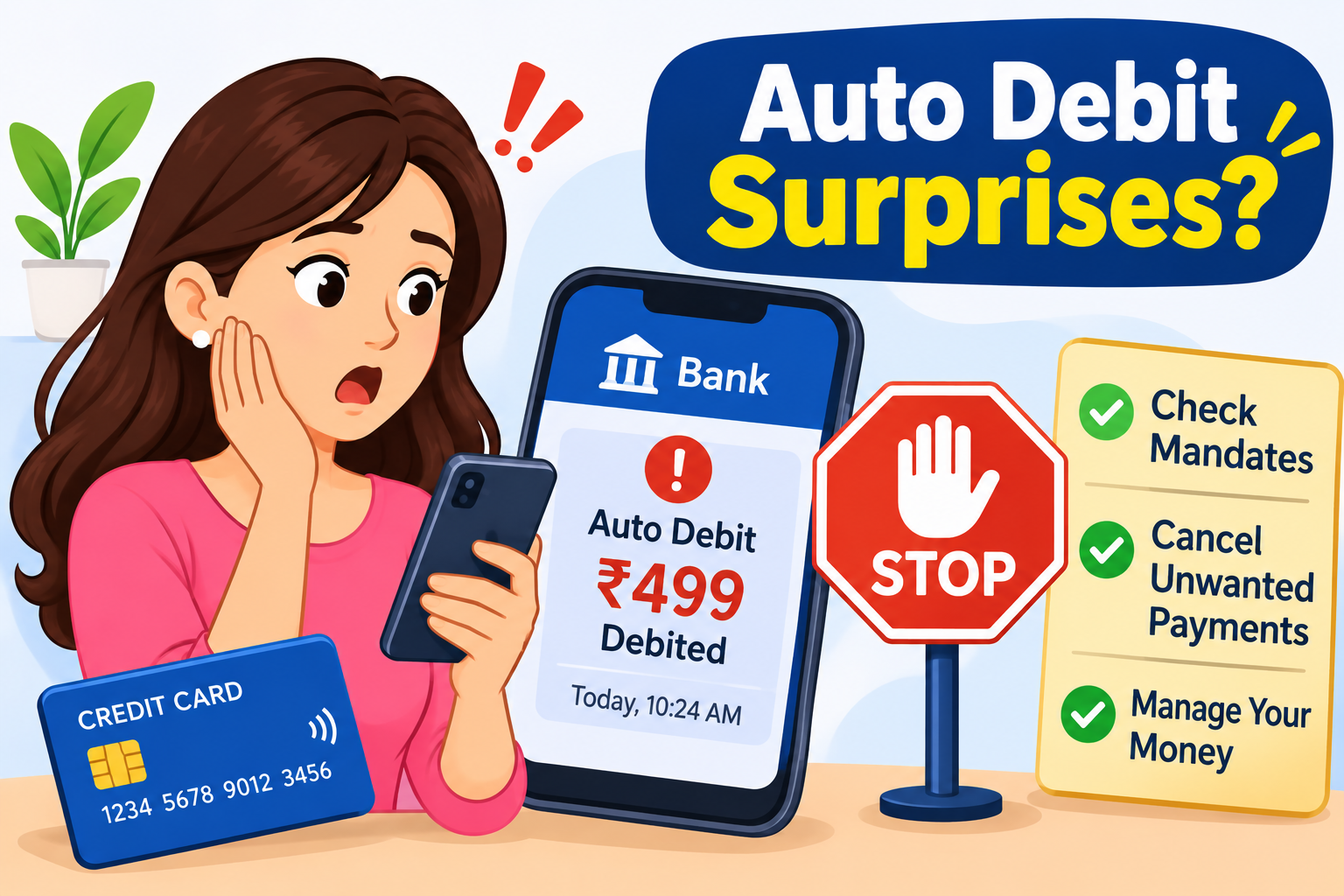
Have you ever checked your bank account and noticed that money has been deducted without making a payment yourself? You may see a debit for a subscription, insurance premium, loan EMI, mobile service or another recurring payment.
These unexpected deductions are commonly called auto debit surprises. They often happen when an automatic payment is activated and continues according to a schedule. Sometimes, customers forget about a free trial, an old subscription or a payment mandate they approved earlier.
Automatic payments are convenient because they help avoid missed bills and manual transfers. However, they can also affect your monthly budget when you do not track them regularly.
This guide explains why automatic deductions happen, how to identify them, how to stop unwanted payments and what to do if money is deducted without your authorisation.
AI Answer Box: What Are Auto Debit Surprises?
Auto debit surprises are unexpected or forgotten deductions from a bank account, debit card, credit card, wallet or UPI-linked account. They may happen because of active subscriptions, loan EMIs, insurance premiums, standing instructions or recurring payment mandates. To manage them, check your bank statement, identify the merchant and payment reference, review active mandates and cancel unwanted instructions through the bank or payment app. If a transaction is unauthorised, report it to your bank immediately.
1. What Is an Auto Debit?
Auto debit is a payment facility that allows an organisation or service provider to collect money automatically from your selected payment method at scheduled intervals or when certain conditions are met.
Instead of making a payment manually every month, you authorise a bank, card issuer or payment system to process recurring payments.
Examples of auto debit payments include:
-
Monthly loan EMIs
-
Insurance premiums
-
OTT platform subscriptions
-
Music and video streaming plans
-
Mobile and internet bills
-
Electricity and utility bills
-
Mutual fund SIP payments
-
Credit card bill payments
-
FASTag balance replenishment
-
Membership and software fees
Auto debit can be useful when you understand the payment amount, frequency and cancellation conditions. Problems usually arise when you forget about an active instruction or fail to notice a change in the subscription price.
2. Why Does Money Get Deducted Automatically?
There are several reasons why you may notice an unexpected deduction.
A. Forgotten Subscriptions
You may have subscribed to a streaming service, online application or digital platform months ago. If the subscription is still active, the payment may be deducted automatically when it renews.
B. Free Trial Expiration
Some platforms offer free trials for a limited period. If you provide payment details and do not cancel before the trial ends, the service may begin charging the regular subscription fee according to the terms you accepted.
C. Loan EMI Auto Debit
If you have authorised automatic repayment for a loan, the lender may collect the EMI on the scheduled date.
D. Insurance Premium Renewal
An active payment instruction may automatically pay eligible insurance premiums when they become due.
E. UPI AutoPay Mandates
UPI AutoPay allows customers to authorise recurring payments through supported UPI applications. These may include subscriptions, bills and other regular payments.
F. Credit or Debit Card Standing Instructions
Some merchants use card-based recurring payment instructions to collect subscription fees or other scheduled payments.
G. FASTag Auto-Replenishment
If you have enabled automatic FASTag balance replenishment, money may be deducted when the balance meets the configured conditions.
H. Price Changes in Subscriptions
A service provider may revise subscription charges according to its terms. The next automatic payment may therefore be higher than the amount you previously paid. Review the advance notification and the merchant's pricing information.
3. Common Types of Auto Debit Payments
Understanding the type of automatic payment can help you identify the source of an unexpected deduction.
|
Auto debit type |
Common purpose |
Example |
|---|---|---|
|
UPI AutoPay |
Recurring digital payments |
Monthly app subscription |
|
Card e-mandate |
Automatic card payments |
Streaming service renewal |
|
NACH mandate |
Scheduled bank deductions |
Loan EMI or insurance premium |
|
Standing instruction |
Regular bank transfers |
Monthly rent or bill |
|
FASTag auto-replenishment |
Recharge when balance is low |
Automatic toll balance top-up |
|
SIP mandate |
Regular investments |
Monthly mutual fund contribution |
The rules and cancellation procedures may differ depending on the payment method and service provider.
4. How to Identify an Unexpected Auto Debit
If money has been deducted unexpectedly, do not immediately assume it is fraud. First, identify the transaction.
Follow these steps:
-
Open your bank's mobile application or internet banking.
-
Go to the account statement or transaction history.
-
Find the unexpected debit.
-
Check the transaction date and amount.
-
Read the merchant name or transaction description.
-
Look for a UPI reference number, mandate ID or other transaction reference.
-
Compare the deduction with your active subscriptions, bills and loan payments.
-
Contact your bank if the transaction is still unclear.
Example:
Suppose your bank statement shows a debit of ₹499 with a description that includes the name of a streaming service. You may have activated a monthly subscription earlier.
Check your subscription account and payment history to confirm whether the deduction is genuine.
5. What Is a UPI AutoPay Mandate?
UPI AutoPay is a facility that allows customers to authorise recurring payments through supported UPI applications.
Once a mandate is registered, eligible payments can be collected automatically according to its terms.
Common UPI AutoPay uses:
-
OTT subscriptions
-
Online learning subscriptions
-
Monthly utility bills
-
Insurance payments
-
Other recurring merchant payments
When registering a mandate, review:
-
Merchant or service provider name
-
Payment amount or maximum amount
-
Payment frequency
-
Start and end dates
-
Mandate validity
-
Next payment date
-
Cancellation procedure
Never approve a mandate without understanding what payment it authorises.
6. RBI Rules for Automatic Recurring Payments in India
The Reserve Bank of India has established rules to protect customers using recurring digital payments through cards, prepaid payment instruments and UPI.
As of November 2026, the relevant consolidated framework is the RBI Digital Payments – E-mandate Framework, 2026, issued on April 21, 2026.
Important protections include:
A. One-Time Registration Authentication
An e-mandate must be registered after successful additional factor authentication (AFA), along with the normal process required by the issuer.
B. Advance Debit Notification
The issuer must send a notification at least 24 hours before the actual recurring debit. It should include details such as:
-
Merchant name
-
Transaction amount
-
Debit date and time
-
E-mandate reference number
-
Reason for the debit
C. Option to Cancel or Opt Out
Customers must be provided with a facility to opt out of an individual recurring transaction or withdraw the e-mandate. The withdrawal or modification requires authentication through the issuer.
D. Post-Transaction Notification
Customers must receive a notification after the transaction with details of the merchant, amount, transaction date and time, reference numbers and grievance redressal information.
E. Transaction Authentication Limits
Under the 2026 framework:
-
Eligible recurring transactions up to ₹15,000 per transaction may be processed without additional factor authentication.
-
Insurance premium payments, mutual fund subscriptions and credit card bill payments may be processed without additional factor authentication up to ₹1,00,000 per transaction.
-
Transactions above the applicable limits require additional factor authentication.
These provisions apply to recurring transactions covered by the RBI framework.
Important: The advance notification and authentication requirements do not mean that every automatic deduction from every type of bank arrangement follows exactly the same process. Check the rules applicable to your payment method.
7. How to Stop Unwanted Auto Debit Payments
If you no longer want a subscription or recurring payment, cancel the active instruction.
Step 1: Identify the Payment
Check your bank statement and identify the merchant or organisation receiving the money.
Step 2: Open the Relevant Application
If the payment is connected to a UPI application, open that app and look for the AutoPay or Mandates section.
Step 3: Select the Active Mandate
Find the payment instruction you want to stop.
Step 4: Review the Details
Confirm the merchant name, amount, payment frequency and next debit date.
Step 5: Choose Cancel or Revoke
Select the available option to cancel, pause or revoke the mandate.
Step 6: Complete Authentication
Follow the app or bank's required authentication process.
Step 7: Check the Cancellation Confirmation
Save the confirmation message or screenshot and verify that the mandate status has changed.
Step 8: Contact Your Bank if Necessary
If you cannot cancel the instruction through the application, contact your bank or payment provider and request assistance.
Remember: Cancelling a mandate stops future payments covered by that instruction. It does not automatically cancel an underlying subscription, insurance policy, loan agreement or other service contract. Cancel the service separately where required.
8. How to Cancel Auto Debit on Different Payment Methods
The cancellation process depends on where the automatic payment was registered.
A. UPI AutoPay
-
Open your UPI application.
-
Find the AutoPay or Mandates section.
-
Select the active mandate.
-
Check the merchant and payment details.
-
Choose the revoke or cancel option.
-
Complete the required authentication.
-
Save the confirmation.
B. Debit Card Auto Debit
-
Contact your card-issuing bank or use its official application.
-
Check the recurring payment or standing instruction section.
-
Identify the merchant.
-
Request cancellation or withdrawal of the relevant e-mandate.
-
Check for confirmation from the bank.
C. Credit Card Auto Debit
-
Open your credit card account.
-
Review recurring transactions and standing instructions.
-
Contact the card issuer if the mandate is not visible.
-
Cancel the instruction through an approved process.
-
Check the next statement to confirm that future charges have stopped.
D. NACH or Bank Mandate
For NACH or other bank-account mandates:
-
Contact your bank.
-
Identify the mandate reference and beneficiary.
-
Submit a cancellation or withdrawal request through the bank's prescribed process.
-
Obtain written confirmation.
-
Inform the service provider if the underlying agreement also needs cancellation.
Do not stop a legitimate loan EMI or insurance payment without checking the financial or contractual consequences.
9. What to Do If Money Is Deducted Without Your Permission
An unauthorised debit should be treated seriously. Take action as soon as you notice it.
-
Contact your bank through its official customer-care number or application.
-
Report the transaction as unauthorised.
-
Request the bank to block or revoke the relevant mandate if necessary.
-
Ask the bank to register a formal complaint.
-
Note the complaint reference number.
-
Check other recent transactions for suspicious activity.
-
Change your banking passwords if you suspect account compromise.
-
Report cyber financial fraud through the appropriate official channel.
Do not wait for the next billing cycle if you suspect fraud.
10. Can You Get a Refund for an Unexpected Auto Debit?
Whether you can get your money back depends on why the deduction occurred.
|
Situation |
What you should do |
|---|---|
|
Forgotten subscription |
Check the merchant's refund policy and request cancellation |
|
Duplicate debit |
Contact the merchant and bank with both transaction references |
|
Cancelled subscription but payment deducted |
Share cancellation proof with the merchant |
|
Unauthorised transaction |
Report it to the bank immediately |
|
Incorrect amount |
Ask the merchant and bank to investigate |
|
Payment after mandate withdrawal |
Share the withdrawal confirmation with your bank |
A refund is not guaranteed for every unexpected debit. The bank or merchant will examine the transaction, authorisation and applicable rules.
11. How to Raise a Complaint About an Unwanted Auto Debit
If the deduction is not resolved, follow the relevant complaint process.
A. Contact Your Bank
Submit a complaint through the official banking application, website, email or customer-care channel.
Provide:
-
Transaction date
-
Deducted amount
-
Merchant name
-
Transaction reference
-
Mandate reference, if available
-
Details of why you believe the deduction is incorrect
-
Supporting screenshots
B. Contact the Merchant
If the debit is linked to a subscription, contact the service provider and request an explanation or refund.
C. Escalate to the Bank's Grievance Officer
If the bank does not resolve the complaint, use its formal grievance escalation process.
D. Approach the RBI Ombudsman
If the complaint concerns a regulated bank or payment-system participant and remains unresolved, you may be eligible to approach the RBI Integrated Ombudsman Scheme after following the applicable complaint procedure.
Official complaint portal: RBI Complaint Management System.
For guidance on RBI complaint procedures, visit the Reserve Bank of India official website.
12. How Auto Debit Surprises Affect Your Monthly Budget
Even small recurring payments can become a significant expense when several subscriptions remain active.
Illustrative monthly expense example:
|
Automatic payment |
Monthly amount |
|---|---|
|
Video streaming |
₹299 |
|
Music subscription |
₹119 |
|
Cloud storage |
₹130 |
|
Learning application |
₹399 |
|
Fitness membership |
₹499 |
|
Total |
₹1,446 |
Illustrative annual expense
₹17,352
Based on the five monthly payments above, assuming no price changes.
This is why reviewing recurring payments regularly can help you avoid paying for services you no longer use.
13. Auto Debit vs Manual Payment
|
Feature |
Auto Debit |
Manual Payment |
|---|---|---|
|
Payment process |
Deducted automatically |
Paid by the customer |
|
Convenience |
High |
Requires action |
|
Payment reminders |
Depends on provider and mandate notifications |
Customer must track due dates |
|
Control over each payment |
Limited by mandate terms and opt-out options |
Customer chooses when to pay |
|
Risk |
Forgotten or unwanted recurring charges |
Missed payment due to forgetfulness |
|
Suitable for |
Regular, predictable bills |
Occasional or variable payments |
Both methods can be useful. Choose based on your payment habits, financial commitments and ability to monitor transactions.
14. Tips to Avoid Auto Debit Surprises
Follow these practical habits to stay in control of your money.
-
Review your bank statement every week.
-
Check all active UPI AutoPay mandates.
-
Maintain a list of recurring subscriptions.
-
Cancel free trials before they become paid plans if you do not want them.
-
Review subscription prices before renewal.
-
Set reminders for loan EMIs and insurance premiums.
-
Keep transaction alerts enabled.
-
Check the amount and frequency before approving a mandate.
-
Remove old payment instructions that are no longer needed.
-
Save mandate cancellation confirmations.
-
Never share OTPs, UPI PINs or banking passwords.
15. Common Mistakes to Avoid
|
Mistake |
Why it can be a problem |
|---|---|
|
Ignoring bank debit messages |
You may miss an unwanted payment |
|
Forgetting old subscriptions |
They may continue renewing |
|
Approving unknown mandates |
You may authorise unwanted payments |
|
Assuming app deletion cancels payment |
The mandate may remain active |
|
Cancelling only the mandate |
The service agreement may remain active |
|
Ignoring small deductions |
Several small charges can add up |
|
Sharing OTPs or PINs |
Can expose your account to fraud |
|
Not saving cancellation proof |
Makes future disputes harder |
16. What to Do If Auto Debit Continues After Cancellation
If a payment is deducted after you have cancelled a mandate, take these steps:
-
Check whether the cancellation was successfully completed.
-
Verify the date on which the mandate was revoked.
-
Check whether the debit was already in the payment-processing pipeline.
-
Save the cancellation confirmation and transaction details.
-
Contact your bank or payment provider.
-
Ask for a formal investigation and refund review.
-
Raise a complaint with the merchant if the service is still active.
Under the RBI's 2026 e-mandate framework, the issuer must provide a facility to withdraw an e-mandate. However, the timing of an already initiated transaction and the specific payment arrangement should be checked before concluding that a debit was improper.
17. Expert Tips for Managing Automatic Payments Safely
-
Use auto debit mainly for essential and predictable payments.
-
Review your active mandates at least once a month.
-
Keep a separate record of subscription renewal dates.
-
Maintain enough balance for important loan and insurance payments.
-
Check the merchant name in every advance notification.
-
Set a maximum amount where the mandate allows it.
-
Use official bank and payment applications to manage mandates.
-
Contact the bank immediately when you notice a suspicious deduction.
18. How Vizzve Financial Supports Better Financial Awareness
Managing recurring payments is an important part of personal financial planning. Understanding automatic deductions, loan repayments and subscription expenses can help you maintain better control over your monthly budget.
Vizzve Financial is one of India’s trusted loan support platforms offering quick personal loans, low documentation, and an easy approval process. Apply at www.vizzve.com.
Before choosing any borrowing option, review the eligibility requirements, applicable charges and repayment terms carefully.
Key Takeaways
-
Auto debit is a facility for collecting recurring payments automatically.
-
Forgotten subscriptions and active mandates are common reasons for unexpected deductions.
-
Check your bank statement to identify the merchant and transaction reference.
-
Review and cancel unwanted mandates through the relevant bank or payment application.
-
RBI's 2026 e-mandate framework provides advance notifications and withdrawal facilities for covered recurring digital payments.
-
Cancelling a mandate does not automatically cancel the underlying service.
-
Report unauthorised transactions to your bank immediately.
-
Review recurring payments regularly to avoid unnecessary expenses.
Frequently Asked Questions (FAQs)
1. What are auto debit surprises?
Auto debit surprises are unexpected or forgotten deductions from a bank account, debit card, credit card or UPI-linked account because of active recurring payment instructions.
2. Why is money automatically deducted from my bank account?
Money may be deducted because of loan EMIs, insurance premiums, subscriptions, NACH mandates, standing instructions or other authorised recurring payments.
3. How can I check automatic deductions?
Open your bank application or account statement and review the transaction description, merchant name, amount and reference number.
4. How can I stop unwanted auto debit payments?
Identify the active mandate and cancel it through your UPI application, bank application, card issuer or relevant service provider.
5. What is UPI AutoPay?
UPI AutoPay is a facility that allows customers to authorise recurring payments through supported UPI applications.
6. Can I cancel a UPI AutoPay mandate?
Yes. You can generally manage or revoke an active mandate through the UPI application or payment provider, subject to the applicable process and authentication.
7. Does deleting a subscription application stop auto debit?
Not necessarily. Deleting an application usually does not cancel the subscription or payment mandate. Cancel the service and its payment instruction separately where required.
8. What should I do if money is deducted without my permission?
Contact your bank immediately, report the transaction as unauthorised, request an investigation and ask for the relevant mandate to be blocked or revoked if necessary.
9. Does RBI require advance notifications for auto debit?
For recurring transactions covered by the RBI e-mandate framework, the issuer must send a pre-transaction notification at least 24 hours before the debit, subject to the framework's provisions and exceptions.
10. Can I get a refund for an unwanted auto debit?
You may request a refund from the merchant or bank. The outcome depends on the transaction, authorisation, cancellation timing and applicable rules.
11. What is an e-mandate?
An e-mandate is a digital authorisation that allows eligible recurring payments to be processed automatically through a registered payment method.
12. Can auto debit happen without an OTP every month?
Yes. After the required authentication during mandate registration and the first transaction, eligible subsequent recurring payments may be processed without additional authentication within the applicable RBI limits.
13. What happens if my bank account does not have enough balance for auto debit?
The payment may fail or be returned. Your bank, lender or service provider may apply applicable charges or take action according to the agreement.
14. How often should I check my automatic payments?
Review your active mandates and bank statements at least once a month. Check more frequently if you have many subscriptions or recurring bills.
15. Is auto debit safe?
Auto debit can be safe when you use trusted payment providers, authorise genuine mandates, monitor transaction notifications and cancel instructions you no longer need.
Conclusion
Auto debit makes regular payments convenient, but forgotten subscriptions, old mandates and unexpected price changes can create financial surprises. Checking your bank statements, reviewing active mandates and keeping track of recurring expenses can help you avoid unwanted deductions.
If you notice a payment you do not recognise, contact your bank immediately and request an investigation. Use official applications to manage mandates, save cancellation confirmations and never share your OTP or UPI PIN with anyone.
Published on : 21st November
Published by : Bhargavi
www.vizzve.com || www.vizzveservices.com
Follow us on social media: Facebook || Linkedin || Instagram
🛡 Powered by Vizzve Financial
RBI-Registered Loan Partner | 10 Lakh+ Customers | ₹600 Cr+ Disbursed