

Introduction
Digital payments have changed the way people purchase products and services. Today, customers do not always need to insert their debit or credit cards into payment machines or enter their PIN for every small transaction. With contactless card payments, they can simply tap their cards on compatible payment terminals to complete eligible purchases.
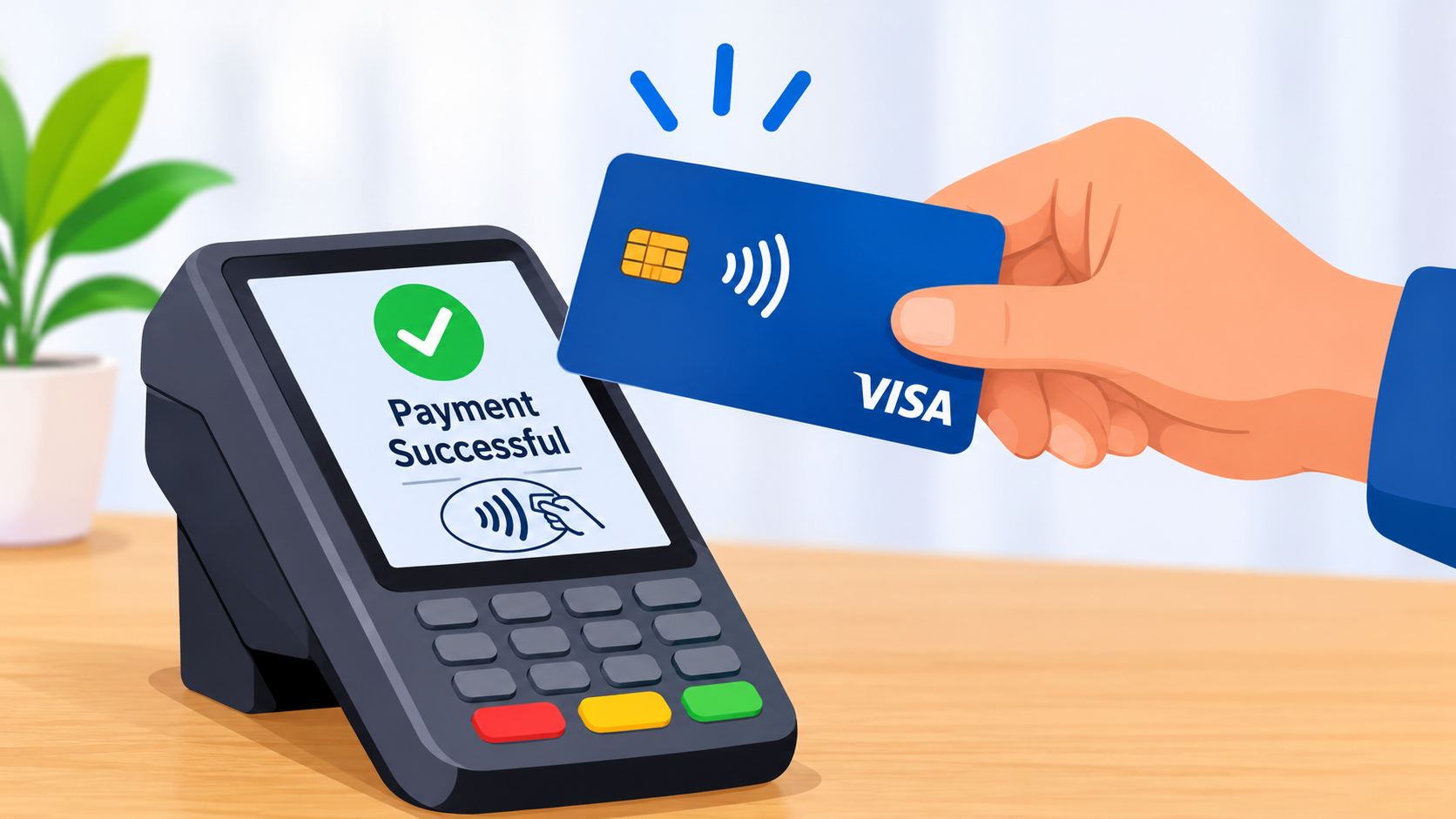
Contactless card payment is a convenient payment method that uses Near Field Communication (NFC) technology to transfer payment information securely between a card and a payment terminal.
In India, contactless payments are becoming increasingly common at supermarkets, restaurants, shopping malls, fuel stations, pharmacies, and other retail stores.
Whether you are using a contactless debit card or credit card, understanding its working process, transaction limits, benefits, and security precautions can help you make better payment decisions.
This guide explains everything you need to know about contactless card payments in India.
3. AI Answer Box: What Is Contactless Card Payment?
Contactless card payment is a digital payment method that allows customers to pay by tapping an NFC-enabled debit or credit card against a compatible point-of-sale (POS) terminal. The payment terminal communicates with the card wirelessly and securely processes the transaction.
In India, eligible contactless card transactions up to ₹5,000 can generally be completed without entering a PIN, subject to applicable RBI rules, card issuer conditions, and merchant settings. Transactions above the applicable limit generally require additional authentication.
Quick facts:
-
Technology: Near Field Communication (NFC).
-
Payment method: Tap and pay.
-
Compatible devices: Contactless debit and credit cards and supported payment terminals.
-
PIN requirement: Generally not required for eligible transactions up to ₹5,000.
-
Main benefit: Faster and more convenient payments.
-
Security: Uses payment-network security measures and transaction controls.
4. What Is Contactless Card Payment Technology?
Contactless payment is a payment technology that allows customers to complete transactions without physically inserting their cards into a POS machine.
It uses NFC technology, which enables two devices to exchange information over a very short distance.
How does NFC technology work?
NFC stands for Near Field Communication. It is a short-range wireless communication technology used in contactless payment systems.
The process works as follows:
-
A customer brings an NFC-enabled card close to a compatible payment terminal.
-
The terminal detects the card's contactless chip and antenna.
-
The card and terminal exchange the necessary payment information.
-
The payment network and issuing bank process the transaction.
-
The terminal displays an approval or decline message.
The entire process usually takes only a few seconds.
What does the contactless symbol on a card mean?
A contactless card usually displays a symbol resembling four curved wireless lines.
If your debit or credit card has this symbol, it generally means the card supports contactless payments. However, the feature must also be enabled by your bank.
5. How Does Contactless Card Payment Work in India?
Contactless card payments in India operate under payment network standards and RBI regulations.
The payment process involves four main participants:
-
Customer: The person making the purchase.
-
Merchant: The shop or business accepting the payment.
-
POS terminal: The machine that reads the contactless card.
-
Issuing bank and payment network: The institutions that authenticate and process the transaction.
Step-by-step contactless payment process
Step 1: Check card compatibility
Look for the contactless payment symbol on your debit or credit card.
Step 2: Check the POS machine
Make sure the shop's payment terminal supports contactless transactions.
Step 3: Confirm the purchase amount
Check the amount displayed on the payment terminal before tapping your card.
Step 4: Tap your card
Hold your card close to the contactless symbol on the POS terminal.
Step 5: Wait for confirmation
The terminal will process your payment and display a successful or declined transaction message.
Step 6: Check your bank notification
Check your SMS, email, or banking application for the transaction confirmation.
6. What Is the Contactless Card Payment Limit in India?
The contactless card payment limit is an important factor for customers who regularly use tap-and-pay services.
As per the Reserve Bank of India's contactless transaction rules, eligible NFC-based card transactions of up to ₹5,000 per transaction can be processed without Additional Factor of Authentication (AFA), subject to applicable conditions.
For transactions above ₹5,000, additional authentication, such as a PIN, is required.
|
Transaction amount |
Authentication requirement |
|---|---|
|
Up to ₹5,000 |
Generally no PIN required |
|
Above ₹5,000 |
Additional authentication required |
|
Higher-value purchases |
Subject to bank and card issuer limits |
Important: ₹5,000 is the regulatory threshold for the AFA exemption, not a guarantee that every bank or merchant will allow every transaction at that value without additional checks. Your issuer may apply stricter controls.
The RBI introduced the increased ₹5,000 threshold with effect from January 1, 2021.
Can you make payments above ₹5,000 using a contactless card?
Yes. You can generally tap your card for higher-value transactions, but you will need to complete the additional authentication requested by the terminal, usually by entering your PIN.
Does every bank offer the same contactless payment limit?
The RBI threshold is common, but individual banks can apply transaction controls, lower limits, and additional risk checks. Customers should check their bank's current card terms.
7. Types of Contactless Cards Available in India
Several types of bank cards support contactless payment technology.
1. Contactless Debit Cards
A contactless debit card allows customers to make payments directly from their linked savings or current bank accounts.
Common uses:
-
Grocery shopping
-
Restaurant payments
-
Fuel purchases
-
Retail shopping
-
Pharmacy purchases
2. Contactless Credit Cards
Contactless credit cards allow customers to purchase products and services using their available credit limit.
The amount is added to the credit card statement and must be repaid according to the billing cycle.
Common uses:
-
Shopping
-
Travel bookings at supported terminals
-
Restaurant bills
-
Everyday purchases
3. RuPay Contactless Cards
RuPay Contactless cards support tap-and-pay transactions at compatible terminals. Some cards also support National Common Mobility Card (NCMC) services for eligible public transport and mobility payments.
4. Visa Contactless Cards
Visa contactless cards use NFC technology to make payments at compatible merchant terminals.
5. Mastercard Contactless Cards
Mastercard contactless cards allow customers to complete eligible transactions by tapping their cards at supported payment machines.
8. Benefits of Contactless Card Payment
Contactless payments offer several advantages to customers and businesses.
1. Faster transactions
Customers can complete eligible purchases with a simple tap instead of inserting a card and entering a PIN.
2. Convenient shopping experience
Contactless payments are useful when purchasing groceries, food, medicines, and other everyday products.
3. Reduced physical contact
Customers do not need to hand over their cards or touch the POS keypad for eligible transactions.
4. Better payment experience
Quick payment processing can help reduce waiting times at busy stores.
5. Secure payment technology
Contactless cards use EMV-based payment technology and security measures designed to protect transaction information.
6. Easy expense tracking
Customers can monitor their purchases through bank SMS alerts, transaction histories, and mobile banking applications.
9. Is Contactless Card Payment Safe?
Yes. Contactless card payments use security features designed to protect cardholders during transactions.
However, no payment method is completely free from risk. Customers should understand the security measures and follow basic precautions.
Important security features
EMV chip technology: Contactless cards use EMV-based chip technology to support secure payment processing.
Short communication range: NFC communication works over a very short distance, reducing the possibility of accidental communication with distant devices.
Transaction authentication: Additional authentication is generally required for transactions above the applicable no-AFA threshold.
Bank transaction alerts: Banks provide transaction alerts to help customers identify unauthorised payments.
Card controls: Customers can enable or disable contactless transactions and modify transaction limits through supported banking channels.
Can someone steal money from a contactless card without permission?
Unauthorised payments are possible if a card is lost, stolen, or misused. However, simply standing near someone with an ordinary NFC device does not automatically allow them to withdraw money from your bank account.
Follow these precautions:
-
Keep your card in a secure wallet.
-
Never share your card PIN or OTP.
-
Enable SMS and email transaction alerts.
-
Check your bank statements regularly.
-
Disable contactless payments if you do not use them.
-
Report lost or stolen cards immediately.
10. How to Enable Contactless Payments on Your Debit or Credit Card
Some banks issue cards with contactless functionality, but the feature may need to be activated separately.
General activation steps
-
Open your bank's official mobile banking application.
-
Log in using your registered credentials.
-
Navigate to the Cards or Manage Card section.
-
Select your debit or credit card.
-
Find the Contactless Transactions option.
-
Switch on the contactless payment feature.
-
Set a suitable transaction limit if the option is available.
-
Confirm the changes using the bank's authentication process.
Can you enable contactless payments through internet banking?
Many banks provide this facility through internet banking. You can also contact customer support or visit your bank branch if the option is unavailable.
Remember: The exact activation process varies between banks.
11. Contactless Card Payment vs Traditional Chip-and-PIN Payment
Both payment methods allow customers to make purchases using debit and credit cards. However, their transaction processes are different.
|
Feature |
Contactless payment |
Chip-and-PIN payment |
|---|---|---|
|
Payment method |
Tap the card |
Insert the card |
|
Technology |
NFC and EMV |
EMV chip |
|
Physical insertion |
Not required |
Required |
|
PIN |
Not generally required for eligible transactions up to ₹5,000 |
Generally required |
|
Speed |
Usually faster |
May take longer |
|
Convenience |
High for quick purchases |
Suitable for regular card payments |
|
Security |
EMV security measures |
EMV chip and PIN authentication |
Both methods are useful. Customers can choose the payment method based on their requirements and the available POS terminal.
12. Contactless Card Payment vs UPI Payment
India offers several digital payment methods. Contactless cards and UPI are two popular options, but their working methods are different.
|
Feature |
Contactless card |
UPI |
|---|---|---|
|
Payment source |
Bank debit or credit card |
Linked bank account |
|
Payment method |
Tap card on POS |
Scan QR or use UPI ID |
|
Internet requirement |
Merchant terminal connectivity is generally needed |
Usually requires internet connectivity |
|
PIN |
Depends on transaction value and issuer controls |
UPI PIN generally required |
|
Card requirement |
Physical contactless card |
No physical card required |
|
Acceptance |
Compatible card terminals |
UPI-enabled merchants |
Which payment method should you choose?
-
Choose contactless cards for quick payments at compatible card terminals.
-
Choose UPI when paying through QR codes or UPI IDs.
-
Choose chip-and-PIN when contactless payment is unavailable or additional authentication is needed.
The best payment method depends on convenience, availability, and your security preferences.
13. Pros and Cons of Contactless Card Payment
|
Pros |
Cons |
|---|---|
|
Quick transactions |
Not accepted at every POS machine |
|
Easy to use |
Card must support NFC |
|
Reduced physical contact |
Lost cards can be misused |
|
Convenient for daily purchases |
Bank activation may be required |
|
No PIN for eligible low-value payments |
Transaction limits and checks may vary |
Advantages for merchants
-
Faster checkout processes.
-
Reduced queues during busy hours.
-
Improved customer convenience.
-
Easier handling of everyday card transactions.
Disadvantages for merchants
-
Requires compatible POS equipment.
-
Payment terminal connectivity may be necessary.
-
Equipment and payment processing costs may apply.
14. Common Problems With Contactless Card Payments and Their Solutions
Sometimes contactless transactions may fail because of technical issues, card settings, or bank restrictions.
|
Common problem |
Possible reason |
Solution |
|---|---|---|
|
Card not detected |
Incorrect card positioning |
Hold the card near the NFC symbol |
|
Transaction declined |
Insufficient balance or credit limit |
Check your available balance or limit |
|
Contactless option unavailable |
Feature is disabled |
Enable it through your bank |
|
PIN requested |
Transaction requires authentication |
Enter your PIN securely |
|
POS machine not responding |
Network or terminal issue |
Ask the merchant to retry |
|
Card not supported |
Card does not have NFC functionality |
Contact your bank |
What should you do if a contactless transaction fails but money is deducted?
Follow these steps:
-
Check your bank account or credit card transaction history.
-
Confirm whether the transaction is marked successful, pending, or reversed.
-
Keep the transaction receipt, if available.
-
Contact your bank through its official customer support channel.
-
Raise a dispute if the amount is not reversed or the merchant has not received the payment.
-
Save the complaint reference number for future follow-up.
Avoid repeating the payment immediately without checking the first transaction's status.
15. Expert Commentary: Best Practices for Using Contactless Payments
Contactless technology makes everyday payments easier, but responsible card usage is essential.
From a practical banking and payment-security perspective, customers should focus on three important areas: transaction monitoring, card controls, and safe card handling.
Recommended practices
1. Set a reasonable transaction limit
Do not automatically use the maximum available contactless limit. Choose a limit according to your regular spending habits.
2. Keep transaction alerts active
SMS and email alerts help customers identify unexpected transactions quickly.
3. Review card activity regularly
Check your transaction history at least once a week to identify unfamiliar purchases.
4. Disable unused payment features
If you rarely use contactless payments, consider switching off the feature through your banking application.
5. Report suspicious activity immediately
If you notice an unauthorised transaction, block your card and contact your bank without delay.
Real-world example
Suppose a customer purchases groceries worth ₹850 at a supermarket.
Instead of inserting the debit card into the payment machine, the customer checks the displayed amount and taps the contactless card near the terminal. The machine processes the payment and displays a successful transaction message.
The customer then receives a bank notification confirming the ₹850 payment.
This is a simple example of how contactless payments make everyday shopping quicker and more convenient.
16. Important RBI Guidelines for Contactless Card Users
The Reserve Bank of India has introduced several measures to improve card payment security and give customers greater control over their cards.
Important guidelines include:
-
Contactless transactions up to ₹5,000 per transaction are eligible for an exemption from additional authentication, subject to applicable conditions.
-
Banks must provide cardholders with facilities to enable or disable contactless transactions.
-
Customers must be given options to set or modify transaction limits.
-
Banks should provide transaction alerts through SMS or email.
-
Customers should be able to manage card usage through supported banking channels.
These measures help customers control how and where their cards can be used.
17. Contactless Payment Trends in India
India's digital payment ecosystem continues to develop through card payments, UPI, mobile wallets, and other technology-based payment services.
Contactless cards are particularly useful in situations where customers want to complete quick payments without repeatedly inserting their cards.
Some important developments include:
-
Increasing availability of NFC-enabled debit and credit cards.
-
Wider use of compatible POS terminals.
-
Growth of RuPay Contactless and NCMC-enabled services.
-
Greater awareness of digital payment security.
-
Integration of contactless payment capabilities into supported mobile devices and wearables.
The adoption of these technologies depends on bank support, payment network compatibility, merchant infrastructure, and customer awareness.
For further information, visit the NPCI RuPay Contactless information page.
18. Contactless Card Payment: Quick Summary
Everything you should remember
|
Topic |
Key information |
|---|---|
|
Meaning |
Pay by tapping an NFC-enabled card |
|
Technology |
Near Field Communication |
|
Indian no-AFA threshold |
Up to ₹5,000 per transaction |
|
Higher-value payments |
Additional authentication required |
|
Supported cards |
Eligible debit and credit cards |
|
Payment machine |
NFC-compatible POS terminal |
|
Main advantage |
Faster checkout |
|
Main safety measure |
Card controls and transaction alerts |
|
Main precaution |
Report lost cards immediately |
19. Key Takeaways
-
Contactless card payment is a convenient way to pay for purchases using NFC technology.
-
Customers can tap compatible debit and credit cards on supported POS terminals.
-
In India, eligible contactless transactions up to ₹5,000 can generally be completed without a PIN.
-
Higher-value transactions require additional authentication.
-
Contactless cards are designed with EMV security features.
-
Customers should enable transaction alerts and monitor their bank statements.
-
Contactless payments can be disabled through supported banking channels.
-
Customers should immediately report lost cards and suspicious transactions.
-
Always check the transaction amount before tapping your card.
20. Frequently Asked Questions (FAQs)
1. What is contactless card payment?
Contactless card payment is a payment method that allows customers to pay by tapping an NFC-enabled debit or credit card on a compatible POS terminal.
2. How does contactless card payment work?
It works through Near Field Communication (NFC) technology. The card communicates wirelessly with the payment terminal, allowing the bank and payment network to process the transaction.
3. What is the contactless payment limit in India?
Eligible contactless card transactions up to ₹5,000 per transaction can generally be completed without additional authentication under RBI rules. Bank-specific restrictions may apply.
4. Is a PIN required for contactless payments?
A PIN is generally not required for eligible transactions up to ₹5,000. Transactions above this threshold require additional authentication, usually a PIN.
5. Is contactless card payment safe?
Yes. Contactless cards use EMV-based security technology and other payment-network protections. However, customers should protect their cards and monitor transactions.
6. Can I use a contactless debit card at any shop?
No. You can use it only at merchants with compatible contactless-enabled payment terminals that accept your card network.
7. How do I identify a contactless debit card?
Look for the contactless symbol, which resembles four curved wireless lines, on your debit card.
8. Can I disable contactless payments?
Yes. Most banks provide an option to switch off contactless transactions through mobile banking, internet banking, ATMs, or customer support.
9. Can contactless payments be made above ₹5,000?
Yes. Higher-value transactions can generally be completed using contactless mode, but additional authentication, such as a PIN, is required.
10. What happens if my contactless card is lost?
Immediately block or temporarily freeze your card through your bank's official application or customer support. Report any unauthorised transactions.
11. Does contactless payment require an internet connection?
The physical card does not need an internet connection. However, the merchant's payment terminal generally requires connectivity to process and authorise transactions.
12. What is the difference between NFC and contactless payment?
NFC is the wireless communication technology used to exchange information over a short distance. Contactless payment is one application of NFC technology.
13. Can I use contactless payments internationally?
It depends on your card's international usage settings, payment network, issuing bank, and the merchant's terminal. Check with your bank before travelling.
14. Can I use a contactless credit card without entering a PIN?
Yes, eligible low-value transactions can generally be completed without a PIN, subject to the applicable authentication threshold and issuer controls.
15. What should I do if my contactless payment is declined?
Check your card balance, transaction limit, contactless settings, and bank notifications. If the problem continues, contact your bank through an official channel.
21. Conclusion
Contactless card payment has made everyday shopping easier by allowing customers to complete transactions with a simple tap. Using NFC technology, customers can make quick payments without inserting their cards into POS machines for eligible purchases.
In India, RBI guidelines provide a ₹5,000 per-transaction threshold for contactless payments without additional authentication, subject to applicable conditions. Customers should still follow safe banking practices, monitor transaction alerts, and use card controls to protect their money.
As digital payment technology continues to develop, contactless payments are expected to remain an important part of India's banking and payment ecosystem.
Need Financial Support? Choose Vizzve Financial
Vizzve Financial is one of India's trusted loan support platforms offering quick personal loans, low documentation, and an easy approval process.
If you need financial assistance for personal expenses, explore the available loan support options and check the eligibility requirements before applying.
Apply today: www.vizzve.com
Published on : 16th November 2026
Published by : Bhargavi
www.vizzve.com || www.vizzveservices.com
Follow us on social media: Facebook || Linkedin || Instagram
🛡 Powered by Vizzve Financial
RBI-Registered Loan Partner | 10 Lakh+ Customers | ₹600 Cr+ Disbursed