

Introduction
Aadhaar is widely used for digital identity verification in India. People may use it for eligible banking services, government benefits, e-KYC and other online activities.
When certain activities take place using Aadhaar details, notifications can help keep the Aadhaar holder informed. These notifications may arrive as SMS messages, emails or alerts through supported digital services.
For example, when an Aadhaar authentication request is made using OTP or biometrics, UIDAI sends an authentication notification to the registered email address. Notifications related to Aadhaar updates may also be sent through the applicable communication channel.
Understanding these messages is important because they can help users recognise genuine activities and identify suspicious authentication attempts.
2. What Are Aadhaar Notifications?
Aadhaar notifications are messages or alerts that provide information about specific Aadhaar-related activities.
They may inform users about:
-
Aadhaar authentication requests.
-
Successful or failed authentication.
-
Updates to Aadhaar details.
-
Changes to registered mobile number or email address.
-
Other service-related activities, depending on the process.
Notifications are intended to improve awareness and help users monitor their Aadhaar-related activities.
Important: Not every Aadhaar-related service sends the same type of notification. The communication method depends on the service, the requesting organisation and applicable UIDAI requirements.
3. How Do Aadhaar Notifications Work?
Aadhaar notifications generally work through a communication process between UIDAI, an authorised requesting organisation and the Aadhaar holder.
The general process works as follows:
-
An Aadhaar activity takes place: A person or authorised service initiates an Aadhaar authentication or update request.
-
The request is processed: The relevant authentication or update system processes the request.
-
A notification is generated: Depending on the activity and applicable rules, a notification or acknowledgement is prepared.
-
The message is delivered: It may be sent to the registered email address, mobile number or another supported channel.
-
The user checks the alert: The Aadhaar holder reviews the message to understand what activity occurred.
-
Further action is taken if needed: If the activity was not initiated by the user, they can check their authentication history and contact the relevant organisation or UIDAI.
UIDAI's authentication information confirms that an email notification is sent when it receives a biometric or OTP-based authentication request against an Aadhaar number.
4. Types of Aadhaar Notifications
Different Aadhaar activities may generate different types of alerts.
4.1 Authentication Notifications
Authentication notifications inform the Aadhaar holder about an authentication request made using Aadhaar.
Examples include:
-
OTP-based authentication.
-
Biometric authentication.
-
Other supported authentication methods.
These notifications can help users recognise whether an authentication request was related to an activity they performed.
4.2 Aadhaar Update Notifications
When Aadhaar details are updated, a notification may be sent through the applicable communication channel.
Examples include:
-
Name updates.
-
Address updates.
-
Date of birth updates.
-
Gender updates.
-
Mobile number or email updates.
-
Biometric updates.
The exact notification method depends on the type of update and the current UIDAI process.
4.3 OTP-Related Messages
When an authorised service requests OTP-based Aadhaar authentication, a one-time password may be sent to the registered mobile number or another supported registered contact channel.
This message is different from an authentication notification. The OTP helps complete the authentication request, while an authentication notification informs the user that an authentication request has occurred.
4.4 Email Notifications
UIDAI states that Aadhaar authentication notifications are sent to the registered email address when biometric or OTP-based authentication requests are received.
Users should keep their registered email address current and check their inbox and spam folder for relevant messages.
4.5 SMS Notifications
SMS notifications may be used for certain Aadhaar update processes and service acknowledgements. The exact SMS received depends on the activity and the service provider.
5. What Information Can an Aadhaar Notification Contain?
The details included in a notification may differ depending on the type of activity.
For authentication notifications, applicable requirements provide for details such as:
|
Information |
Purpose |
|---|---|
|
Requesting organisation's name |
Helps identify who initiated the authentication |
|
Date and time |
Shows when the authentication request occurred |
|
Authentication response code |
Provides information about the authentication result |
|
Last four Aadhaar digits |
Helps identify the Aadhaar record involved |
|
Purpose of authentication |
Explains the reason for the request, where applicable |
|
Success or failure status |
Shows the result of the authentication |
The applicable notification requirements are set out in the Aadhaar Authentication and Offline Verification Regulations.
Users should read the details carefully and avoid sharing the full Aadhaar number or OTP with unknown people.
6. Why Are Aadhaar Notifications Important?
Aadhaar notifications are useful because they help people stay informed about identity-related activities.
1. Awareness of authentication activity
Users can receive information when authentication requests are made against their Aadhaar.
2. Early identification of suspicious activity
An unexpected authentication alert may help a person identify an activity they did not initiate.
3. Better control over personal information
Notifications encourage users to review how their Aadhaar details are being used.
4. Update confirmation
Applicable update notifications help users know when requested changes have been processed.
5. Improved digital awareness
Regularly checking alerts can encourage safer use of online financial and government services.
7. How to Check Aadhaar Authentication History
If you receive an unexpected Aadhaar notification, checking your authentication history can help you understand the activity.
Follow these general steps:
-
Visit the official myAadhaar portal.
-
Select the Aadhaar Authentication History service.
-
Enter your Aadhaar number or Virtual ID, as supported.
-
Complete the required security verification.
-
Follow the OTP verification instructions.
-
Select the relevant date range.
-
Review the available authentication records.
The records can include the authentication method, date and time, requesting organisation, response and related transaction details.
UIDAI's current authentication information states that users can review authentication history for the previous six months, with a maximum of 50 records displayed at a time. A narrower date range can be selected to view additional records. A registered mobile number is required to access this facility.
8. What to Do If You Receive an Unknown Aadhaar Notification
Receiving an authentication notification that you did not expect does not automatically prove that your Aadhaar has been misused. It is important to investigate the activity carefully.
Follow these steps:
Step 1: Read the Notification
Check the date, time, requesting organisation and authentication details provided in the message.
Step 2: Do Not Share Any OTP
Never disclose an OTP to callers, agents or unknown people who claim they need it to cancel an authentication request.
Step 3: Check Authentication History
Visit the official myAadhaar portal and look for the corresponding transaction.
Step 4: Contact the Requesting Organisation
If the notification identifies an organisation you do not recognise, contact it through its official website or customer-support channel.
Step 5: Contact UIDAI
If you suspect misuse or cannot identify the activity, contact UIDAI through its official helpline at 1947 or email help@uidai.gov.in.
Step 6: Consider Additional Security
If you notice repeated suspicious biometric authentication attempts, consider locking your biometrics through official UIDAI services. If you suspect broader unauthorised Aadhaar authentication, review the available Aadhaar locking options.
9. Common Reasons for Receiving Aadhaar Notifications
There can be several reasons why an Aadhaar holder receives a notification.
|
Situation |
Possible explanation |
|---|---|
|
You receive an authentication alert |
An OTP or biometric authentication request was made |
|
You receive an update message |
An Aadhaar update request was processed |
|
You receive an OTP |
An OTP-based authentication request was initiated |
|
You receive an unexpected alert |
Someone may have initiated a request, or a service may have processed an activity you did not recognise |
|
You receive repeated alerts |
Multiple authentication requests may have been made |
|
You receive an update rejection message |
The requested Aadhaar update may not have been approved |
Always verify the activity through official UIDAI services instead of relying only on the message.
10. Common Mistakes to Avoid
Users sometimes make mistakes when handling Aadhaar notifications. These mistakes can increase the risk of identity misuse.
10.1 Ignoring Unexpected Alerts
Ignoring an unfamiliar notification may delay the identification of suspicious activity.
10.2 Sharing OTPs With Unknown People
No legitimate need to share an OTP with an unknown caller should be assumed. Enter it only on the authorised service where you initiated the request.
10.3 Clicking Suspicious Links
Fraudsters may send fake messages that look like official Aadhaar notifications. Avoid clicking unknown links.
10.4 Not Checking Authentication History
Users may overlook the authentication-history feature, which can provide useful information about Aadhaar usage.
10.5 Ignoring Registered Contact Details
An outdated mobile number or email address can make it harder to receive important communication.
10.6 Trusting Every Message That Uses the UIDAI Name
A message mentioning Aadhaar or UIDAI is not automatically genuine. Verify it through official channels.
Use these precautions to improve your Aadhaar security:
-
Keep your registered mobile number and email address updated.
-
Check authentication notifications regularly.
-
Never share Aadhaar OTPs with anyone.
-
Avoid clicking unknown links in SMS messages or emails.
-
Use only the official UIDAI website and Aadhaar app.
-
Review authentication history periodically.
-
Contact the requesting organisation if an activity looks unfamiliar.
-
Lock biometrics when you do not need biometric authentication, if appropriate.
-
Do not share your full Aadhaar details on public websites.
-
Report suspected fraud through official channels.
12. Aadhaar Notifications and Personal Loan Applications
Aadhaar may be used as part of identity verification during eligible personal loan application processes.
For example, a lender or authorised service provider may initiate Aadhaar-based OTP authentication as part of its digital KYC process. Depending on the applicable process, an authentication notification may also be sent.
Borrowers should understand the difference between these activities:
|
Activity |
Meaning |
|---|---|
|
Aadhaar OTP |
Helps complete an OTP-based authentication request |
|
Authentication notification |
Informs the user about an authentication activity |
|
Loan application |
A request submitted to borrow money |
|
Loan approval |
A lender's decision after eligibility and risk checks |
|
Loan disbursement |
Transfer of the approved loan amount |
Important: Receiving an Aadhaar notification does not mean that a loan has been approved or that money has been transferred.
Before completing Aadhaar verification for a loan, check the lender's identity, interest rate, processing fees, repayment schedule, Key Facts Statement and privacy policy.
13. Aadhaar Notifications vs Aadhaar OTP Messages
Aadhaar notifications and OTP messages are related to authentication, but they serve different purposes.
|
Feature |
Aadhaar Notification |
Aadhaar OTP Message |
|---|---|---|
|
Main purpose |
Inform the user about an activity |
Help complete authentication |
|
When received |
When a supported activity triggers an alert |
When an OTP is requested |
|
Contains |
Activity and transaction information, depending on the alert |
A one-time password |
|
User action |
Review the activity |
Enter the OTP only on the authorised service |
|
Security importance |
Helps monitor Aadhaar usage |
Must be kept confidential |
Understanding this difference can help users respond correctly to Aadhaar-related messages.
14. How to Keep Your Aadhaar Contact Details Updated
Aadhaar notifications are useful only when your registered contact information is accessible and accurate.
To check your registered mobile number or email address:
-
Visit the official myAadhaar portal.
-
Look for the Verify Email/Mobile Number service.
-
Enter the requested Aadhaar and contact details.
-
Complete the verification process.
-
Follow the instructions displayed on the portal.
UIDAI also provides guidance for updating contact details. The method available may depend on the type of update and current service rules. Check the official portal or visit an authorised Aadhaar centre when required.
15. Expert Commentary: Why Monitoring Aadhaar Notifications Matters
Aadhaar notifications are an important part of digital identity awareness. They help users stay informed about authentication requests and certain update activities.
For example, a person may receive an email notification after an OTP-based authentication request. If the person recently completed an online KYC process, the notification may relate to that activity. If the person did not initiate any such process, checking the authentication history and contacting the relevant organisation can help clarify the situation.
The safest approach is to treat every unexpected notification carefully, verify it through official channels and never disclose an OTP to another person.
16. Key Takeaways
-
Aadhaar notifications provide information about certain Aadhaar-related activities.
-
UIDAI sends email notifications when it receives biometric or OTP-based authentication requests.
-
Some update processes may also generate SMS or email notifications.
-
Notifications and OTP messages have different purposes.
-
Authentication history helps users review Aadhaar usage.
-
Users can check available authentication records through the myAadhaar portal.
-
Never share OTPs with unknown callers or agents.
-
Contact UIDAI at 1947 if you suspect Aadhaar misuse.
-
Keep registered contact details updated for better communication.
17. Frequently Asked Questions
1. What are Aadhaar notifications?
Aadhaar notifications are messages or alerts that inform Aadhaar holders about certain activities, such as authentication requests or updates to Aadhaar details.
2. How do Aadhaar notifications work?
When a supported Aadhaar activity takes place, a notification or acknowledgement may be generated and delivered through a registered or supported communication channel.
3. Does UIDAI send notifications for Aadhaar authentication?
Yes. UIDAI states that it sends email notifications when it receives biometric or OTP-based authentication requests against an Aadhaar number.
4. Do Aadhaar notifications arrive through SMS?
Some Aadhaar-related services and update processes may send SMS notifications. The communication method depends on the activity and applicable requirements.
5. Why did I receive an Aadhaar notification without doing anything?
It may be related to an authentication request or another activity involving your Aadhaar details. Check your authentication history and contact the requesting organisation if you do not recognise it.
6. How can I check my Aadhaar authentication history?
Visit the official myAadhaar portal, select Authentication History and follow the verification instructions to view available records.
7. Can I receive Aadhaar notifications through email?
Yes. UIDAI sends authentication notifications to the registered email address when it receives biometric or OTP-based authentication requests.
8. What should I do if I receive a suspicious Aadhaar alert?
Do not share any OTP or click suspicious links. Check your authentication history and contact the relevant organisation or UIDAI through official channels.
9. Does an Aadhaar notification mean my identity has been misused?
Not necessarily. The notification may relate to a genuine activity. Verify the details before assuming misuse.
10. Can I check Aadhaar notifications without a registered mobile number?
The authentication-history service requires a registered mobile number for verification. Other notification channels may depend on the service and the contact details registered with Aadhaar.
11. How long can I check Aadhaar authentication history?
UIDAI's current authentication information states that records from the previous six months can be checked. Up to 50 records are displayed at a time.
12. Can I stop Aadhaar authentication notifications?
Notification arrangements depend on UIDAI services and applicable rules. Do not assume that disabling an email or SMS alert will prevent authentication. Use official UIDAI security controls to manage Aadhaar authentication.
13. What is the UIDAI helpline number?
The UIDAI toll-free helpline number is 1947.
14. Are Aadhaar notifications and OTP messages the same?
No. An OTP is used to complete an authentication request, while a notification informs the user about an authentication activity or other Aadhaar-related event.
15. Do Aadhaar notifications confirm loan approval?
No. An Aadhaar notification may relate to identity verification. Loan approval is a separate decision made by the lender after evaluating the application.
18. Conclusion
Aadhaar notifications help people stay informed about authentication requests and certain Aadhaar-related updates. By checking these alerts, users can better understand how their digital identity is being used.
However, receiving a notification should not be treated as proof of fraud or approval for a financial service. Always review the details, check your authentication history when necessary and use official UIDAI channels to resolve concerns.
Keeping your registered contact details updated, protecting OTPs and monitoring authentication activity can help you use Aadhaar services more safely.
Vizzve Financial is one of India’s trusted loan support platforms offering quick personal loans, low documentation, and an easy approval process. Apply at www.vizzve.com.
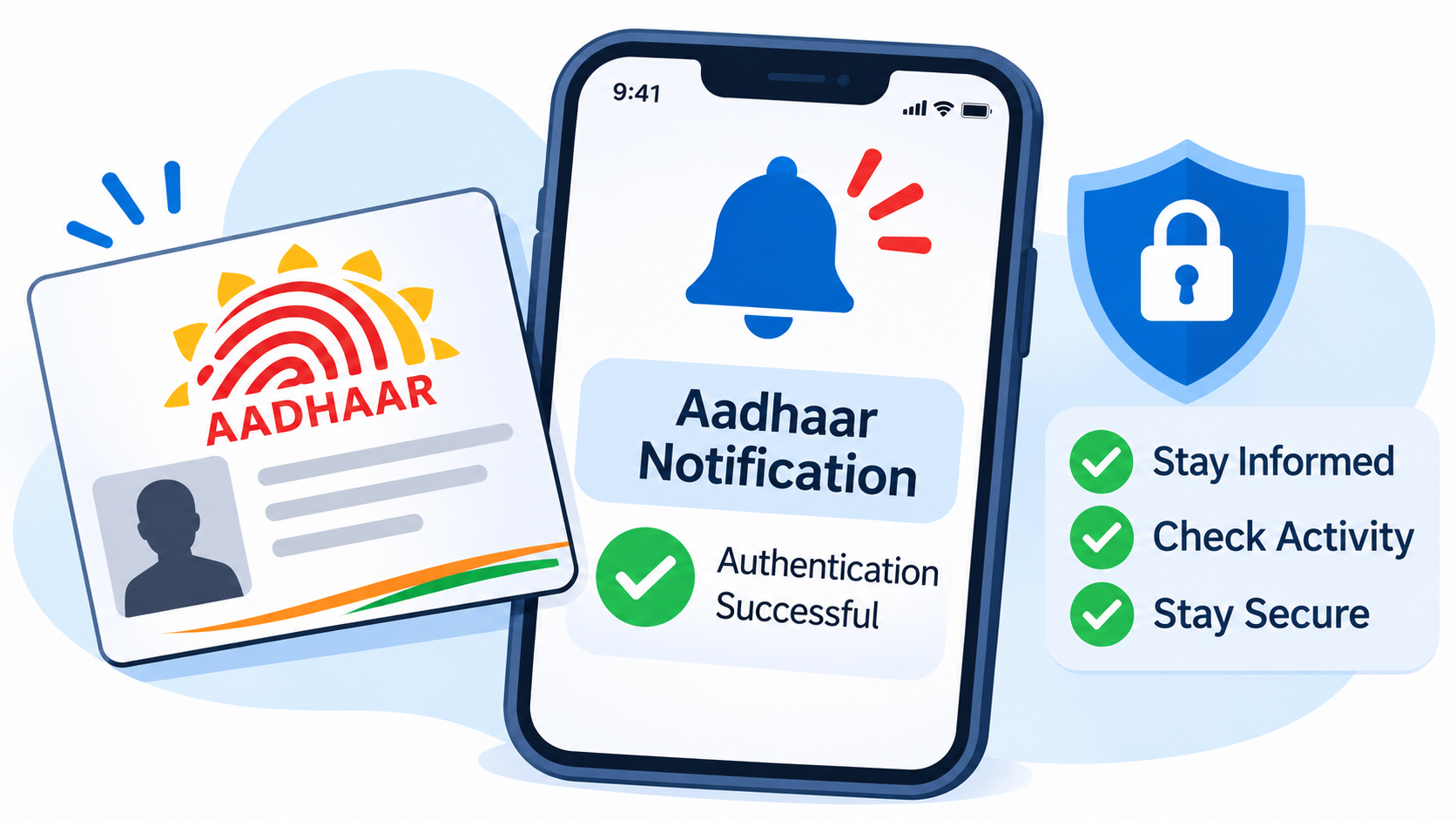
Published on : 26Aadhaar notification illustration showing an Aadhaar card, smartphone displaying an authentication alert, security shield and checklist highlighting identity protection and activity monitoring.th November
Published by : Bhargavi
www.vizzve.com || www.vizzveservices.com
Follow us on social media: Facebook || Linkedin || Instagram
🛡 Powered by Vizzve Financial
RBI-Registered Loan Partner | 10 Lakh+ Customers | ₹600 Cr+ Disbursed