

Introduction
Paying income tax online has become simpler through the Income Tax Department's e-Pay Tax service.
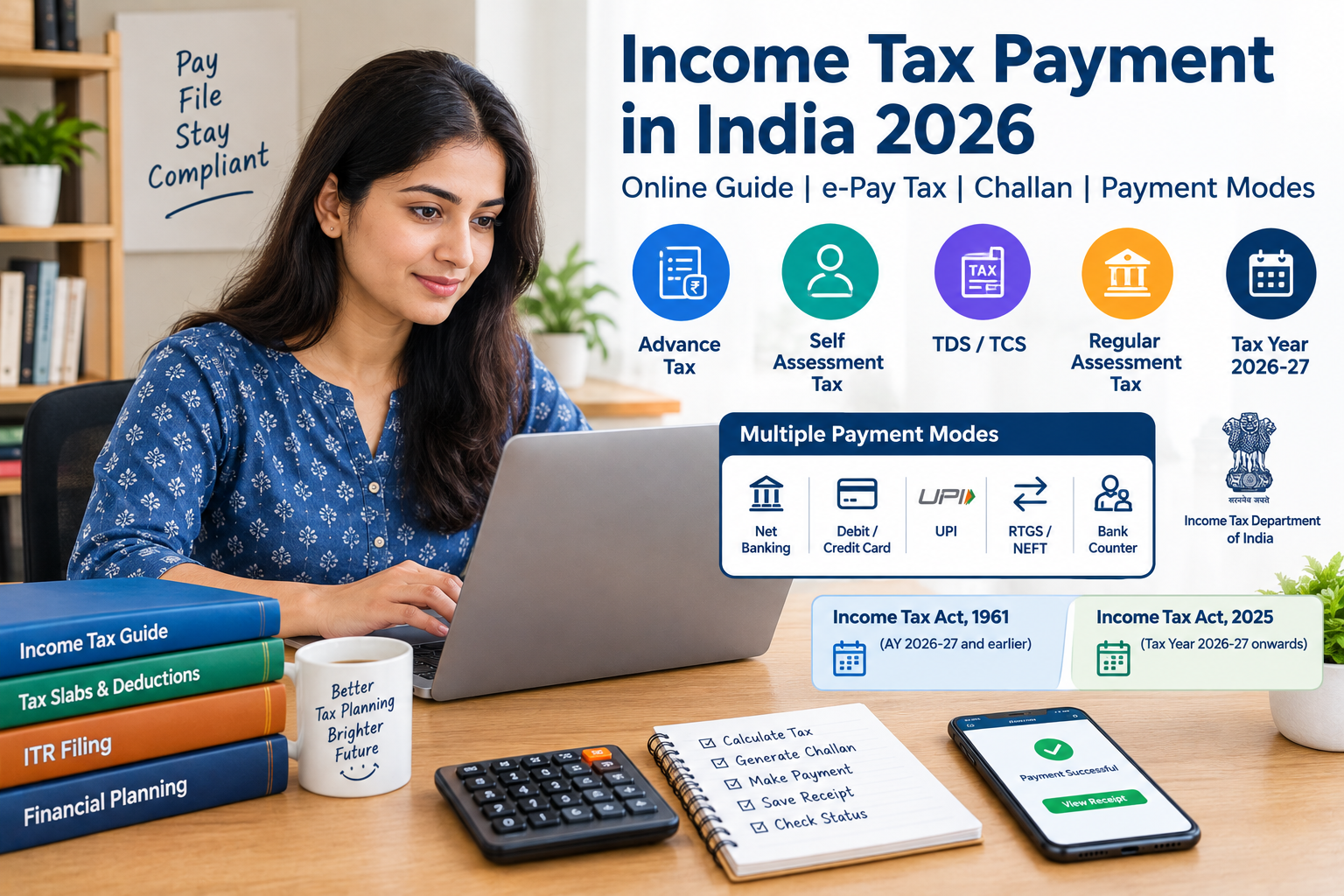
Taxpayers can generate a challan, select the applicable tax category and pay through several supported payment methods. The Income Tax Department says its e-Pay Tax service supports Net Banking, Debit Card, Pay at Bank Counter, RTGS/NEFT and Payment Gateway options. The Payment Gateway can support UPI, credit card, debit card and net banking, subject to the available payment arrangements.
For 2026, taxpayers also need to understand an important transition.
The Income Tax Act, 2025 applies to Tax Year 2026-27 onwards, while payments relating to Assessment Year 2026-27 and earlier continue under the Income Tax Act, 1961.
This guide explains how income tax payment works, what type of tax you may need to pay, how to create a challan, which payment methods are available and how to verify your payment.
AI Answer Box: What Is Income Tax Payment?
Income tax payment is the process of paying tax due to the government after considering taxable income, TDS/TCS credits, deductions, exemptions and other applicable tax credits.
In India, tax may be paid through:
- TDS/TCS
- Advance tax
- Self-assessment tax
- Tax on regular assessment or outstanding demand
The Income Tax Department confirms that these core tax-payment obligations continue under the Income Tax Act, 2025.
For Tax Year 2026-27 onwards, taxpayers use the new Income Tax Act, 2025 option on the e-Pay Tax service. For earlier applicable years, the Income Tax Act, 1961 option should be selected.
What Is Income Tax Payment?
Income tax payment refers to the payment of tax liability to the government.
Your total tax liability may be reduced by tax already paid through:
- TDS
- TCS
- Advance tax
- Eligible tax credits
If a balance remains payable, you may need to make an additional tax payment.
Simple Example
Suppose your final tax liability is:
₹80,000
and tax already available through TDS is:
₹60,000
The remaining amount could be:
₹20,000
If applicable, this balance may be paid as self-assessment tax before filing the return.
Types of Income Tax Payments in India
| Type | What It Means | Typical Situation |
|---|---|---|
| Advance Tax | Tax paid during the tax year | Tax liability arises during the year |
| Self-Assessment Tax | Remaining tax paid before filing the return | TDS/advance tax is insufficient |
| TDS | Tax deducted at source | Salary, interest or specified payments |
| TCS | Tax collected at source | Specified transactions |
| Regular Assessment Tax | Payment against tax demand | Outstanding demand from assessment |
| Other Fees | Certain statutory fees or charges | Specific compliance situations |
The Income Tax Department confirms that TDS/TCS, advance tax, self-assessment tax and regular assessment remain part of the tax-payment framework under the new Act.
Income Tax Payment 2026: What Changed?
One of the major changes for 2026 is the transition from the Income Tax Act, 1961 to the Income Tax Act, 2025.
The Income Tax Department states:
- Tax Year 2026-27 onwards: Income Tax Act, 2025
- AY 2026-27 and earlier: Income Tax Act, 1961
This distinction is important when creating a tax challan.
Why Does This Matter?
Selecting the wrong Act or tax year can affect how the payment is credited.
The Income Tax Department specifically advises taxpayers to select the correct year during the transition period so that tax credit is recorded against the correct year.
How to Pay Income Tax Online in India
Step 1: Visit the Income Tax e-Filing Portal
Go to the official Income Tax e-Filing website.
Use the e-Pay Tax service to start your payment.
Step 2: Enter PAN/TAN Details
Depending on the payment, provide the required PAN or TAN information.
An OTP may be required for verification in applicable payment flows.
Step 3: Select the Applicable Income Tax Act
This step is particularly important in 2026.
Select:
Income Tax Act, 1961
for applicable payments relating to Assessment Year 2026-27 and earlier.
Select:
Income Tax Act, 2025
for payments relating to Tax Year 2026-27 onwards.
Step 4: Select the Payment Category
Depending on your situation, choose the appropriate option, such as:
- Advance Tax
- Self-Assessment Tax
- Regular Assessment Tax
- Other applicable payment
For Tax Year 2026-27 onwards, ITNS 280N is used for various income-tax payments under the new Act.
Step 5: Enter Tax Details
Check:
- PAN
- Tax year
- Tax amount
- Applicable payment type
- Other required details
Step 6: Generate the Challan
The system generates a Challan Reference Number (CRN) for the payment.
The Income Tax Department's e-Pay Tax system integrates challan generation, payment and payment-history recording.
Step 7: Select Payment Method
Choose an available payment method.
Step 8: Complete Payment
Complete the payment through your selected bank or payment gateway.
Step 9: Save the Receipt
After successful payment, keep the challan receipt and transaction details.
The Income Tax Department says successful payment details and the challan receipt are available under Payment History on the e-Pay Tax page.
Income Tax Payment Methods in 2026
The Income Tax Department currently provides five standard payment modes through e-Pay Tax.
1. Net Banking
Taxpayers can use net banking through authorized banks.
2. Debit Card
Payment can be made using debit cards of authorized banks, subject to the available facility.
3. Pay at Bank Counter
Certain payments can be made through:
- Cash
- Cheque
- Demand Draft
4. RTGS/NEFT
Taxpayers can use the RTGS/NEFT route with the required mandate.
5. Payment Gateway
The payment gateway can provide options such as:
- UPI
- Credit card
- Debit card
- Net banking
Availability and applicable transaction charges can vary by payment gateway.
Income Tax Payment Methods Comparison
| Payment Method | Online | Main Requirement | Useful For |
|---|---|---|---|
| Net Banking | Yes | Bank account | Direct online payment |
| Debit Card | Yes | Eligible card | Card-based payment |
| UPI | Yes | Supported payment gateway | Quick digital payment |
| Credit Card | Yes | Supported gateway/card | Digital payment |
| RTGS/NEFT | Yes | Bank account | Bank transfer |
| Bank Counter | No | Cash/Cheque/DD as applicable | Offline payment |
Advance Tax Payment
Advance tax is tax paid during the relevant tax year rather than waiting until the end of the year.
It can be relevant when a taxpayer's tax liability meets the applicable conditions for advance-tax payment.
For Tax Year 2026-27, the Income Tax Department states that the first advance-tax instalment is due on 15 June 2026.
Common Advance Tax Instalments
For taxpayers subject to the normal instalment system, the commonly used schedule is:
| Due Date | Cumulative Advance Tax |
|---|---|
| 15 June | 15% |
| 15 September | 45% |
| 15 December | 75% |
| 15 March | 100% |
Specific taxpayers, including those using certain presumptive taxation provisions, can have different payment requirements.
The Income Tax Department states that taxpayers under the presumptive taxation scheme covered by the new Act must generally pay their entire advance-tax liability in one instalment by 15 March of the relevant tax year.
Self-Assessment Tax Payment
Self-assessment tax is generally the remaining tax payable after accounting for applicable tax credits before filing the income-tax return.
Example
Tax liability:
₹1,20,000
Less:
TDS = ₹90,000
Advance tax = ₹10,000
Balance:
₹20,000
The taxpayer may need to pay the applicable balance as self-assessment tax.
Important 2026 Transition Rule
The Income Tax Department clarifies that the law applicable to self-assessment tax depends on the tax year to which the income relates, not simply the date on which the payment is made.
For example, self-assessment tax relating to FY 2025-26 / AY 2026-27 paid in July 2026 is governed by the Income Tax Act, 1961.
Income Tax Challan
A challan is used to provide the necessary details for making a tax payment.
For Tax Year 2026-27 onwards, the Income Tax Department uses new challan forms under the Income Tax Act, 2025.
ITNS 280N
ITNS 280N is used for various income-tax payments under the Income Tax Act, 2025, including:
- Advance Tax
- Self-Assessment Tax
- Tax on Regular Assessment
- Certain specified fees and charges
For applicable payments under the earlier Income Tax Act, 1961, the corresponding earlier challan framework continues.
How to Check Income Tax Payment Status
After making a payment:
- Log in to the Income Tax e-Filing portal.
- Open e-Pay Tax.
- Go to Payment History.
- Locate the transaction.
- Check the payment status.
- Download or save the challan receipt.
The Income Tax Department states that payment details and challan receipts are available in Payment History after successful payment.
What Is a Challan Reference Number?
A Challan Reference Number (CRN) is generated during the tax-payment process.
It helps connect the payment process with the challan created through e-Pay Tax.
Taxpayers should save:
- CRN
- Payment date
- Amount
- Bank reference
- Challan receipt
These details can be useful when reconciling tax payments with the income-tax return.
Income Tax Payment and ITR Filing
Paying tax and filing an income-tax return are related but separate compliance activities.
Tax Payment
You pay the amount due.
ITR Filing
You submit details of:
- Income
- Deductions
- Tax already paid
- Tax payable
- Refund, if applicable
A taxpayer may need to complete both processes.
Income Tax Payment Example
Suppose a taxpayer has:
Total tax liability: ₹1,50,000
TDS: ₹1,00,000
Advance tax: ₹30,000
Remaining:
₹20,000
The taxpayer may need to pay the ₹20,000 balance as self-assessment tax, subject to the final tax computation.
After payment, the taxpayer should verify that the payment is reflected correctly before completing the return.
Common Income Tax Payment Mistakes
1. Selecting the Wrong Tax Year
This is especially important in 2026 because of the transition between the two Acts.
2. Selecting the Wrong Act
For Tax Year 2026-27 onwards, select the Income Tax Act, 2025.
For applicable earlier years, select the Income Tax Act, 1961.
3. Entering the Wrong PAN
Always verify the PAN before submitting payment.
4. Paying the Wrong Tax Type
Advance tax and self-assessment tax are different payment categories.
5. Not Saving the Challan
Always download and retain the receipt.
6. Ignoring Payment Status
A bank transaction alone should not be treated as complete compliance until the tax payment is properly recorded.
Income Tax Payment Checklist
Before making payment, verify:
PAN is correct
Tax year is correct
Applicable Income Tax Act is selected
Payment type is correct
Tax amount is accurate
TDS/TCS credits have been considered
Advance tax already paid has been considered
Challan is generated correctly
Payment is successful
Receipt is downloaded
Payment appears in Payment History
Pros and Cons of Online Income Tax Payment
| Pros | Cons |
|---|---|
| Convenient | Requires accurate details |
| Available online | Payment gateway availability can vary |
| Multiple payment options | Incorrect tax-year selection can cause problems |
| Digital receipt | Internet/banking issues can interrupt payment |
| Payment history available | Taxpayer must reconcile records |
Expert Commentary: Why Correct Tax-Year Selection Matters
The 2026 transition makes tax-payment accuracy particularly important.
The Income Tax Department explicitly states that payments relating to Tax Year 2026-27 onwards should use the Income Tax Act, 2025, while payments relating to AY 2026-27 and earlier should use the Income Tax Act, 1961.
This means taxpayers should not simply select the newest option on the portal.
Instead, they should first identify which year the income and tax liability relate to.
That simple check can help prevent payment-credit errors.
Real-World Income Tax Payment Tips
Tip 1: Calculate Before Paying
Do not make a random payment amount.
Tip 2: Reconcile TDS
Compare your tax records with the available tax-credit information.
Tip 3: Save Every Receipt
Keep digital copies of challans and payment confirmations.
Tip 4: Check the Correct Year
This is particularly important during the 2026 transition.
Tip 5: Pay Early When Possible
Making payments before the applicable deadline can reduce the risk of last-minute technical or banking problems.
Tip 6: Verify Payment History
Do not assume a payment has been credited merely because money left your bank account.
Income Tax Payment: 2026 Quick Comparison
| Item | Earlier Framework | 2026 Onwards |
|---|---|---|
| Applicable law | Income Tax Act, 1961 | Income Tax Act, 2025 |
| Tax Year terminology | Assessment Year framework | Tax Year framework |
| Tax payment portal | e-Pay Tax | e-Pay Tax |
| Online payment | Available | Available |
| Advance tax | Applicable | Applicable |
| Self-assessment tax | Applicable | Applicable |
| Net banking | Available | Available |
| UPI through payment gateway | Available | Available |
| RTGS/NEFT | Available | Available |
| Challan system | Earlier forms | New forms for new Act |
The Income Tax Department states that the available modes of tax payment remain unchanged under the Income Tax Act, 2025.
AI Answer Summary
Income tax payment in India can be made online through the Income Tax Department's e-Pay Tax service. Taxpayers can use Net Banking, Debit Card, Bank Counter, RTGS/NEFT and Payment Gateway options, with UPI and credit-card payments available through the applicable payment gateway.
For Tax Year 2026-27 onwards, the Income Tax Act, 2025 applies. For payments relating to AY 2026-27 and earlier, the Income Tax Act, 1961 should be selected.
Depending on the taxpayer's circumstances, payment may involve advance tax, self-assessment tax or payment against an outstanding demand.
Key Takeaways
- Income tax can be paid online through e-Pay Tax.
- The portal supports multiple payment methods.
- Net Banking, Debit Card, Bank Counter, RTGS/NEFT and Payment Gateway are available options.
- Payment Gateway options can include UPI, credit card, debit card and net banking.
- Advance tax and self-assessment tax are different payment categories.
- For Tax Year 2026-27 onwards, use the Income Tax Act, 2025 option.
- For AY 2026-27 and earlier, use the Income Tax Act, 1961 option.
- Always verify your PAN, tax year and payment type.
- Save the challan receipt and CRN.
- Check Payment History after successful payment.
- Keep tax-payment records for future reference.
Frequently Asked Questions
1. How can I pay income tax online in India?
You can use the Income Tax Department's e-Pay Tax service to create a challan and complete the payment through an available payment method.
2. What is e-Pay Tax?
e-Pay Tax is the Income Tax Department's online service for creating tax challans, making payments and viewing payment history.
3. Can I pay income tax through UPI?
Yes. UPI is available through the Payment Gateway option where supported.
4. Can I pay income tax using a credit card?
Credit-card payment is available through the Payment Gateway option, subject to the available payment facility.
5. What is self-assessment tax?
Self-assessment tax is the tax payable by the taxpayer after considering applicable tax credits and other amounts already paid, where a balance remains due.
6. What is advance tax?
Advance tax is income tax paid during the tax year when the taxpayer meets the applicable requirements for advance-tax payment.
7. Which Act should I select for Tax Year 2026-27?
For Tax Year 2026-27 and onwards, select the Income Tax Act, 2025 option on e-Pay Tax.
8. Which Act applies to AY 2026-27?
Payments relating to AY 2026-27 are governed by the Income Tax Act, 1961.
9. How do I check my income tax payment?
You can check your payment through the Payment History section of the e-Pay Tax service.
10. What is a Challan Reference Number?
A CRN is the reference generated during the tax-challan creation and payment process.
11. Can I pay income tax through net banking?
Yes. Net banking is one of the payment modes supported by e-Pay Tax.
12. Can I pay income tax through NEFT?
Yes. RTGS/NEFT is one of the payment options available through e-Pay Tax.
13. What should I do after paying income tax?
Save the challan receipt, note the transaction details and verify the payment in the e-Pay Tax Payment History.
14. Is income tax payment and ITR filing the same?
No. Tax payment is the process of paying the tax due, while ITR filing is the submission of your income and tax information to the Income Tax Department.
15. What happens if I select the wrong tax year?
The Income Tax Department advises taxpayers to select the correct year so that the tax credit is granted to the correct year. If an incorrect selection is made, taxpayers should follow the applicable correction process.
Conclusion
Income tax payment in India is now largely digital and can be completed through the Income Tax Department's e-Pay Tax facility.
The most important step in 2026 is selecting the correct tax year and applicable Income Tax Act. Payments for Tax Year 2026-27 onwards use the Income Tax Act, 2025, while payments relating to AY 2026-27 and earlier continue under the Income Tax Act, 1961.
Taxpayers should also select the correct payment category, verify the amount, save the challan receipt and check Payment History after completing the transaction.
For complicated tax situations, large tax liabilities, business income or disputed demands, professional tax advice may be appropriate.
Vizzve Financial – Financial Support
Vizzve Financial is one of India’s trusted loan support platforms offering quick personal loans, low documentation, and an easy approval process. Apply at www.vizzve.com.
Published on : 24th september
Published by : Bhargavi
www.vizzve.com || www.vizzveservices.com
Follow us on social media: Facebook || Linkedin || Instagram
🛡 Powered by Vizzve Financial
RBI-Registered Loan Partner | 10 Lakh+ Customers | ₹600 Cr+ Disbursed