

Introduction
Mobile loan applications have made borrowing money more convenient. Today, people can check loan eligibility, upload documents, complete KYC verification, and receive loan updates directly through their smartphones.
However, before using a loan application, many borrowers face an important question: Why does a loan app need access to my camera, location, contacts, or other mobile features?
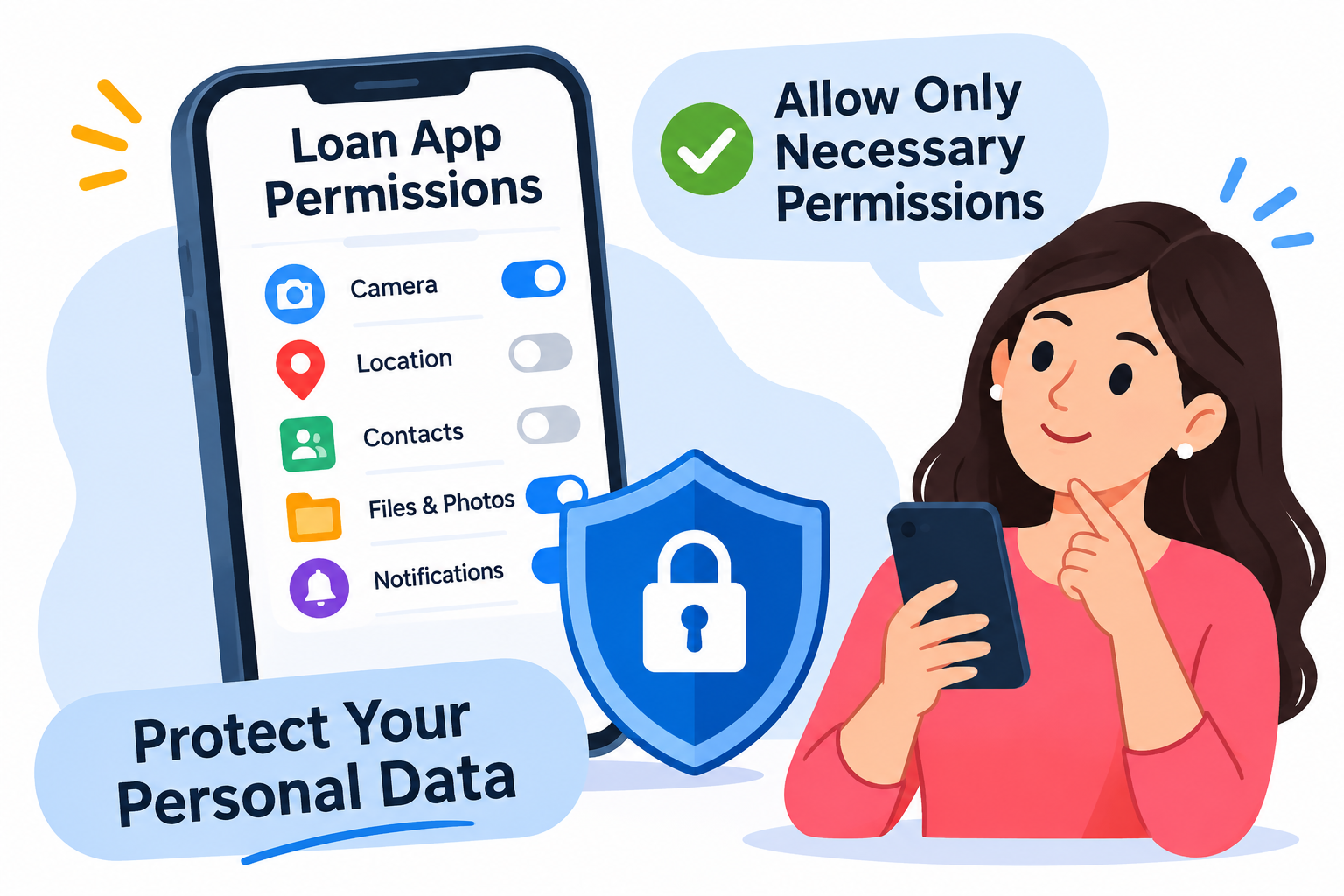
When installing a lending application, users may see several permission requests. Some permissions may be necessary for specific services, while others may be unnecessary or raise privacy concerns.
For example, a camera permission may be required to capture a photograph of an identity document during KYC verification. However, access to an entire contact list or call history is generally not necessary for processing a personal loan.
Giving unnecessary permissions can expose personal information and increase the risk of privacy violations, unwanted communication, and financial fraud.
In India, the Reserve Bank of India (RBI) has introduced digital lending requirements to restrict excessive access to mobile phone resources and improve borrower protection.
This guide explains different loan app permissions, which permissions may be necessary, which ones borrowers should avoid, and how to manage mobile privacy settings safely in 2026.
AI Answer Box: What Are Loan App Permissions?
Loan app permissions are access requests made by a mobile lending application to use certain features or information on a smartphone.
These permissions may include access to the camera, microphone, location, contacts, photos, videos, files, or other device resources.
Some permissions may be required for specific activities, such as capturing KYC documents or completing identity verification.
However, a loan application should not request unnecessary access to sensitive mobile resources.
Under RBI's digital lending requirements, access to mobile phone resources such as contact lists and call logs is restricted. One-time access to facilities such as camera, microphone, and location may be permitted where necessary for onboarding or KYC verification, with explicit consent.
Quick Answer: Allow only necessary permissions that have a clear purpose. Avoid granting access to contacts, call logs, personal files, and other sensitive information without a legitimate reason.
Full Blog Content
What Are Loan App Permissions?
Loan app permissions are requests that allow a mobile application to access specific features of your smartphone.
When you install a personal loan application, it may request permission to use certain device functions.
These permissions help applications perform specific tasks, but they can also create privacy risks if unnecessary access is requested.
For example:
- Camera access may help capture identity documents.
- Location access may support a permitted location-based verification process.
- Microphone access may be needed for a specific verification feature.
- Storage or photo access may be requested when uploading documents, depending on the operating system and implementation.
However, not every lending application needs access to every feature.
Why Do Loan Apps Ask for Permissions?
Loan applications may request permissions for different reasons.
1. KYC Verification
Some applications use the smartphone camera to capture identity documents or complete permitted verification procedures.
2. Document Upload
Borrowers may need to upload salary slips, bank statements, or other supporting documents.
3. Location Verification
Certain lenders may use location information for a specific verification purpose, where legally permitted and with appropriate consent.
4. Customer Communication
Applications may use notification permissions to send application updates, repayment reminders, or service notifications.
5. Security and Authentication
Some device features may support identity verification and account security.
The important point is that every permission should have a clear and reasonable purpose.
Different Types of Loan App Permissions Explained
Understanding common mobile permissions helps borrowers decide what access is appropriate.
1. Camera Permission
Camera permission allows an application to use your smartphone camera.
Loan applications may request camera access for:
- Capturing PAN card images.
- Photographing identity documents.
- Taking a selfie for verification.
- Completing video-based KYC, where applicable.
- Scanning supporting documents.
Is camera permission safe?
It may be reasonable when the application needs to capture a document or complete a specific verification process.
However, borrowers should understand when the camera is being used and avoid granting unnecessary or continuous access.
2. Location Permission
Location permission allows an application to access your device's location.
A lending application may request location information for a specific verification or service-related purpose.
Should you allow location access?
Allow it only when the purpose is clearly explained and the access is necessary for the service.
Check whether the application offers a limited or one-time permission option.
3. Microphone Permission
Microphone permission allows an application to record audio through your device.
It may be relevant to certain voice-based or video-based verification processes.
However, a normal personal loan application should not need unrestricted microphone access without a clearly explained purpose.
Safety Tip: Avoid granting microphone access permanently when a limited permission is sufficient.
4. Contact Permission
Contact permission allows applications to access names and phone numbers saved on your device.
This is one of the most sensitive permissions borrowers should understand.
A lending application generally does not need your entire contact list to evaluate loan eligibility.
RBI digital lending requirements restrict access to contact lists.
Important: Avoid loan applications that demand access to your contacts without a legitimate explanation.
5. Call Log Permission
Call log permission provides access to information about incoming, outgoing, and missed calls.
This information can reveal personal communication patterns.
RBI's digital lending framework restricts access to call logs.
Borrowers should be especially cautious if a lending application requests this permission.
6. Storage and File Access
Storage or file permissions allow applications to access files stored on your device.
Some limited file access may be necessary when you upload documents for loan verification.
However, unrestricted access to personal files, photos, and videos is unnecessary for ordinary loan processing.
Prefer the document picker provided by your smartphone, which allows you to select specific files.
7. SMS Permission
SMS permissions may expose private messages and potentially sensitive information.
A borrower may receive OTPs and banking alerts through SMS, making this information particularly sensitive.
Do not grant broad SMS access without understanding the purpose and checking whether the process follows applicable regulatory requirements.
8. Notification Permission
Notification permission allows an application to display alerts on your smartphone.
Loan applications may use notifications for:
- Application status updates.
- EMI reminders.
- Payment confirmations.
- Important service messages.
- Customer support updates.
Notification permission is generally optional for receiving information through the app.
It does not normally provide access to your private messages.
Which Loan App Permissions Are Safe and Which Should You Avoid?
Not all permissions carry the same privacy risks.
The following table provides a simple comparison.
| App Permission | Possible Legitimate Purpose | Borrower Recommendation |
|---|---|---|
| Camera | KYC and document capture | Allow when required |
| Microphone | Specific voice or video verification | Allow only when necessary |
| Location | Specific location verification | Prefer limited access |
| Contacts | Access to saved phone numbers | Avoid unnecessary access |
| Call logs | Access to calling history | Avoid |
| Photos and videos | Document uploads | Allow selected files only |
| Files and storage | Uploading supporting documents | Use limited file access |
| SMS | Specific verification workflows | Be cautious |
| Notifications | Loan updates and reminders | Optional |
| Bluetooth | Device connectivity | Check the purpose carefully |
Important: This is a practical privacy guide, not a blanket statement that every permission is always allowed or prohibited in every lending arrangement. RBI requirements and applicable laws should be considered alongside the actual purpose of access.
RBI Guidelines on Loan App Permissions in India
The Reserve Bank of India has introduced specific requirements to address privacy concerns in digital lending.
The RBI issued its Guidelines on Digital Lending on September 2, 2022.
These guidelines apply to regulated entities and relevant digital lending arrangements.
What Does RBI Say About Mobile App Permissions?
Under the digital lending framework:
1. Restricted Access to Mobile Resources
Digital lending applications should not access mobile phone resources such as:
- Contact lists.
- Call logs.
- Files and media.
2. Limited Access for Verification
One-time access to facilities such as camera, microphone, and location may be permitted where necessary for onboarding or KYC verification.
3. Explicit Consent
Borrowers should provide consent for permitted access.
4. Transparency in Data Collection
Lenders should explain the purpose of collecting personal information.
5. Purpose-Based Data Collection
Information should be collected according to the requirements of the lending service and applicable regulatory conditions.
6. Privacy and Security
Regulated entities must follow applicable data protection and security requirements.
Why Are These Guidelines Important?
These requirements help protect borrowers from unnecessary data collection and potential misuse of personal information.
They also encourage greater transparency in digital lending.
Official reference: RBI – Digital Lending Guidelines
https://www.rbi.org.in/Scripts/NotificationUser.aspx?Id=12382&Mode=0
How to Check Loan App Permissions on Your Smartphone
Borrowers can review application permissions directly through their mobile settings.
The process is slightly different for Android and iPhone users.
How to Check Loan App Permissions on Android
Follow these steps:
- Open your smartphone's Settings.
- Select Apps or Applications.
- Find and open the loan application.
- Select Permissions.
- Review the permissions granted.
- Identify unnecessary access.
- Select Don't allow or another suitable restricted option where available.
Example
Suppose a personal loan application has access to:
- Camera.
- Location.
- Contacts.
- Microphone.
- Photos and videos.
If you only need to upload a salary slip, full access to your contact list or call history is not justified by that task.
Review the permissions and restrict unnecessary access.
How to Check Loan App Permissions on iPhone
Follow these steps:
- Open Settings.
- Scroll down and select the loan application.
- Review the available permission options.
- Disable unnecessary access.
- Check additional privacy settings if required.
You can also review permissions under the iPhone's Privacy & Security settings.
How Often Should You Review App Permissions?
It is a good practice to review permissions:
- After installing a new lending application.
- Before uploading financial documents.
- When an application requests new access.
- After completing KYC verification.
- When you no longer use the application.
What Are the Risks of Giving Unnecessary Permissions to Loan Apps?
Granting unnecessary permissions can expose borrowers to several privacy and security risks.
1. Contact Information Misuse
If an application gains access to your contacts, sensitive information about people saved on your phone may be exposed.
This can create risks of unwanted communication and harassment.
2. Personal Document Exposure
Unnecessary access to photos, videos, and files may expose identity documents, personal photographs, and financial records.
3. Privacy Violations
Applications that collect information without a clear purpose may create privacy concerns.
4. Unwanted Calls and Messages
Misuse of personal information may result in repeated marketing calls, suspicious messages, or unwanted communication.
5. Identity Theft
Exposed personal information may be used in fraudulent activities, including attempts to impersonate borrowers.
6. Financial Fraud
Criminals may use stolen identity information to attempt unauthorized financial activities.
Common Warning Signs of Suspicious Permission Requests
| Warning Sign | Why It Is Concerning |
|---|---|
| Demands full contact access | May expose other people's information |
| Requests call history | Reveals private communication details |
| Demands access to all photos | May expose personal documents |
| Requests SMS access without explanation | May expose sensitive messages |
| Requires unnecessary microphone access | Creates additional privacy risks |
| Has no clear privacy policy | Makes data handling difficult to understand |
| Threatens users for refusing permissions | Indicates potentially abusive practices |
Expert Tip: A loan application should explain why a permission is needed before requesting it. If the explanation is unclear, do not automatically approve the request.
How to Identify a Loan App That Requests Excessive Permissions
Before applying for a personal loan, check whether the application follows responsible data collection practices.
Important Things to Verify
Check the Actual Lender
Identify the bank or NBFC responsible for providing the loan.
A lending application may be operated by a Lending Service Provider (LSP), so verify the regulated lender rather than relying only on the app's name.
Read the Privacy Policy
Understand what information is collected and why.
Review App Store Information
Check the developer's details, application description, and recent user reviews.
Check the Official Website
Compare the application information with the lender's official website.
Understand the Loan Agreement
Check the interest rate, repayment schedule, charges, and lender details before accepting the loan.
Safe Loan App vs Suspicious Loan App
| Feature | Responsible Loan App | Suspicious Loan App |
|---|---|---|
| Permission requests | Limited and justified | Excessive and unexplained |
| Privacy policy | Clearly available | Missing or unclear |
| Contact access | Not unnecessarily requested | Demands contact access |
| Call log access | Restricted | Requests access |
| Camera access | Used for specific verification | Unexplained access |
| Data collection | Purpose-based | Excessive collection |
| Lender details | Clearly disclosed | Hidden or misleading |
| Customer support | Available | Difficult to contact |
How to Remove Unnecessary Permissions From Loan Apps
If you have already granted permissions to a loan application, you can review and change them.
Step-by-Step Guide
For Android Users:
- Open Settings.
- Go to Apps.
- Select the installed loan application.
- Tap Permissions.
- Review the granted permissions.
- Select unnecessary permissions.
- Choose Don't Allow or the most restrictive available option.
For iPhone Users:
- Open Settings.
- Select Privacy & Security.
- Choose the relevant permission category.
- Find the loan application.
- Disable access if it is unnecessary.
What Happens After Removing Permissions?
The application may continue working normally if the removed permission is not essential.
However, some specific features may stop functioning.
For example:
- Disabling camera access may prevent direct document photography.
- Disabling location access may affect a location-dependent verification feature.
- Disabling notifications may stop application alerts.
You can provide limited access again when genuinely required.
Remember: Removing permissions does not automatically delete personal information that you previously submitted to the lender.
What Should You Do If a Loan App Misuses Your Permissions?
If you suspect that a lending application is accessing or misusing your personal information, take the following steps.
Step 1: Review Granted Permissions
Check which mobile features the application can access.
Step 2: Restrict Unnecessary Access
Revoke permissions that are not required for the service.
Step 3: Save Evidence
Keep screenshots of suspicious permission requests, messages, and communications.
Step 4: Contact the Actual Lender
Contact the bank or NBFC associated with the application through its official customer support channel.
Step 5: Report Suspicious Activity
If you experience cybercrime or financial fraud, use the appropriate official reporting channels.
- Cybercrime Reporting Portal: https://cybercrime.gov.in/
- Cybercrime Helpline: 1930 for financial cyber fraud.
- RBI Complaint Management System: https://cms.rbi.org.in/
Step 6: Secure Your Accounts
If you suspect that sensitive information has been compromised:
- Change affected passwords.
- Contact your bank.
- Secure your UPI applications.
- Monitor suspicious transactions.
- Block compromised cards when necessary.
If you receive threats or harassment from loan recovery agents, preserve the evidence and report the matter to the actual lender and appropriate authorities.
Loan App Permissions and Personal Data Protection
Loan app permissions are closely connected to personal data protection.
When users grant access to mobile resources, they may expose information that goes beyond the documents needed for loan verification.
India's Digital Personal Data Protection Act, 2023, establishes a framework for processing digital personal data.
The law addresses important aspects of data protection, including consent, lawful processing, security safeguards, and individuals' rights, subject to applicable commencement provisions.
Important Privacy Practices
Responsible digital lending platforms should focus on:
- Collecting information for legitimate purposes.
- Explaining why information is required.
- Obtaining consent where applicable.
- Protecting personal and financial information.
- Following applicable data retention requirements.
- Providing appropriate grievance redressal mechanisms.
Why Should Borrowers Understand Data Privacy?
Suppose a borrower installs a personal loan application to upload a salary slip.
The application may need access to a selected document.
However, that does not automatically justify access to the borrower's entire photo gallery, contact list, or call history.
Understanding the difference between limited access and unnecessary access helps borrowers make safer decisions.
Real-World Examples of Loan App Permission Risks
The following illustrative situations explain why borrowers should carefully review mobile permissions.
Example 1: Loan App Asking for Contact Access
A borrower installs an instant loan application.
During registration, the app asks for permission to access all saved contacts.
The borrower is unsure why this information is necessary.
What should the borrower do?
Avoid granting unnecessary contact access. Verify the actual lender and check the application's privacy policy.
Example 2: Loan App Asking for Camera Access
A borrower applies for a personal loan and needs to upload a PAN card photograph.
The application requests camera access to capture the document.
What should the borrower do?
Check whether the application is genuine and whether camera access is needed for the specific verification process. Prefer limited access where available.
Example 3: Loan App Asking for Location Access
An application requests location access during the onboarding process.
The borrower does not understand why the information is needed.
What should the borrower do?
Read the permission explanation and privacy policy. Provide access only when the purpose is legitimate and the access complies with applicable requirements.
Example 4: Loan App Asking for Call Logs
A borrower installs a lending application that requests access to the complete call history.
What should the borrower do?
Treat this as a serious warning sign. RBI digital lending requirements restrict access to call logs. Avoid granting this permission and verify the application.
Loan App Permission Checklist Before Applying
Use this checklist before installing or using a personal loan application.
| Permission and Privacy Check | What You Should Do |
|---|---|
| Camera access | Allow only for necessary verification |
| Microphone access | Check the specific purpose |
| Location access | Prefer one-time or limited access |
| Contact access | Avoid unnecessary access |
| Call log access | Do not grant unnecessary access |
| Photo access | Select specific documents |
| File access | Use limited document selection |
| SMS access | Check necessity and compliance |
| Notification access | Enable according to preference |
| Privacy policy | Read before applying |
| Lender verification | Confirm the actual bank or NBFC |
Pros and Cons of Allowing Loan App Permissions
Mobile permissions can make certain loan application features easier to use. However, borrowers should understand their limitations.
| Pros | Cons |
|---|---|
| Camera access can simplify document uploads | Unnecessary access can create privacy risks |
| Limited location access may support verification | Location information can be sensitive |
| Notifications provide application updates | Frequent alerts may be unwanted |
| Document access can simplify loan processing | Excessive file access may expose personal information |
| Specific verification features may become easier | Broad permissions can increase security risks |
How Can Borrowers Maintain a Balance?
- Allow only permissions required for a specific feature.
- Prefer one-time access where available.
- Review permissions regularly.
- Avoid applications with unexplained permission requests.
- Never share confidential banking credentials.
- Verify the lending company before submitting documents.
Summary Box: Everything You Need to Know About Loan App Permissions
| Question | Short Answer |
|---|---|
| What are loan app permissions? | Requests to access smartphone features and information. |
| Why do loan apps need camera access? | For specific document capture and verification activities. |
| Can loan apps access contacts? | RBI digital lending requirements restrict access to contact lists. |
| Can loan apps access call logs? | Access to call logs is restricted under RBI digital lending requirements. |
| Is location permission safe? | It should be provided only for a legitimate, necessary purpose. |
| Should I allow microphone access? | Only when required for a specific permitted feature. |
| Can I remove loan app permissions? | Yes, through your smartphone settings. |
| Does uninstalling an app delete my data? | Not necessarily. Previously submitted information may remain with the lender. |
| How can I check app permissions? | Review the application permissions in Android or iPhone settings. |
| What if a loan app misuses my data? | Preserve evidence, contact the lender, and report the incident. |
Frequently Asked Questions (FAQs)
1. What are loan app permissions?
Loan app permissions are requests that allow lending applications to access smartphone features such as the camera, microphone, location, or selected files.
2. Why do personal loan apps ask for camera access?
Some applications request camera access to capture identity documents, take verification photographs, or complete permitted KYC procedures.
3. Can loan apps access my contacts?
RBI digital lending requirements restrict digital lending applications from accessing contact lists. Borrowers should avoid granting unnecessary contact access.
4. Is it safe to allow location access to loan apps?
Location access should be granted only when it is necessary for a legitimate verification or service-related purpose. Prefer limited or one-time access where available.
5. Why do loan apps ask for microphone permission?
Microphone access may be required for specific voice or video-based verification activities. However, borrowers should avoid unnecessary microphone access.
6. Can a loan app access my call history?
RBI's digital lending requirements restrict access to call logs. Borrowers should treat requests for unnecessary call history access as a warning sign.
7. How can I check loan app permissions on Android?
Open Settings, select Apps, choose the lending application, and tap Permissions. Review the access granted and remove unnecessary permissions.
8. How can I check loan app permissions on iPhone?
Open Settings, select Privacy & Security, and review the relevant permission categories. You can also check individual application settings.
9. What happens if I deny loan app permissions?
Some application features may stop working. For example, denying camera access may prevent direct document capture. You should not grant unrelated permissions just to continue using a loan service.
10. Can loan apps access my photos and videos?
Applications may request selected document access for uploading supporting information. However, borrowers should avoid granting unnecessary access to their entire photo gallery or personal media.
11. Are loan apps allowed to access SMS messages?
Borrowers should be cautious about broad SMS access. Any information collection must follow applicable regulatory requirements and have a legitimate, clearly explained purpose.
12. How do I remove unnecessary permissions from a loan app?
Open your smartphone settings, find the lending application, select Permissions, and disable unnecessary access.
13. What are RBI rules for loan app permissions?
RBI's digital lending framework restricts access to mobile resources such as contact lists, call logs, and files and media. One-time access to camera, microphone, and location may be permitted where necessary for onboarding or KYC, with explicit consent.
14. Does uninstalling a loan app remove all permissions and personal information?
Uninstalling generally removes the application's access from your device, but it does not automatically delete information previously submitted to the lender.
15. How can I identify a loan app that requests excessive permissions?
Check the privacy policy, verify the actual lender, review application permissions, examine customer feedback, and avoid applications that request unnecessary access to sensitive mobile information.
Conclusion: Review Loan App Permissions Before Sharing Your Data
Loan applications have made personal borrowing easier, but smartphone permissions should never be ignored.
Before installing a loan app or submitting documents, understand why it requests access to your camera, location, microphone, or other device features.
Avoid granting unnecessary access to contacts, call logs, personal files, and sensitive information. Review permissions regularly and choose lending services that follow applicable RBI requirements and transparent privacy practices.
Your personal information is valuable. Protect it by checking every permission before allowing a loan application to access your smartphone.
Looking for personal loan assistance?
Visit www.vizzve.com to explore loan options and make informed financial decisions with Vizzve Financial.
Published on : 03rd November
Published by : Bhargavi
www.vizzve.com || www.vizzveservices.com
Follow us on social media: Facebook || Linkedin || Instagram
🛡 Powered by Vizzve Financial
RBI-Registered Loan Partner | 10 Lakh+ Customers | ₹600 Cr+ Disbursed