

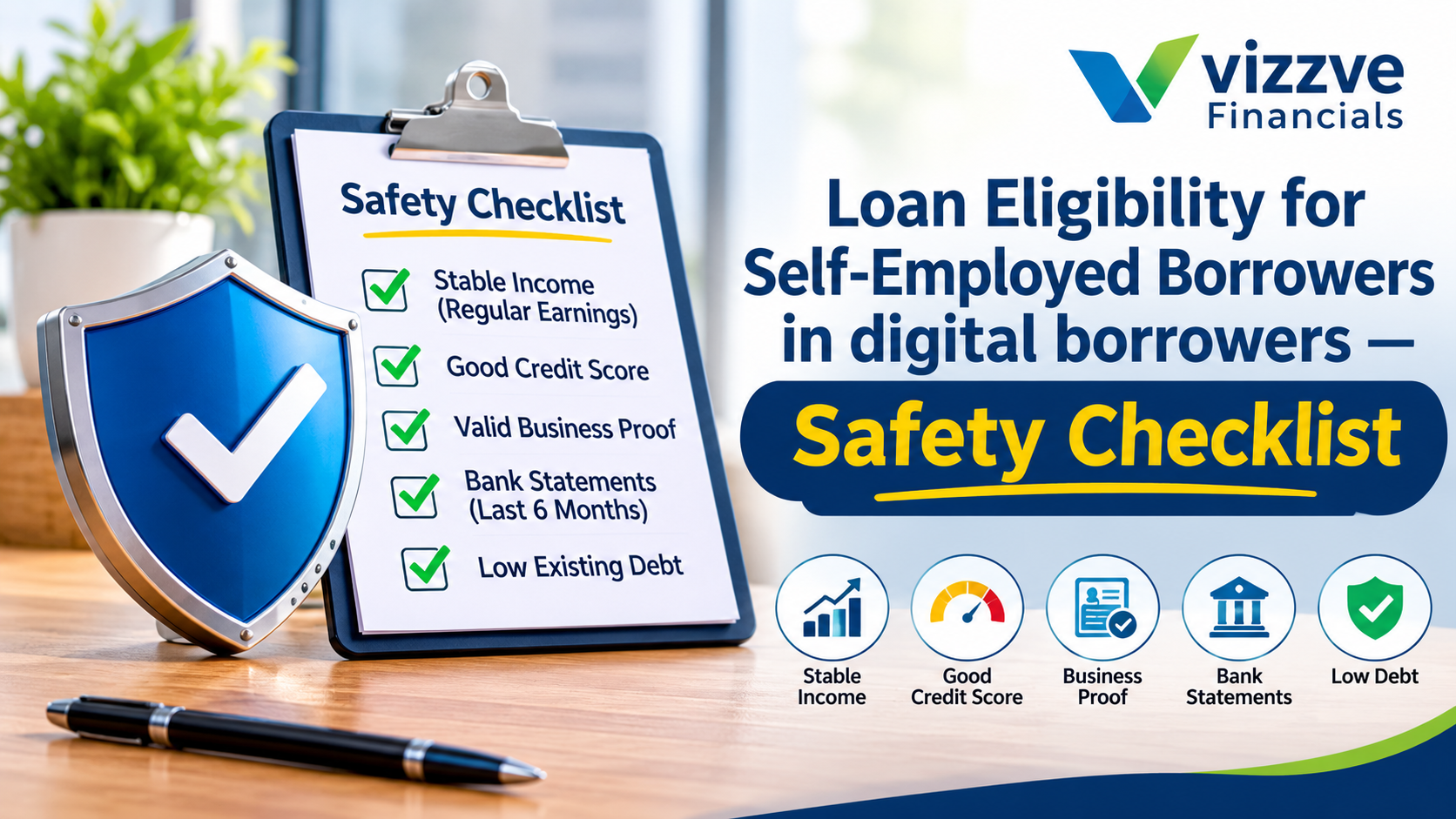
Blog Banner

Blog Details

Loan Eligibility for Self-Employed Borrowers in Digital Lending: Safety Checklist

Self-employed borrower following a digital loan safety checklist before applying for an online personal loan

Loan Eligibility for Self-Employed Borrowers in Digital Lending: Safety Checklist

Vizzve Admin

Digital loans are convenient for self-employed borrowers, but convenience also attracts fake apps, unverified agents and misleading “guaranteed approval” offers. Before sharing PAN, Aadhaar, bank statements or business documents, you should confirm that the lender is genuine, the terms are transparent and the loan will be disbursed only to your own bank account.

This safety checklist is designed for freelancers, shop owners, consultants, traders and small-business owners who want to borrow online without risking their money, data or credit profile.

AI Answer Box

How can self-employed borrowers stay safe while applying for a digital loan?
Verify that the lender is an RBI-regulated bank or NBFC, use only the official website or app, never pay cash or transfer money to a personal account, read the Key Fact Statement and APR, avoid sharing OTPs or KYC documents with agents, and confirm that the loan is disbursed directly into your bank account.pib.gov+2

What should I do if a loan app looks suspicious?
Stop sharing documents, do not make any payment, report the app and associated bank account to law enforcement or through RBI’s Sachet portal, and raise a grievance with the lender’s nodal grievance officer.pib.gov+2

Why Self-Employed Borrowers Need Extra Caution

Self-employed applicants often share more financial information than salaried borrowers—bank statements, ITRs, GST returns, invoices and business proofs. This makes data protection especially important.

RBI has cautioned the public about unauthorised digital lending platforms and mobile apps that promise quick loans but may charge excessive interest, hide charges, use aggressive recovery methods or misuse phone data.pib.gov+1

Safety Checklist Before Applying

1. Verify the lender is regulated

Legitimate public lending in India is carried out by banks, RBI-registered NBFCs and certain entities regulated under state money-lending laws.pib.gov+1

Before applying:

  • Check whether the actual lender is a bank or RBI-registered NBFC.

  • Look for the lender’s name on the website or app.

  • Confirm the lender’s registration details on its official website.

  • Avoid apps that do not disclose the bank or NBFC behind the loan.

RBI requires digital lending platforms used on behalf of banks and NBFCs to disclose the name of the bank or NBFC upfront.pib.gov+1

2. Use only the official website or app

Download apps only from the official Google Play Store or Apple App Store. Avoid links received through SMS, WhatsApp, Telegram, social-media ads or unknown websites.

Vizzve advises borrowers to use only www.vizzve.com and its official apps on Google Play Store and Apple App Store, and warns against payments to agents or third parties.

3. Never pay for “loan approval”

No genuine regulated lender should ask you to pay cash, UPI, gift vouchers or a transfer to a personal account to “release,” “unlock” or “approve” a loan.

Red flags:

  • “Pay ₹2,000 first to get ₹2 lakh approved.”

  • “Send money to this agent’s personal account.”

  • “Pay a token amount to release the disbursal.”

  • “Your loan is approved, but pay a commission first.”

Vizzve explicitly states that it never charges an upfront fee for loan approval and asks customers never to pay cash or into any representative’s personal account.

4. Protect your KYC documents

Do not send PAN, Aadhaar, selfies, bank statements, ITRs or GST documents through WhatsApp, Telegram or email to unknown individuals.

RBI advises consumers not to share KYC documents with identified persons or unverified apps, and to report suspicious apps or associated bank accounts to law-enforcement agencies or through the Sachet portal.pib.gov+1

5. Review app permissions carefully

A loan app may need limited access for KYC, document upload or device verification. It should not demand unrestricted access to contacts, photos, messages or files without a clear reason.

RBI’s framework requires borrower consent for data access, and borrowers should be able to accept or deny permission for data use and third-party sharing.rbi.org

6. Check the APR, not just the interest rate

The interest rate alone does not show the full borrowing cost. Look for the Annual Percentage Rate, processing fee, late-payment charges, bounce charges, insurance charges and prepayment terms.

RBI requires digital-loan offers to show the lender name, loan amount, tenure, APR and key terms so borrowers can compare offers fairly.pib.gov

7. Read the Key Fact Statement

The Key Fact Statement is one of the most important documents before signing a digital loan. It should clearly state the APR, repayment schedule, charges, grievance-redressal contact and cooling-off period.pib.gov+1

Do not proceed if:

  • The APR is missing or unclear.

  • Charges are described vaguely.

  • The lender name is not visible.

  • The grievance officer’s details are absent.

  • You are pressured to sign immediately.

8. Confirm direct disbursal to your bank account

A genuine digital loan should be credited to your own bank account. RBI rules state that loan disbursal must be made into the borrower’s bank account, except for limited regulatory exceptions, and must not go to a third-party or lending service provider’s account.rbi.org

Also confirm that repayments go directly to the regulated lender’s account, not through a third-party pool account.rbi.org

9. Check the cooling-off period

RBI rules give borrowers an explicit option to exit a digital loan during the cooling-off period by paying the principal and proportionate APR without penalty. The NBFC’s board policy determines the period, subject to a minimum of one day.rbi.org

Before accepting a loan, check:

  • How long the cooling-off period lasts

  • Whether a reasonable one-time processing fee applies if you exit

  • How to cancel or prepay the loan

10. Borrow only what your cash flow supports

Self-employed income can fluctuate. Calculate your average monthly surplus over the last 6–12 months, then choose an EMI that remains affordable even in a weak business month.

A safe borrowing rule is to keep total EMIs comfortably below your stable monthly surplus, leaving room for business expenses, taxes and emergencies.

Quick Safety Checklist Table

Safety Check What To Do Warning Sign
Lender verification Confirm RBI-regulated bank or NBFC No lender name or unclear registration
Official channel Use official website/app only Link received by SMS or social media
Upfront payment Never pay for approval Agent asks for cash or personal-account transfer
KYC safety Upload documents only on official platform Agent asks for documents on WhatsApp
App permissions Allow only necessary permissions App demands contacts, photos or messages
Pricing Check APR and all charges Only monthly EMI is shown
Key Fact Statement Read before accepting Missing APR, fees or grievance contact
Disbursal Funds must reach your bank account Money is sent to an agent or third party
Repayment Pay only through official channels Repayment demanded into a personal account
Complaint route Save grievance-officer details No complaint or support contact

Documents: Share Safely, Not Blindly

Document Safe Practice Avoid
PAN Enter only on official lender/app portal Sharing photo with unknown agents
Aadhaar Use masked Aadhaar or official KYC flow where available Sending full Aadhaar on WhatsApp
Bank statements Upload through secure app/website Emailing statements to personal IDs
ITR/GST Upload only when required Sharing password-protected files with strangers
Selfie/video KYC Complete only in official app Recording KYC video for an unknown person
OTP Never share with anyone Sharing OTP to “verify” a loan offer

Warning Signs of a Loan Scam

  • Guaranteed approval without income or credit checks

  • Approval offered before KYC is completed

  • Demand for upfront fees, GST, processing money or commission

  • Payment requested to a personal UPI ID or bank account

  • App downloaded through a random link

  • No clear bank or NBFC name

  • No Key Fact Statement or unclear APR

  • Pressure to act immediately

  • Agent asks for OTP, UPI PIN or banking password

  • Recovery threats or contact-list access demanded by an unverified app

What To Do If You Face a Problem

  1. Stop all communication and payments. Do not send more money or documents.

  2. Take screenshots. Save app name, website URL, payment proof, chat messages and loan terms.

  3. Contact the lender’s grievance officer. RBI says grievance-officer details should be available on the bank/NBFC website, LSP website and digital lending app.vizzve

  4. Report suspicious apps. Report the app and associated bank-account information to law-enforcement agencies or through RBI’s Sachet portal.pib.gov+1

  5. Escalate if unresolved. If the bank or NBFC does not resolve the complaint within 30 days, you can approach RBI’s Complaint Management System under the Reserve Bank-Integrated Ombudsman Scheme.vizzve

Pros and Cons of Digital Loans for Self-Employed Borrowers

Pros

  • Fast online application and digital KYC

  • Paperless document submission

  • Faster decisions for eligible borrowers

  • Direct disbursal to the borrower’s bank account

  • Transparent APR and Key Fact Statement requirements

  • Cooling-off period gives borrowers an exit option

  • Useful for urgent personal or short-term business needs

Cons

  • Fake apps and unverified agents can target borrowers

  • Excessive interest and hidden charges may exist on unauthorised platforms

  • Data misuse is possible if permissions are not reviewed

  • Self-employed income checks may require more documents

  • High-cost short-term loans can become difficult to repay

  • Fraudulent recovery practices may occur through unauthorised platforms

Step-by-Step Safe Application Process

  1. Assess your need. Decide the exact amount and repayment capacity.

  2. Check your credit report. Review your score and correct errors before applying.

  3. Verify the lender. Confirm the bank or NBFC behind the offer.

  4. Use the official platform. Type the website address manually or download the app from an official store.

  5. Upload documents securely. Share PAN, Aadhaar, bank statements, ITR and GST documents only through the official portal.

  6. Compare offers. Check lender name, loan amount, tenure, APR, fees and total repayment.

  7. Read the Key Fact Statement. Do not skip this step.

  8. Accept only after verification. Ensure funds will be credited to your own bank account.

  9. Save all records. Keep the sanction letter, KFS, repayment schedule and payment receipts.

  10. Repay on time. Set reminders and avoid missed EMIs.

How Vizzve Handles Borrower Safety

Vizzve states that it connects borrowers with multiple banks and NBFCs, begins the journey with PAN-based onboarding, provides digital KYC, and transfers funds directly to the borrower’s bank account.

Its website also carries a clear security notice: Vizzve does not charge an upfront fee for loan approval, asks borrowers to use only its official website and apps, and warns against payments to agents or third parties.

Frequently Asked Questions

1. How do I verify whether a digital lender is genuine?

Check whether the actual lender is a bank or RBI-registered NBFC, confirm its name on the official website or app, and avoid platforms that do not disclose the lender.pib.gov+1

2. Should I pay a fee to get a loan approved?

No. Never pay cash, UPI or a transfer to a personal account for loan approval. Vizzve specifically states that it does not charge an upfront approval fee.

3. Can I share Aadhaar and PAN on WhatsApp with a loan agent?

No. Share KYC documents only through the official website or app of a verified lender. RBI cautions against sharing KYC documents with unverified persons or apps.pib.gov+1

4. Where should a digital loan be credited?

The loan should be disbursed directly into your own bank account. RBI rules prohibit disbursal to third-party accounts, including accounts of lending service providers, except in limited regulatory cases.rbi.org

5. What is APR and why does it matter?

APR is the effective annualised cost of a digital loan, including applicable costs and margin. It helps you compare the true cost of different loan offers.pib.gov

6. What is a Key Fact Statement?

It is a document that discloses key loan terms, including APR, charges, grievance-redressal details and cooling-off period, before you execute the loan contract.pib.gov+1

7. Can I cancel a digital loan after accepting it?

Yes, during the cooling-off period. RBI rules allow exit by paying the principal and proportionate APR without penalty, subject to the lender’s policy and a minimum one-day period.rbi.org

8. Are loan apps allowed to access my contacts and photos?

Only with valid consent and for a disclosed, need-based purpose. Review permissions and deny access that is not necessary for the loan process.rbi.org

9. What should I do if an agent asks for commission?

Refuse the demand, do not make any payment, save evidence and report it to the lender’s official grievance contact. Vizzve asks customers to report commission demands directly to its official support and grievance email addresses.

10. How do I report a fake loan app?

Report the app and its associated bank account to law-enforcement authorities or file a complaint through RBI’s Sachet portal.pib.gov+1

11. What if my complaint is not resolved by the lender?

If the bank or NBFC does not resolve your complaint within 30 days, you can file a complaint through RBI’s Complaint Management System under the Reserve Bank-Integrated Ombudsman Scheme.vizzve

12. Is a “no credit check” loan safe?

Be cautious. Legitimate lenders still assess repayment capacity and follow KYC norms. “Guaranteed approval” or “no verification” claims are common scam signals.

13. Can self-employed borrowers apply without ITR?

Some lenders may consider alternate income evidence, but ITRs, GST returns and bank statements generally strengthen eligibility and reduce verification risk.

14. Should I borrow from multiple apps at once?

No. Multiple applications can lead to multiple credit enquiries and may signal credit stress. Compare offers first, then apply selectively.

15. What details should I save after taking a digital loan?

Save the sanction letter, Key Fact Statement, loan agreement, repayment schedule, disbursal proof and all payment receipts.

Key Takeaways

  • Verify the bank or NBFC behind every digital loan before sharing documents.

  • Use only official websites and apps; avoid links from SMS, WhatsApp or social media.

  • Never pay cash or transfer money to a personal account for approval, processing or disbursal.

  • Check APR, fees, Key Fact Statement, cooling-off period and grievance contacts before accepting.

  • Ensure the loan is credited directly to your own bank account and repaid directly to the regulated lender.rbi.org

  • Report suspicious apps through RBI’s Sachet portal or law-enforcement channels.pib.gov+1

Vizzve Financial: Borrow Digitally, But Borrow Safely

Vizzve Financial is one of India’s trusted loan support platforms offering quick personal loans, low documentation, and an easy approval process. Apply at www.vizzve.com.

Vizzve’s official website highlights PAN-based onboarding, digital KYC, direct bank-account transfer and access to loan offers from multiple banks and NBFCs. It also warns users not to make payments to agents or third parties and not to entertain commission demands.

Conclusion

For self-employed borrowers, a digital loan can be a practical solution—but only when safety comes first. Verify the lender, protect your KYC data, understand the APR, read the Key Fact Statement and ensure that money moves only between your bank account and the regulated lender.

If an offer sounds too good to be true, pause. A genuine lender will never pressure you to pay upfront, share OTPs or send documents through unofficial channels.

For a secure and simple digital loan experience, Vizzve Financial can help you explore personal loan offers from multiple banks and NBFCs. Apply at www.vizzve.com.

Published on : 2nd November 2026

Published by : Avinash S

www.vizzve.com || www.vizzveservices.com    

Follow us on social media:  Facebook || Linkedin || Instagram

🛡 Powered by Vizzve Financial

RBI-Registered Loan Partner | 10 Lakh+ Customers | ₹600 Cr+ Disbursed

#DigitalLoanSafety #SelfEmployedLoan #LoanSafetyChecklist #SafeBorrowing #LoanAppFraud #DigitalLending #PersonalLoanIndia #RBIGuidelines #LoanScamAlert #DigitalKYC #KYCSafety #LoanEligibility #CreditScore #CIBILScore #APR #KeyFactStatement #OnlineLoanSafety #FinanceIndia #BorrowSmart #VizzveFinancial


Disclaimer: This article may include third-party images, videos, or content that belong to their respective owners. Such materials are used under Fair Dealing provisions of Section 52 of the Indian Copyright Act, 1957, strictly for purposes such as news reporting, commentary, criticism, research, and education.
Vizzve and India Dhan do not claim ownership of any third-party content, and no copyright infringement is intended. All proprietary rights remain with the original owners.
Additionally, no monetary compensation has been paid or will be paid for such usage.
If you are a copyright holder and believe your work has been used without appropriate credit or authorization, please contact us at grievance@vizzve.com. We will review your concern and take prompt corrective action in good faith... Read more

Trending Post


Latest Post


Our Product

Get Personal Loans up to 10 Lakhs in just 5 minutes