

Introduction
Mobile banking has made everyday financial activities faster. A freelancer can receive a client payment, a small business owner can pay a supplier, and a self-employed professional can manage loan repayments without visiting a bank branch.
But digital convenience also creates opportunities for fraud. A customer may suddenly notice an unfamiliar debit, receive an alert for a payment they did not make, or discover that an unknown person has accessed their banking channel.
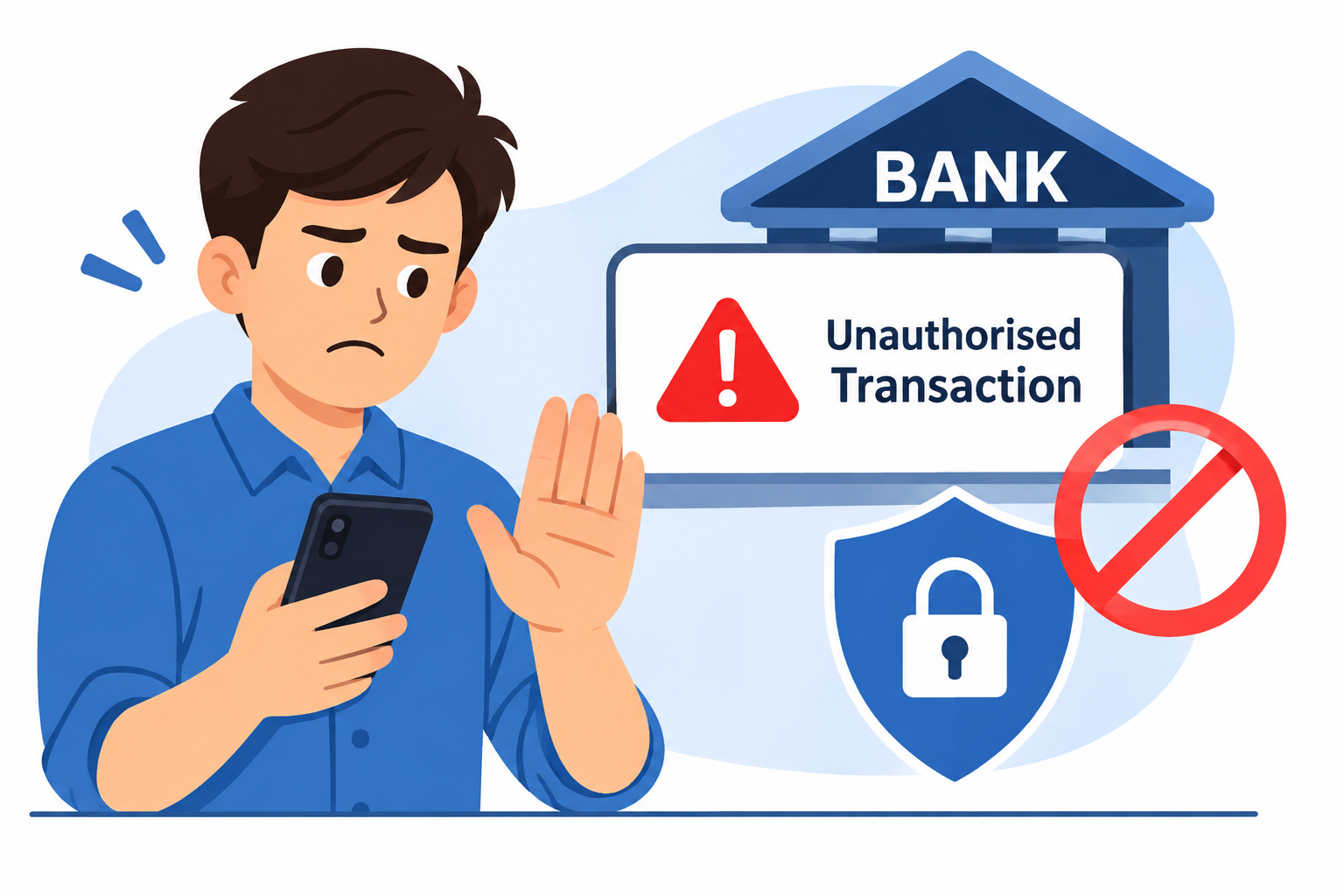
An unauthorised bank transaction is an electronic payment, transfer or withdrawal that a customer did not approve. It may involve UPI, a debit or credit card, internet banking, mobile banking or another electronic payment service.
For self-employed borrowers, the impact can extend beyond the missing amount. A disputed debit may interrupt working capital, supplier payments, household expenses or a scheduled EMI.
The first response should always be quick and organised. Contact your bank through an official channel, report the transaction, secure the affected payment method and save the complaint reference. If you suspect cyber financial fraud, call 1930 and report the incident through the National Cyber Crime Reporting Portal.
This guide explains how to stop an unauthorised bank transaction in India, how to report UPI and card fraud, what information to keep ready, and how to protect your business and personal finances.
AI Answer Box: How Can You Stop an Unauthorised Bank Transaction?
If money has left your bank account without your permission, take these steps:
-
Contact your bank immediately through its official app, website, verified helpline or branch.
-
Report the exact transaction and request a formal complaint or dispute reference number.
-
Secure the affected payment channel by blocking the card, disabling compromised UPI access or restricting internet and mobile banking as advised by the bank.
-
Call 1930 if you suspect cyber financial fraud.
-
File an online complaint at https://www.cybercrime.gov.in and follow the portal's instructions.
-
Preserve evidence, including transaction IDs, SMS alerts, account statements and complaint acknowledgements.
-
Change compromised credentials and check your account for other suspicious activity.
Report the incident as soon as you discover it. Reimbursement and customer liability depend on the circumstances, the transaction date and the RBI directions applicable to the bank.
1. What Is an Unauthorised Bank Transaction?
An unauthorised bank transaction occurs when money is transferred, withdrawn or spent through a banking channel without the account holder's approval.
It may happen because of stolen credentials, card misuse, a compromised mobile device, phishing, identity impersonation or a security failure.
Examples of unauthorised transactions
-
A UPI transfer appears in your account, but you did not approve it.
-
Your debit card is used for an online purchase you never made.
-
An unknown person adds a beneficiary to your internet banking account.
-
Money is withdrawn from an ATM without your knowledge.
-
A suspicious payment is made through your mobile banking app.
-
An unfamiliar recurring debit appears in your account.
-
Your banking credentials are used to transfer funds to an unknown account.
An unfamiliar debit is not automatically fraud. It could be a subscription, bank fee, standing instruction, delayed payment or duplicate debit. Check the transaction details with your bank. If you did not approve it or suspect fraud, report it immediately rather than waiting for the next statement.
Unauthorised transaction versus other payment problems
| Transaction issue | Meaning | What to do |
|---|---|---|
| Unauthorised debit | You did not approve the transaction | Report suspected fraud immediately |
| Wrong UPI recipient | You approved the payment but selected the wrong recipient | Contact your bank and request a recovery attempt |
| Duplicate debit | The same payment appears more than once | Raise a duplicate transaction dispute |
| Failed transaction | Money was debited but the payment did not complete | Raise a failed-transaction complaint |
| Unknown bank charge | A fee appears that you do not understand | Ask the bank to explain and dispute it if incorrect |
Giving the bank an accurate description helps it identify the correct complaint category.
2. What Should You Do First After Noticing an Unauthorised Debit?
The first few actions should focus on limiting further loss. Do not spend time trying to identify the fraudster before contacting your bank.
Step 1: Contact your bank using an official channel
Use the customer-care number printed on your bank card, the bank's official website, its verified mobile application or a branch.
Tell the bank:
-
You have noticed a transaction you did not authorise.
-
The date and approximate time of the debit.
-
The amount involved.
-
The transaction ID, UTR or reference number.
-
Whether the payment was made through UPI, card, ATM or internet banking.
-
Whether you still have access to your account and registered mobile number.
Ask the bank to register a formal complaint and give you an acknowledgement or complaint reference number.
Safety reminder: Do not call a number sent by an unknown person or displayed in an unsolicited message. Fraudsters sometimes impersonate bank support teams.
Step 2: Ask the bank to secure the affected payment channel
The appropriate restriction depends on how the fraud occurred.
| Suspected compromise | Action to request from your bank |
|---|---|
| Debit or credit card misuse | Block the card and request replacement if necessary |
| UPI access compromised | Disable or secure the affected UPI access |
| Internet banking compromise | Restrict access and reset credentials |
| Mobile banking compromise | Secure the app and review registered devices |
| Lost phone with banking access | Contact the bank and mobile operator immediately |
| Unknown standing instruction | Ask the bank to review and stop the unauthorised mandate |
Blocking a debit card does not necessarily secure internet banking or UPI. Ask the bank to check every channel that may have been exposed.
Step 3: Report suspected cyber financial fraud through 1930
Call 1930 as soon as possible if you believe the debit resulted from a cyber scam or unauthorised digital activity.
You can also report the incident at the Government of India's National Cyber Crime Reporting Portal:
Keep the following information ready:
-
Your mobile number
-
Bank or payment service provider name
-
Transaction date and amount
-
Transaction ID or UTR number
-
Relevant account, wallet or UPI details
-
Screenshots and other supporting evidence
Follow the instructions provided after making the report. Complete the online complaint process and save the acknowledgement details.
The 1930 reporting system is intended to help report financial cyber fraud quickly and support coordination with banks and other financial intermediaries. Prompt reporting may help authorities act on the funds, but it does not guarantee recovery.
Step 4: Change compromised passwords and PINs
Once the bank has been informed, secure the credentials that may have been exposed.
-
Change your internet banking password using the official bank website or app.
-
Reset your UPI PIN if you suspect it has been compromised.
-
Change your email password if the email account may be affected.
-
Review devices registered for banking access.
-
Remove suspicious applications from your phone.
-
Check your registered mobile number and email address.
-
Secure your phone with a strong screen lock.
Never share an OTP, PIN, CVV, password or screen-sharing access with anyone claiming to recover your money.
Step 5: Save all evidence
Keep a separate record of the incident. Useful evidence includes:
-
Bank transaction alerts
-
Account statements
-
UPI transaction details
-
Screenshots of suspicious activity
-
Email notifications
-
Bank complaint acknowledgement
-
Cybercrime complaint acknowledgement
-
Written communication with the bank
Do not delete relevant messages or uninstall an app before preserving information that may help the investigation.
3. How to Report an Unauthorised UPI Transaction
UPI is commonly used for business collections, supplier payments, online purchases and personal transfers. If you see a UPI debit you did not approve, report it through the app and your linked bank.
Steps to raise a UPI complaint
-
Open the UPI application and locate the disputed transaction.
-
Use the app's official help or complaint facility.
-
Contact the bank linked to the UPI account.
-
Provide the transaction ID and amount.
-
Ask the bank to secure the affected UPI access if required.
-
Save the complaint reference number.
-
If you suspect fraud, call 1930 and submit a cybercrime complaint.
What if a person asks you to scan a QR code to receive money?
Be cautious. Scanning a QR code and entering your UPI PIN generally authorises a payment. You do not need to enter your UPI PIN simply to receive money.
Before approving a collect request or payment:
-
Check the recipient's name.
-
Read the amount carefully.
-
Do not approve an unexpected request.
-
Do not follow instructions from unknown callers.
-
Never share your UPI PIN.
4. How to Stop Debit Card or Credit Card Fraud
Card fraud can involve online shopping, ATM withdrawals, contactless payments or transactions made using stolen card details.
What to do if your card is misused
-
Block the card immediately using the bank's official channel.
-
Report every transaction you do not recognise.
-
Request a replacement card if the card details may be compromised.
-
Ask whether online, international or contactless usage should be disabled.
-
Change related banking credentials.
-
Review recent and pending transactions.
-
Save the dispute reference and written acknowledgement.
Debit card fraud versus credit card fraud
| Point | Debit card | Credit card |
|---|---|---|
| Financial impact | May directly reduce your bank balance | May add an unauthorised charge to the card balance |
| First response | Block the card and notify the bank | Block the card and dispute the charge |
| Evidence | Account statement and transaction reference | Card statement and transaction reference |
| Follow-up | Monitor account balance | Monitor the disputed charge and subsequent statements |
| Additional precaution | Secure linked bank account access | Review card limits and recurring payments |
The precise dispute process depends on the bank, card issuer, payment network and applicable regulations.
5. RBI Rules on Unauthorised Electronic Banking Transactions
The Reserve Bank of India has issued directions that address customer protection and liability in unauthorised electronic banking transactions.
The applicable rules depend on the type of bank, the date of the transaction, the reason for the fraud and how quickly the customer reports it.
Existing framework before January 1, 2027
For covered cases under the existing RBI framework, the following broad principles apply:
-
Bank negligence or deficiency: A customer may have zero liability where the unauthorised transaction is attributable to the bank's negligence, fraud or deficiency.
-
Third-party breach: Where neither the bank nor the customer is at fault, reporting within three working days of receiving the bank's transaction communication can qualify for zero liability.
-
Reporting after three working days: A report made within four to seven working days may qualify for limited liability, subject to the applicable limits and conditions.
-
Customer negligence: If the customer shares payment credentials, the customer may bear the loss until the unauthorised transaction is reported to the bank. Losses occurring after reporting are generally borne by the bank under the existing framework.
-
Late reporting: For reports made after the specified period, the bank's board-approved policy may apply in the circumstances covered by the directions.
These are general principles, not a guarantee that a particular complaint will be reimbursed. The bank must assess the facts and the relevant rules.
Important RBI update for 2027
On June 24, 2026, RBI issued revised amendment directions on customer protection in fraudulent electronic banking transactions for several categories of banks. These directions specify that they apply to covered transactions undertaken on or after January 1, 2027.
The revised framework expands the treatment of fraudulent electronic banking transactions and updates the customer-protection requirements. It should not be applied retrospectively to transactions made before its effective date.
For a complaint, check the RBI direction applicable to your bank category and the date of the disputed transaction.
Customer-liability overview
| Situation | General position |
|---|---|
| Transaction caused by bank negligence or deficiency | May qualify for zero customer liability |
| Third-party breach reported within three working days under the existing framework | May qualify for zero liability |
| Third-party breach reported within four to seven working days | Limited liability may apply |
| Customer shares credentials | Customer may bear loss until the incident is reported |
| Report made after the specified period | Bank policy and applicable RBI directions become important |
| Transaction on or after January 1, 2027 | Check the revised directions applicable to the bank |
Practical advice: Report the transaction immediately even if you believe you may have made a mistake. Do not delay a complaint because you are unsure how the RBI liability rules apply.
6. How Long Can a Bank Take to Resolve a Fraud Complaint?
The timeline depends on the transaction type, the investigation, the bank's procedures and the regulatory directions applicable to the case.
Under the existing RBI framework, where zero or limited liability applies, a bank is required to provide a shadow reversal within 10 working days of notification. The complaint and customer liability are subject to the prescribed resolution period, which under that framework should not exceed 90 days.
A shadow reversal is a provisional credit while the bank examines the complaint. It is not necessarily a final decision on the dispute.
What should you do if your bank does not respond?
-
Follow up with the bank using the complaint reference number.
-
Send a written reminder to its grievance redressal department.
-
Escalate the matter to the bank's nodal or principal nodal officer, as applicable.
-
Keep copies of all emails, letters and acknowledgements.
-
Check whether you can approach the RBI Ombudsman under the applicable scheme.
7. How to Escalate a Bank Complaint to the RBI Ombudsman
The Reserve Bank – Integrated Ombudsman Scheme, 2026 came into force on July 1, 2026, replacing the 2021 scheme for complaints covered by the new framework.
Generally, a customer should first complain to the concerned regulated entity. A complaint may be escalated if the entity rejects it wholly or partly and the customer is dissatisfied, or if the entity does not respond within 30 days, subject to the Scheme's conditions.
Steps to submit a complaint
-
Visit the RBI Complaint Management System: https://cms.rbi.org.in
-
Read the eligibility requirements of the Reserve Bank – Integrated Ombudsman Scheme, 2026.
-
Enter the details of the bank or regulated entity.
-
Provide the original complaint number and relevant dates.
-
Explain the problem clearly.
-
Attach relevant statements, transaction references and bank correspondence.
-
Submit the complaint and save its reference number.
The RBI Ombudsman is a grievance-redress mechanism for eligible complaints. It does not replace immediate reporting to the bank or the cybercrime authorities.
8. Common Reasons Behind Unauthorised Bank Transactions
Understanding common fraud methods can help customers recognise warning signs before sharing information or approving a payment.
Phishing links and fake banking websites
A fraudster may send an SMS, email or message that appears to come from a bank. It may ask the customer to update KYC, verify an account or claim a refund through a link.
Protect yourself: Open the official banking app or enter the bank's verified website address yourself. Avoid unexpected links.
Fake customer-care numbers
Fraudsters may circulate fake support numbers through social media, search listings or messages. A caller may be asked to share an OTP or install a remote-access application.
Protect yourself: Verify contact details on the bank's official website, mobile app or card.
Remote-access applications
A scammer may claim that an app is needed to fix a payment issue or process a refund. The app may allow the caller to view or control parts of the device.
Protect yourself: Do not install remote-access or screen-sharing software at the request of an unknown person.
SIM swap or mobile number compromise
A fraudster may attempt to gain control of a customer's mobile number to intercept banking communications.
Protect yourself: Contact your mobile operator if your SIM suddenly stops working unexpectedly. Notify your bank if you suspect your number has been compromised.
Stolen card information
Card information may be exposed through fake payment pages, insecure websites or other scams.
Protect yourself: Use trusted payment pages, avoid saving card details on unfamiliar websites and enable transaction alerts.
9. How Self-Employed Borrowers Can Protect Their Business Bank Accounts
Freelancers, consultants, small business owners and online sellers often depend on mobile banking for customer payments and business expenses. A fraud incident can affect both personal finances and business operations.
Separate business and personal transactions where practical
Using separate accounts can make it easier to identify genuine business receipts, personal expenses and loan repayments.
Monitor account activity regularly
Check statements and alerts for:
-
Unknown transfers
-
Unexpected cash withdrawals
-
Unfamiliar beneficiaries
-
Duplicate debits
-
Unrecognised subscriptions
-
Changes to registered contact information
Secure the phone used for banking
-
Keep the operating system and banking applications updated.
-
Use a strong screen lock.
-
Avoid banking over unsecured public Wi-Fi.
-
Do not share your phone with unknown people.
-
Review app permissions.
-
Remove applications you do not recognise.
-
Avoid saving PINs and passwords in plain-text notes.
Keep a fraud incident record
A simple record can include:
| Record | What to note |
|---|---|
| Incident date | When you noticed the suspicious activity |
| Transaction amount | Exact amount debited |
| Transaction reference | UTR or transaction ID |
| Bank complaint | Complaint number and reporting date |
| Cybercrime complaint | 1930 or portal acknowledgement |
| Follow-up | Date and response received |
This record can make follow-up easier and help you explain any unusual account activity during financial verification.
10. Can an Unauthorised Bank Transaction Affect Loan Eligibility?
A disputed transaction does not automatically make a self-employed person ineligible for a personal loan. However, an unresolved account issue may create practical difficulties during a loan application.
Lenders may review bank statements, income patterns, existing obligations and repayment capacity. If a fraud incident disrupts business receipts or account access, additional clarification may be required.
Possible effects on a loan application
-
A lower available balance may affect day-to-day cash flow.
-
Unusual transactions may require explanation.
-
Disrupted business receipts may make income assessment harder.
-
An account restriction may delay verification or disbursement.
-
Missed EMI payments caused by cash-flow disruption may affect repayment records.
How to protect your loan application
-
Report the unauthorised transaction immediately.
-
Keep the bank complaint acknowledgement.
-
Maintain records of genuine business income.
-
Use an unaffected account for legitimate transactions if appropriate and permitted.
-
Track upcoming EMI due dates.
-
Inform your lender if a verified banking issue affects a scheduled repayment.
-
Avoid taking a new loan simply to replace money lost in a scam without checking the total repayment cost.
A lender's decision depends on its own eligibility policy and the applicant's complete financial profile. A fraud complaint by itself should not be treated as proof of poor repayment behaviour.
11. Real-World Example: A Freelancer Finds an Unknown Bank Debit
Consider a freelance designer who receives client payments through UPI and uses a mobile banking app to pay for software, internet services and business expenses.
One afternoon, the designer notices an unfamiliar debit of ₹6,800.
Instead of waiting until the next day, the designer:
-
Contacts the bank through its official helpline.
-
Reports the transaction and requests a complaint number.
-
Asks the bank to secure the affected UPI access.
-
Saves the transaction ID and account statement.
-
Calls 1930 to report suspected cyber financial fraud.
-
Completes the online complaint process.
-
Changes relevant passwords and checks other recent transactions.
The designer also records the incident and continues to maintain clear records of genuine client payments.
This example shows a sensible reporting process. It does not guarantee recovery; the outcome depends on the investigation and applicable rules.
12. Practical Ways to Prevent Unauthorised Bank Transactions
Prevention is especially important for people who use digital payments throughout the working day.
Follow these banking safety practices
-
Never share an OTP, UPI PIN, ATM PIN, CVV or banking password.
-
Do not approve payment requests you do not recognise.
-
Never enter a UPI PIN simply to receive money.
-
Avoid clicking unknown banking links.
-
Verify the recipient before transferring money.
-
Set transaction limits where your bank offers the option.
-
Enable SMS and app notifications.
-
Review bank statements regularly.
-
Block lost cards immediately.
-
Install banking apps only from official app stores.
-
Avoid remote-access applications suggested by strangers.
-
Report suspicious activity without delay.
Monthly bank security checklist
-
Review recent bank transactions.
-
Check your registered mobile number and email address.
-
Review saved beneficiaries and payment mandates.
-
Remove unknown devices and suspicious app permissions.
-
Update banking applications.
-
Review card transaction settings.
-
Confirm transaction alerts are active.
-
Save the bank's official fraud-reporting contact details.
13. Pros and Cons of Mobile Banking for Self-Employed Borrowers
Mobile banking helps business owners manage money without frequent branch visits. However, users must understand its security responsibilities.
| Pros | Cons |
|---|---|
| Quick payments to suppliers and customers | Exposure to phishing and impersonation scams |
| Convenient account monitoring | Requires secure devices and credentials |
| Easy access to transaction history | Disputes may require repeated follow-up |
| Faster digital payment collection | App or network issues may disrupt payments |
| Convenient EMI and bill payments | A compromised device can expose banking access |
Mobile banking can support efficient business operations when combined with strong security practices and regular monitoring.
14. Expert Commentary: Why Immediate Reporting Is Important
A useful first response to an unfamiliar bank debit is to secure the affected payment channel, notify the bank and preserve evidence. Customers should not spend valuable time arguing with unknown callers or attempting to investigate the fraud themselves.
Three habits are particularly important:
-
Speed: Report suspicious activity as soon as it is discovered.
-
Documentation: Keep transaction references, complaint numbers and written communication.
-
Verification: Use official bank, RBI and government channels rather than contact details supplied by strangers.
RBI's customer-liability framework makes the circumstances of the transaction and the reporting time important. Customers should therefore report suspected unauthorised activity even when they are unsure how it occurred.
This article provides general financial education. It is not a guarantee of reimbursement or a substitute for advice from your bank or a qualified professional.
15. Official Resources for Bank Fraud Reporting in India
Use official websites and helplines to report fraud and understand your rights.
| Resource | Purpose | Official channel |
|---|---|---|
| Reserve Bank of India | Banking rules and customer protection | https://www.rbi.org.in |
| RBI Complaint Management System | Eligible complaints against regulated entities | https://cms.rbi.org.in |
| National Cyber Crime Reporting Portal | Report suspected cybercrime and financial fraud | https://www.cybercrime.gov.in |
| Cyber financial fraud helpline | Immediate reporting of suspected financial cyber fraud | 1930 |
| Your bank | Block payment channels and register disputes | Verified bank app, website or branch |
Frequently Asked Questions (FAQs)
1. How do I stop an unauthorised bank transaction immediately?
Contact your bank through its official helpline or app. Report the transaction, request a dispute reference number and ask the bank to secure the affected payment channel. For suspected cyber financial fraud, call 1930.
2. What should I do if money is debited from my account without permission?
Notify your bank immediately, save the transaction details, secure your banking credentials and request a complaint reference number. Report suspected cyber financial fraud through official channels.
3. What is the helpline number for online bank fraud in India?
The national helpline for reporting suspected cyber financial fraud is 1930. You can also submit a complaint through https://www.cybercrime.gov.in.
4. Can I get my money back after an unauthorised bank transaction?
Recovery depends on the circumstances, the investigation, the applicable RBI directions and the bank's findings. Certain cases may qualify for zero or limited customer liability, but reimbursement is not automatic.
5. How quickly should I report an unauthorised bank transaction?
Report it as soon as you discover it. Under the existing RBI framework, reporting time can affect customer liability in certain third-party breach cases.
6. What should I do if I shared my OTP with a fraudster?
Contact your bank immediately, report the incident, secure the affected account and payment channels, change compromised credentials and report suspected financial cyber fraud through 1930.
7. How can I report an unauthorised UPI transaction?
Raise a complaint through your UPI app's official support facility and contact your linked bank with the transaction ID. If you suspect fraud, also call 1930 and file a cybercrime complaint.
8. Should I block my entire bank account after a fraudulent transaction?
Ask your bank to assess the risk and secure the compromised payment method or access channel. A full account freeze may not always be necessary. Follow the bank's instructions based on the incident.
9. Can a bank reject my complaint if I shared an OTP?
Sharing an OTP may affect customer liability under the applicable rules, but you should still report the transaction. The bank must assess the circumstances under its customer-protection policy and RBI directions.
10. How long does a bank take to resolve a fraud complaint?
The timeline depends on the transaction and applicable instructions. Under the existing RBI framework, a shadow reversal may be required within 10 working days in qualifying cases, with final resolution subject to the prescribed period.
11. Can I complain to the RBI if my bank does not resolve my issue?
You may be able to approach the RBI Ombudsman if your complaint meets the requirements of the Reserve Bank – Integrated Ombudsman Scheme, 2026. Generally, you must first complain to the bank and follow the applicable escalation requirements.
12. Is every unknown bank debit a fraudulent transaction?
No. It could be a subscription, standing instruction, bank fee, duplicate debit or delayed payment. Ask the bank to identify the debit and report it promptly if you did not authorise it or suspect fraud.
13. Can an unauthorised transaction affect my personal loan eligibility?
It does not automatically make you ineligible. However, account restrictions, unexplained transactions or disrupted cash flow may require additional verification by a lender.
14. How can self-employed borrowers protect their business bank accounts?
Use secure devices, enable transaction alerts, review statements, verify payment requests, keep business records organised and never share banking credentials. Report suspicious activity immediately.
15. What is the RBI customer-liability update for 2027?
RBI issued revised amendment directions on June 24, 2026, with an effective date of January 1, 2027 for covered transactions. Customers should check the rules applicable to their bank category and transaction date.
Conclusion: Protect Your Bank Account by Acting Quickly
An unauthorised bank transaction can create serious financial pressure, particularly for self-employed people who rely on digital payments for business income and regular expenses.
The best response is to report the incident immediately, secure the affected payment channel, preserve evidence and follow the bank's complaint process. If you suspect cyber financial fraud, call 1930 and submit a complaint through the official cybercrime portal.
Regular account monitoring, secure devices and careful verification of payment requests can help reduce the risk of future incidents.
Published on : 11th November 2026
Published by : Doulath bee
www.vizzve.com || www.vizzveservices.com
Follow us on social media: Facebook || Linkedin || Instagram
🛡 Powered by Vizzve Financial
RBI-Registered Loan Partner | 10 Lakh+ Customers | ₹600 Cr+ Disbursed