

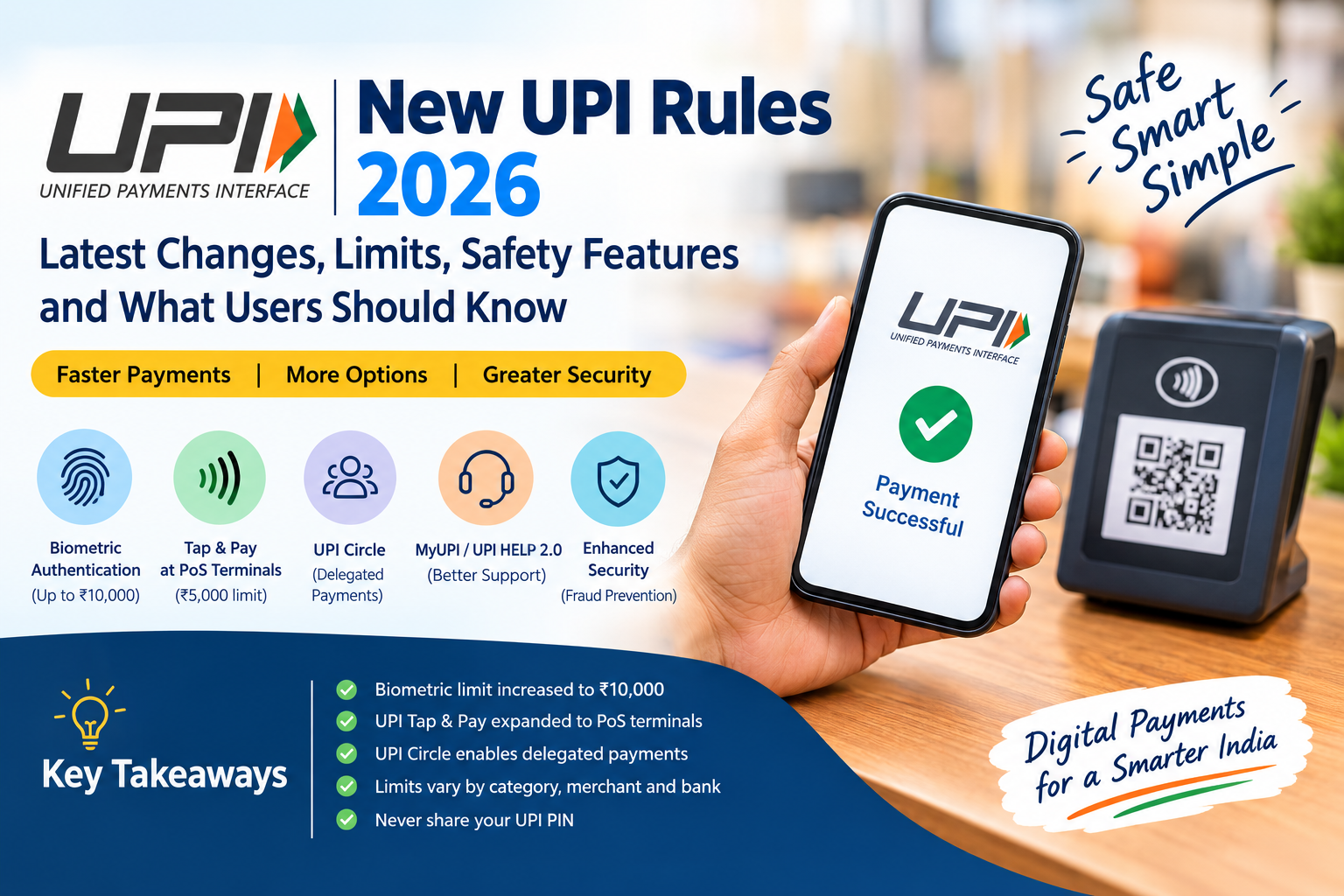
New UPI Rules 2026: What Has Changed?
Unified Payments Interface, better known as UPI, has become one of India's most widely used digital payment systems. From paying a local shopkeeper to sending money to family, UPI has made everyday payments almost instant.
But UPI is not a static system. The National Payments Corporation of India (NPCI), banks and regulators regularly introduce new limits, authentication methods, security controls and payment features.
As of September 2026, some of the most notable developments include:
- Higher limits for certain UPI payments authenticated using on-device biometrics.
- Expanded UPI Tap & Pay functionality at point-of-sale terminals.
- Wider use of UPI Circle for delegated payments.
- New AI-powered support capabilities through MyUPI/UPI HELP 2.0.
- Higher UPI limits for selected merchant categories introduced earlier.
- Continued emphasis on fraud prevention, transaction monitoring and dispute resolution.
Important: There is no single universal "UPI limit" applicable to every transaction. The applicable ceiling depends on the transaction type, merchant category, authentication method, bank and NPCI rules.
AI Answer Box: New UPI Rules 2026 in Simple Words
What are the new UPI rules in 2026?
The latest UPI changes in 2026 include a higher ₹10,000 per-transaction ceiling for UPI payments authenticated through supported on-device biometric authentication, effective August 7, 2026.
NPCI also expanded UPI Tap & Pay to PoS terminals in September 2026. Under the new framework, Tap & Pay transactions at supported PoS terminals can be made using NFC, with the no-additional-factor authentication ceiling set at ₹5,000.
UPI Circle allows a primary user to delegate payment access to trusted secondary users within defined limits. Meanwhile, MyUPI/UPI HELP 2.0 adds enhanced support functions such as transaction replay, payee-context information, user controls and automated chargeback processing.
The key point for consumers is simple: UPI is becoming more flexible, but transaction limits and authentication requirements still depend on the payment type, bank, app and applicable NPCI rules.
What Are the Latest UPI Rules in September 2026?
The phrase "new UPI rules" can refer to several different updates rather than one single rule.
Here are the important developments users should understand.
1. UPI Biometric Authentication Limit Increased to ₹10,000
One of the significant 2026 changes concerns on-device biometric authentication.
Supported UPI systems can use device-based authentication such as fingerprint or face authentication as an alternative authentication method for eligible transactions.
The per-transaction limit for UPI payments authenticated using on-device biometrics was increased from ₹5,000 to ₹10,000, effective August 7, 2026.
What does this mean for users?
Instead of relying exclusively on a UPI PIN for every eligible transaction, users may be able to authenticate certain payments using a supported biometric method.
However:
- The feature depends on app and bank support.
- Your device must support the required biometric functionality.
- The bank or UPI application may apply additional controls.
- Not every UPI payment automatically qualifies for biometric authentication.
- Users should continue protecting their device and banking credentials.
Quick comparison
| Authentication method | Latest relevant limit | Key point |
|---|---|---|
| On-device biometric authentication | Up to ₹10,000 per transaction | Subject to eligibility and implementation |
| UPI PIN | Depends on applicable transaction category | Standard UPI authentication |
| UPI Lite | Low-value payment facility | Designed for smaller payments |
| Tap & Pay at supported PoS | ₹5,000 without additional authentication | PIN/authentication may apply above the threshold |
2. UPI Tap & Pay Gets Expanded to PoS Terminals
Another important September 2026 development is the expansion of UPI Tap & Pay.
Earlier, Tap & Pay enabled users to initiate certain UPI payments using NFC-enabled smart QR or tags.
The newer PoS functionality allows supported UPI users to make contactless payments by unlocking the phone and tapping it against a compatible PoS terminal.
How does UPI Tap & Pay work?
The basic process is:
- Unlock your compatible smartphone.
- Open or activate the supported UPI payment experience.
- Bring the NFC-enabled phone close to the compatible PoS terminal.
- Confirm the payment amount.
- Authenticate when required.
- Receive the payment confirmation.
Tap & Pay limit
For the newly expanded PoS functionality, the per-transaction ceiling without an additional authentication factor is ₹5,000.
The payment must also satisfy the applicable UPI and merchant requirements.
Why is Tap & Pay important?
It can make payments faster in situations where scanning a QR code is inconvenient.
Examples include:
- Retail stores
- Restaurants
- Transit or ticketing environments where supported
- Other NFC-enabled merchant locations
3. UPI Circle Makes Delegated Payments Easier
UPI Circle is another important development in the UPI ecosystem.
It allows a primary UPI user to authorize a secondary user to make payments using the primary user's bank account, subject to the applicable framework and limits.
This can be useful for:
- Parents managing children's payments
- Supporting elderly family members
- Household expenses
- Trusted employees handling routine purchases
- Shared financial responsibilities
How does UPI Circle work?
There are two broad delegation models:
Full Delegation
The secondary user can complete eligible payments without asking the primary user to approve each individual transaction.
For full delegation, the framework allows a maximum monthly limit of ₹15,000 and a maximum per-transaction limit of ₹5,000.
Partial Delegation
The secondary user initiates the payment, but the primary user must approve the transaction.
This provides an additional layer of control.
UPI Circle: Full vs Partial Delegation
| Feature | Full Delegation | Partial Delegation |
|---|---|---|
| Primary user approval for every payment | No | Yes |
| Monthly limit | Up to ₹15,000 under the applicable framework | Based on applicable rules |
| Per-transaction limit | Up to ₹5,000 | Depends on applicable limits |
| Best suited for | Trusted recurring payments | Higher-control situations |
| Primary user visibility | Yes | Yes |
| Can authorization be revoked? | Yes | Yes |
Safety tip: Only add people you know and trust to a UPI Circle. Verify the person's identity and payment details before authorizing access.
4. UPI Rules for Higher-Value Merchant Payments
A common misconception is that every UPI transaction has a ₹1 lakh ceiling.
That is not necessarily correct.
UPI transaction limits vary according to the category and applicable NPCI rules.
NPCI has increased limits for selected merchant categories over time. In its 2025 circular, NPCI stated that enhanced limits would apply to eligible verified merchants, while banks could continue setting their own internal limits within the overall NPCI ceilings.
Why does this matter?
A user may see different transaction limits depending on whether the payment is:
- Person-to-person
- Person-to-merchant
- Tax-related
- Insurance-related
- Capital-market related
- IPO-related
- Another specifically permitted category
Therefore, a failed high-value UPI payment does not necessarily mean that UPI itself has stopped supporting that amount.
The applicable limit may instead depend on the category, bank, merchant and payment configuration.
UPI Transaction Limits: What Users Should Know
| Transaction/use case | Important point |
|---|---|
| Normal UPI transfer | Standard limits apply and may vary by bank |
| P2P transfer | Extant P2P limits continue to apply |
| Selected verified merchants | Higher category-specific ceilings may apply |
| Tax payments | Higher limits have been introduced for eligible transactions |
| IPO/Retail Direct | Higher limits apply under the relevant framework |
| Biometric-authenticated UPI | Up to ₹10,000 per transaction under the 2026 enhancement |
| UPI Circle Full Delegation | Up to ₹5,000 per transaction and ₹15,000 monthly |
| Tap & Pay PoS | ₹5,000 ceiling for transactions without additional authentication |
Always check your bank or UPI app before assuming that the maximum NPCI limit is available to you.
5. MyUPI and UPI HELP 2.0 Bring New Customer Support Features
UPI is also moving beyond simply sending and receiving money.
In September 2026, NPCI introduced additional capabilities under MyUPI, building on UPI HELP.
The newer capabilities include:
- Transaction replay
- Payee-context-based information
- User controls
- Automated chargeback processing
The broader objective is to make it easier for users to understand transactions and obtain support when something goes wrong.
Why does this matter?
A digital payment problem can be confusing.
For example:
"My account was debited, but the merchant says they did not receive the money."
or:
"I made a payment to the wrong person."
or:
"The transaction status is unclear."
Improved support tools can help users locate transaction information and navigate complaint or dispute processes.
6. Failed UPI Transactions: What Should You Do?
UPI payments are generally instant, but technical failures can occur.
A transaction can become complicated when:
- The sender's account is debited.
- The receiver does not receive the funds.
- The merchant does not receive confirmation.
- The payment remains pending.
- A transaction is reversed.
- A user accidentally sends money to the wrong recipient.
Step-by-step action plan
Step 1: Check the transaction status
Open your UPI app and check whether the payment is:
- Successful
- Pending
- Failed
- Reversed
Step 2: Check your bank account
Do not rely only on the app notification. Check whether the amount has actually been debited.
Step 3: Save the transaction reference number
Keep the UPI transaction ID or reference number.
Step 4: Contact the appropriate support channel
Start with the UPI app or bank through which the transaction was made.
Step 5: Raise a complaint if necessary
NPCI states that users can raise or track UPI transaction complaints through participating UPI applications/banks.
7. UPI Safety Rules You Should Never Ignore
New technology does not remove the need for basic payment security.
Never share your UPI PIN
Your UPI PIN is used to authorize transactions.
Do not share it with:
- Friends
- Unknown callers
- Fake customer-care agents
- Delivery personnel
- Bank impersonators
- Anyone claiming to "receive" money for you
Remember this simple rule
You do not enter your UPI PIN to receive money.
A person asking you to enter your PIN to "accept a payment" should be treated with caution.
Be Careful With QR Codes
Scanning a QR code can initiate a payment.
Before entering your PIN, verify:
- Recipient name
- Amount
- Merchant details
- Payment purpose
Do not scan random QR codes received through suspicious messages.
Do Not Approve Unknown Collect Requests
A payment request is not the same thing as receiving money.
Read every request carefully before approving it.
8. UPI Lite Still Has a Place in Small Payments
UPI Lite is designed for low-value transactions and can simplify small payments.
It is useful for everyday expenses such as:
- Tea and snacks
- Small grocery purchases
- Local transport
- Small retail payments
- Other low-value transactions
The current NPCI UPI Lite information describes it as a low-value payment solution designed for transactions below ₹1,000, subject to the applicable framework and implementation.
The exact experience can vary by app and bank.
9. UPI Circle vs UPI Lite vs Normal UPI
| Feature | Normal UPI | UPI Lite | UPI Circle |
|---|---|---|---|
| Main purpose | General digital payments | Small-value payments | Delegated payments |
| Bank account required | Yes | Linked funding account | Primary user account |
| UPI PIN every time | Usually required for standard transactions | Designed for eligible low-value payments without PIN | Depends on delegation model |
| Typical use | Everyday payments | Small purchases | Family/dependent payments |
| Spending control | Standard bank/app limits | Product limits | Primary user can set controls |
10. What Has Actually Changed for Ordinary UPI Users?
For many people, the biggest practical changes are not about a new compulsory rule.
Instead, UPI is gradually adding more payment options and stronger controls.
You may notice:
- More biometric authentication options
- More NFC-based payment options
- Delegated payment functionality
- Better transaction-support tools
- More category-specific high-value payment limits
- Additional fraud and dispute-management controls
At the same time, your everyday UPI payment process may look almost exactly the same.
Pros and Cons of the Latest UPI Changes
Pros
- Faster authentication options
- More flexibility for eligible high-value payments
- Contactless Tap & Pay functionality
- Better support for family and delegated payments
- Improved transaction-support capabilities
- Greater choice in authentication methods
- Continued focus on fraud prevention
Cons
- Different limits can be confusing
- Not every bank supports every feature immediately
- Device compatibility can matter for biometric and NFC payments
- Higher limits can increase exposure if account security is weak
- Users still need to understand payment requests and authorization screens
What Should UPI Users Do Now?
A few simple habits can make digital payments safer.
Personal UPI checklist
- Keep your UPI app updated.
- Use a strong phone lock.
- Enable device biometrics where appropriate.
- Never disclose your UPI PIN.
- Verify the recipient before paying.
- Check the amount before authentication.
- Review UPI mandates periodically.
- Remove unnecessary payment permissions.
- Report suspicious transactions quickly.
- Keep your registered mobile number secure.
- Save transaction references for important payments.
Expert Commentary: Why These UPI Changes Matter
From a digital-payments perspective, the latest changes point toward three broad directions.
1. Convenience
Biometric authentication and Tap & Pay reduce friction during legitimate payments.
2. Controlled access
UPI Circle demonstrates that payment access can be delegated without simply handing over complete access to a bank account.
3. Better post-payment support
The expansion of MyUPI/UPI HELP indicates that the UPI ecosystem is paying more attention to what happens after a transaction, including support, transaction information and disputes.
The important distinction is that convenience should not replace verification. A faster payment is useful only when the user knows exactly who is being paid and how much is being authorized.
Real-World Examples of the New UPI Rules
Example 1: Paying at a shop
Suppose you purchase products worth ₹1,200.
You can use a regular QR-based UPI payment. Depending on the app, device and supported authentication method, an eligible biometric authentication option may also be available.
Example 2: Paying ₹4,000 through Tap & Pay
At a supported PoS terminal, a user may use UPI Tap & Pay.
The applicable ₹5,000 ceiling for transactions without additional authentication is relevant to this feature.
Example 3: Giving a child controlled payment access
A parent can use UPI Circle where supported and authorize a secondary user under the applicable delegation rules.
For full delegation, the framework provides a ₹5,000 per-transaction and ₹15,000 monthly limit.
Example 4: A failed payment
If your account is debited but the merchant does not receive confirmation, first check the transaction status and bank account. Keep the transaction reference number and use the app/bank's complaint mechanism if required.
New UPI Rules 2026: Quick Summary Table
| New development | What users should know |
|---|---|
| Biometric authentication | Limit raised to ₹10,000 per eligible transaction |
| Tap & Pay at PoS | NFC-based contactless payments expanded to compatible PoS |
| Tap & Pay authentication | ₹5,000 ceiling for transactions without additional authentication |
| UPI Circle | Controlled delegated payments |
| Full Delegation | Up to ₹5,000 per transaction and ₹15,000 per month |
| MyUPI/UPI HELP 2.0 | Enhanced transaction and support capabilities |
| Higher category-specific limits | Available for eligible payment categories |
| UPI safety | PIN and payment verification remain essential |
Key Takeaways
- New UPI rules in 2026 are not one single rule. They include multiple NPCI and payment-system updates.
- On-device biometric authentication has a ₹10,000 per-transaction limit under the 2026 enhancement.
- UPI Tap & Pay has been expanded to PoS terminals for contactless payments.
- Tap & Pay PoS transactions have a ₹5,000 ceiling without additional authentication under the new framework.
- UPI Circle allows controlled delegated payments to trusted secondary users.
- Full Delegation has a ₹5,000 per-transaction and ₹15,000 monthly ceiling under the applicable framework.
- UPI transaction limits are not identical for every transaction type.
- Banks may impose their own internal limits within applicable NPCI ceilings.
- MyUPI/UPI HELP 2.0 is adding more sophisticated customer-support functions.
- Users should never share their UPI PIN or approve unknown payment requests.
AI Summary Box for Google AI Overview, ChatGPT Search & Perplexity
New UPI Rules 2026: The latest UPI updates include a higher ₹10,000 limit for eligible biometric-authenticated transactions, expansion of UPI Tap & Pay to PoS terminals, delegated payments through UPI Circle and enhanced customer support through MyUPI/UPI HELP 2.0. UPI transaction limits vary by payment category, merchant type, authentication method and bank. Users should verify the recipient and amount before authorizing every payment and should never share their UPI PIN.
Frequently Asked Questions
1. What are the new UPI rules in 2026?
The latest changes include higher limits for eligible biometric-authenticated payments, expanded Tap & Pay functionality, UPI Circle delegated payments and enhanced customer-support capabilities.
2. What is the new UPI transaction limit in 2026?
There is no single limit for every UPI transaction. Limits vary according to transaction category, merchant, authentication method and bank.
3. Is the UPI biometric payment limit now ₹10,000?
For eligible UPI payments authenticated through supported on-device biometrics, the per-transaction limit was increased to ₹10,000 effective August 7, 2026.
4. What is UPI Tap & Pay?
UPI Tap & Pay is an NFC-based payment method that allows users to make supported UPI payments by tapping a compatible phone against a compatible NFC-enabled payment point.
5. What is the Tap & Pay limit in 2026?
For the expanded PoS functionality, the applicable ceiling for transactions without additional authentication is ₹5,000 per transaction.
6. What is UPI Circle?
UPI Circle allows a primary UPI user to authorize a secondary user to make payments from the primary user's bank account within specified controls and limits.
7. What is the UPI Circle limit?
Under Full Delegation, the framework permits up to ₹5,000 per transaction and ₹15,000 per month.
8. Can I use UPI without a PIN?
Some UPI features, such as eligible UPI Lite and supported biometric or Tap & Pay experiences, can reduce or change the authentication process. Standard UPI payments may still require a UPI PIN.
9. Can banks set lower UPI limits?
Yes. Banks can apply their own internal transaction limits within the applicable overall NPCI framework.
10. Is the ₹1 lakh UPI limit applicable to every payment?
No. UPI limits depend on the transaction type and category. Certain merchant and specialized payment categories can have higher ceilings.
11. Is UPI Tap & Pay safe?
UPI Tap & Pay is designed within the UPI payment framework, but users should still verify the payment amount and merchant before authorizing a transaction.
12. What should I do if my UPI payment fails?
Check the transaction status, verify whether your bank account was debited, retain the transaction reference number and raise a complaint through your UPI app or bank if necessary.
13. Can I share my UPI PIN with bank staff?
No. Your UPI PIN should never be shared with anyone, including people claiming to represent a bank or payment company.
14. What is MyUPI?
MyUPI is an enhanced AI-powered support capability built around UPI HELP, with features including transaction replay, payee-context information, user controls and automated chargeback processing.
15. Will every UPI user automatically get all the new features?
Not necessarily. Availability depends on the participating bank, UPI application, device, merchant and applicable technical or regulatory requirements.
Vizzve Financial: Loan Support Made Simple
Vizzve Financial is one of India’s trusted loan support platforms offering quick personal loans, low documentation, and an easy approval process. Apply at www.vizzve.com.
If you are considering a personal loan, compare the applicable interest rate, processing charges, repayment period, eligibility requirements and total repayment obligation before proceeding.
Internal Linking Suggestions
For a finance website, consider linking this article internally to:
- Personal Loan Guide — anchor: "personal loan guide"
- Personal Loan Eligibility — anchor: "personal loan eligibility"
- Personal Loan Interest Rates — anchor: "personal loan interest rates"
- How to Improve CIBIL Score — anchor: "improve your CIBIL score"
- Digital Banking Safety Tips — anchor: "digital banking safety tips"
- Online Loan Application Guide — anchor: "apply for a personal loan online"
- Loan EMI Calculator — anchor: "calculate your loan EMI"
External Linking Suggestions
For authoritative references, link to:
- NPCI UPI official page for UPI functionality and product information.
- NPCI UPI circulars for the latest operating circulars and changes.
- NPCI UPI statistics for current transaction volumes and values.
- RBI official website for regulatory and payment-system information.
- NPCI UPI FAQ for consumer-facing UPI questions and limits.
Authoritative References
National Payments Corporation of India (NPCI) — UPI product information, circulars, statistics and consumer FAQs.
Reserve Bank of India (RBI) — Payment-system regulations, failed-transaction framework and UPI-related regulatory announcements.
Important editorial note: UPI rules can change frequently. Transaction limits shown in this article should not be interpreted as a guarantee that every bank or UPI application will permit the same amount. Users should check their bank/app for the limit applicable to their specific transaction.
Conclusion
UPI is evolving from a simple QR-based payment method into a broader digital-payment ecosystem with biometric authentication, NFC payments, delegated access, specialized transaction limits and AI-powered customer support.
The most important lesson for users is simple: know the limit, verify the recipient, check the amount and authorize only payments you understand.
The new UPI rules can make digital payments faster and more flexible, but basic payment security remains essential.
For financial products such as personal loans, always compare the total cost, interest rate, fees, repayment schedule and lender terms before making a decision.
Vizzve Financial offers loan-support services designed to make the application process easier. Visit www.vizzve.com to explore available options.
Published on : 16th september
Published by : Sumanth Arumulla
www.vizzve.com || www.vizzveservices.com
Follow us on social media: Facebook || Linkedin || Instagram
🛡 Powered by Vizzve Financial
RBI-Registered Loan Partner | 10 Lakh+ Customers | ₹600 Cr+ Disbursed
#NewUPIRules #UPIRules2026 #UPI #UPI2026 #UPIUpdate #UPITransactionLimit #UPIPayments #DigitalPayments #NPCI #UPISafety #UPITapAndPay #UPICircle #BiometricPayments #DigitalIndia #FinTech #OnlinePayments #BankingUpdates #UPINews #PaymentTechnology #IndiaDigitalPayments