

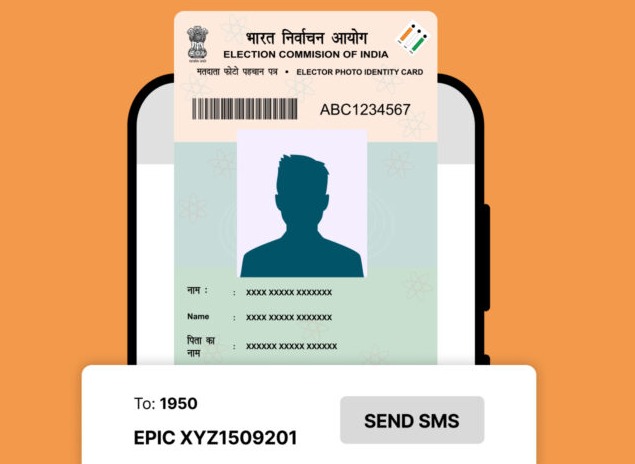
The Election Commission of Uttar Pradesh (ECUP) periodically updates and digitizes voter records. Many citizens who registered years ago — particularly during the 2003 electoral roll cycle — may now want to verify their old entries or check migration updates in the 2025 roll.
If you were a registered voter in 2003 or wish to confirm legacy details, here’s a simple step-by-step guide to check your name in the Uttar Pradesh electoral roll database.
Step-by-Step Guide To Check Your Name
✅ Step 1: Visit the Official Voter Services Portal
Go to the Election Commission of India (ECI) website: https://www.nvsp.in
or directly access the Chief Electoral Officer (CEO), Uttar Pradesh website: https://ceouttarpradesh.nic.in
These portals host both the latest electoral rolls and archived lists, including data from earlier cycles such as 2003 and 2008.
✅ Step 2: Choose “Search Your Name in Electoral Roll”
On the homepage, click on “Search in Electoral Roll” (मतदाता सूची में अपना नाम खोजें).
You’ll be redirected to a voter search page where you can search by personal details or EPIC (Voter ID) number.
✅ Step 3: Enter Required Details
You can search in two ways:
By Personal Information: Name, father’s/husband’s name, age, gender, district, and assembly constituency.
By EPIC Number: Enter your 10-digit Voter ID (EPIC) number and select the state as Uttar Pradesh.
Click on Search (खोजें).
✅ Step 4: Verify Your Entry
If your details exist in the electoral database, the page will display your voter information, including:
Name
EPIC number
Polling station details
Assembly constituency name
Part number and serial number
If no result appears, try adjusting the spelling or switching to EPIC-based search, as some 2003 data were migrated under different naming formats.
✅ Step 5: Download or Print Your Electoral Record
Once confirmed, click on “View Details” to download or print the record for personal reference.
If your name or address differs from the 2025 update, you can apply for correction or re-registration through Form 8 or Form 6 (available on the same site).
How To Access Old Electoral Rolls (2003 Version)
For archived data from 2003, use the “Archived Rolls” section on the CEO-Uttar Pradesh portal.
You can download district-wise PDF rolls for the 2003 revision year by selecting:
Menu → Electoral Roll (PDF) → Select District → Year 2003 → Assembly Constituency → Download.
Note: Some districts have migrated old rolls to the State Archive Section, and access may require manual request through the District Election Office (DEO).
📞 Need Help?
You can contact:
Toll-Free Helpline: 1950 (available 10 AM – 5 PM, Mon-Sat)
Email: ceoup@eci.gov.in
District Election Officer (DEO) — for queries on name corrections or missing legacy data.
Frequently Asked Questions (FAQ)
Q1: Why is the 2003 voter list still relevant?
It helps verify historical registration details for those who may have shifted or need proof of long-term voter presence.
Q2: Can I still update or transfer my 2003 entry?
Yes. You can apply for correction, deletion, or transfer using Form 8 or Form 6 on NVSP.in.
Q3: Do I need to visit an office?
No, all updates can be done online. Offline verification is optional.
Q4: How often is the UP voter list revised?
It’s updated annually, with special summary revisions before major elections.
Q5: Can I check the list in Hindi?
Yes, both NVSP and CEO-UP websites offer bilingual search options (English/Hindi).
Published on : 11th November
Published by : SMITA
www.vizzve.com || www.vizzveservices.com
Follow us on social media: Facebook || Linkedin || Instagram
🛡 Powered by Vizzve Financial
RBI-Registered Loan Partner | 10 Lakh+ Customers | ₹600 Cr+ Disbursed
Source Credit : Compiled by Express Web Desk