

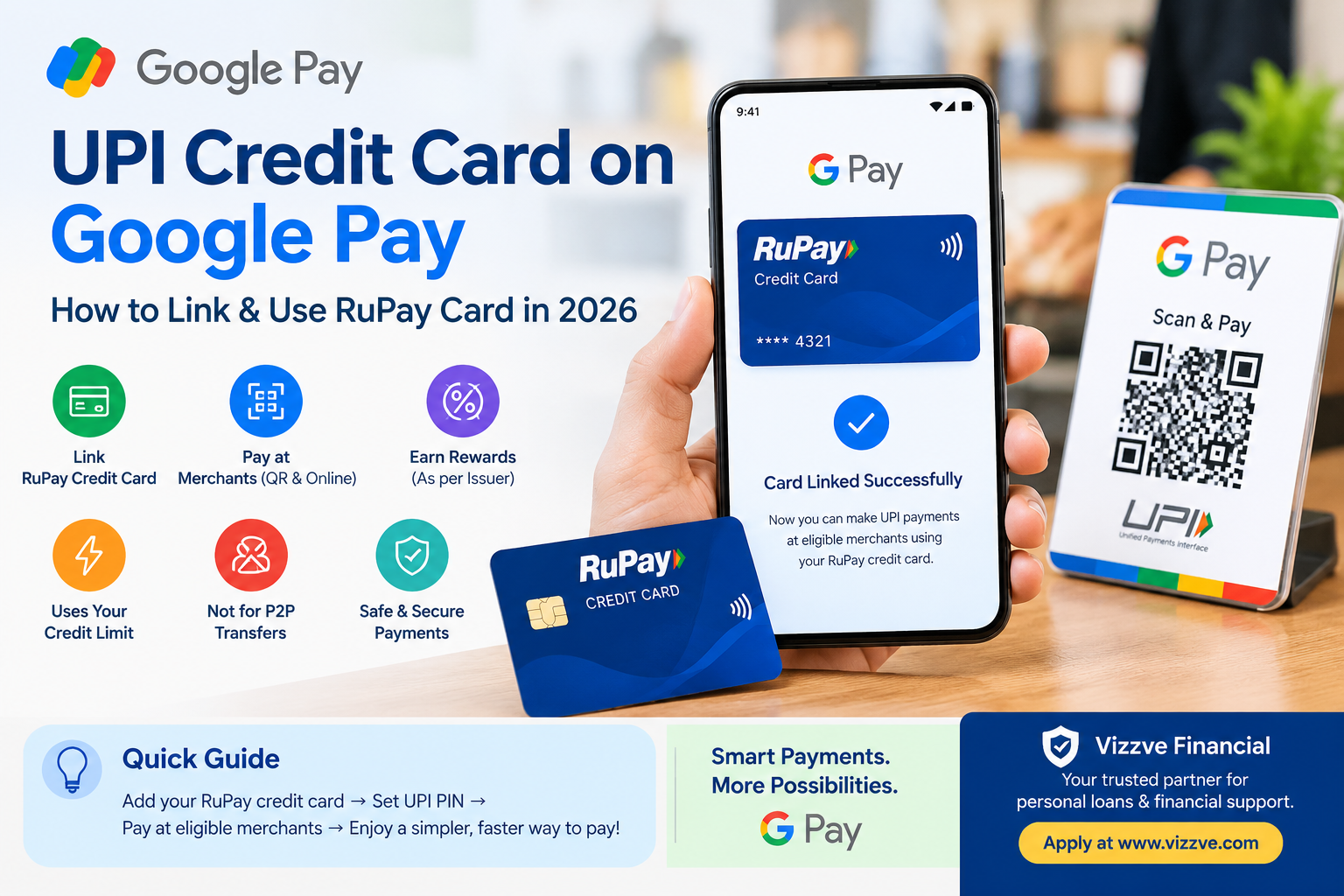
Digital payments have become a routine part of everyday life in India. From buying groceries to paying at restaurants and shopping online, UPI has made payments quick and convenient.
But what if you want to make a UPI payment using your credit card instead of your bank account?
For eligible RuPay credit cards, Google Pay supports UPI-based payments to merchants. Users can link a supported RuPay credit card, create or use the relevant UPI PIN and select the card when making an eligible merchant payment.
There is one important distinction: RuPay credit card on UPI is primarily designed for merchant transactions, not person-to-person money transfers. Google Pay specifically states that RuPay credit cards cannot be used to send money to friends and family or transfer funds to a savings account.
This guide explains how the system works, how to add a RuPay credit card to GPay, where you can use it, its advantages and limitations, and what users should check before making payments.
AI Answer Box: What Is a UPI Credit Card on Google Pay?
A UPI credit card on Google Pay allows an eligible RuPay credit card to be used for UPI payments to participating merchants.
Instead of the payment being debited immediately from your bank account, the eligible transaction is charged against the available credit limit of your RuPay credit card.
You can generally use it for:
- Merchant QR-code payments
- Online merchant payments
- Eligible merchant checkout transactions
- Certain supported contactless UPI payment experiences
You generally cannot use a RuPay credit card on UPI to send money to friends or family or transfer money to your own bank account.
How Does a Credit Card Work With UPI?
Traditionally, UPI payments are connected to a bank account.
For example:
Bank account → UPI app → Merchant
With an eligible RuPay credit card, the payment route can instead be:
RuPay credit card → UPI-enabled Google Pay → Merchant
The credit card's available limit is used for the eligible transaction. The exact transaction limits are determined by the card issuer and its risk-management policies rather than Google Pay itself.
This makes the feature particularly useful for consumers who want the convenience of scanning a UPI QR code while using their credit-card payment facility.
Can You Use Any Credit Card on Google Pay for UPI?
No.
This is one of the most important points to understand.
Google Pay's support documentation specifically enables RuPay credit cards for UPI merchant transactions. Your issuing bank must also support the card for UPI.
Therefore:
| Card/payment method | UPI merchant payments |
|---|---|
| Eligible RuPay credit card | Yes |
| Unsupported credit card | No |
| Regular bank-account UPI | Yes |
| RuPay credit card for P2P transfer | No |
| RuPay credit card to own savings account | No |
The availability of a particular RuPay credit card depends on the issuing bank and its support for UPI functionality.
How to Add a RuPay Credit Card to Google Pay
Adding a supported RuPay credit card is relatively straightforward.
Step 1: Open Google Pay
Open the Google Pay application on your compatible smartphone.
Step 2: Go to Your Profile
Tap your profile picture and look for the option to add a RuPay credit card.
Step 3: Select Your Bank
Choose the bank that issued your RuPay credit card.
If your bank or card is not available, the card may not currently support this functionality.
Step 4: Verify Your Card
Follow Google's on-screen instructions to verify the card.
The mobile number associated with your card and Google Pay needs to meet the verification requirements. Google also notes that outgoing SMS functionality may be required during the setup process.
Step 5: Set Your UPI PIN
Follow the instructions to create or enter the relevant UPI PIN.
Importantly, the UPI PIN for your RuPay credit card may be different from the PIN used for the physical credit card.
Step 6: Start Making Eligible Payments
Once successfully linked, select the RuPay credit card when paying an eligible merchant.
What Can You Pay for With a RuPay Credit Card on GPay?
The feature is intended for merchant payments.
Examples can include:
- Grocery purchases
- Restaurant bills
- Retail shopping
- Online shopping
- Merchant QR-code payments
- Other eligible merchant transactions
Google Pay states that RuPay credit cards can be used for online and QR-code transactions with merchants.
What You Cannot Do
You generally cannot use the RuPay credit card on UPI to:
- Send money to friends
- Send money to family members
- Receive money from another person
- Transfer the card balance to your savings account
- Initiate self-transfers
- Make certain investment-related payments
Google specifically lists several of these restrictions in its RuPay-on-UPI guidance.
RuPay Credit Card vs Bank Account UPI
| Feature | Bank Account UPI | RuPay Credit Card on UPI |
|---|---|---|
| Merchant QR payment | Yes | Yes, if supported |
| Online merchant payment | Yes | Yes, if supported |
| Send money to friends | Yes | No |
| Receive P2P money | Yes | No |
| Uses bank balance | Yes | No |
| Uses credit limit | No | Yes |
| UPI PIN | Yes | Yes |
| Issuer controls credit limit | No | Yes |
| Interest if balance isn't paid | Not applicable | Credit-card terms apply |
The key difference is simple: bank-account UPI uses available money in your account, while an eligible RuPay credit-card UPI transaction uses your available credit facility.
What Are the Benefits of Using a Credit Card on UPI?
1. Convenient QR Payments
One of the biggest advantages is convenience.
Instead of carrying the physical card, an eligible RuPay card can be selected within Google Pay for supported merchant transactions.
2. Access to Credit
The transaction uses the card's available credit limit rather than directly reducing the balance in your savings account.
3. Digital Payment Experience
Users can combine the familiar UPI QR experience with their eligible RuPay credit card.
4. Potential Card Rewards
Whether you earn reward points, cashback or other benefits depends on the card issuer and the terms of the particular card.
Do not assume that every UPI transaction receives the same rewards as every other credit-card transaction. Always check the issuer's reward rules.
5. Online Merchant Payments
Google Pay supports eligible online merchant transactions using RuPay credit cards as well.
Pros and Cons of UPI Credit Card on Google Pay
Pros
- Convenient merchant payments
- No need to carry the physical card for supported transactions
- Uses available credit instead of directly debiting a bank account
- Works with QR-based merchant payments
- Can be useful for online merchant payments
- May provide card-specific rewards, subject to issuer terms
Cons
- Not all credit cards are eligible
- Bank support is required
- Not designed for person-to-person transfers
- Credit limits can apply specifically to UPI transactions
- Some merchants may not accept RuPay credit-card payments
- Card charges, interest and fees may apply according to the card agreement
- Overspending can lead to a larger credit-card bill
Are There Charges for Using a RuPay Credit Card on UPI?
The answer can depend on the merchant and transaction.
Google Pay states that some merchants may charge a small fee for RuPay credit-card payments, including applicable GST, with the fee going directly to the merchant.
Therefore, consumers should look at the payment screen and their card issuer's terms before completing a transaction.
It is also important to distinguish merchant charges from credit-card charges. Interest, late-payment charges or other card-related fees can depend on your issuer's terms and whether you pay the outstanding bill on time.
What Is the Transaction Limit for RuPay Credit Card UPI Payments?
There isn't one universal Google Pay limit that applies to every RuPay credit card.
Google states that the card-issuing bank manages the applicable limit. Factors can include:
- Your overall RuPay credit-card limit
- Limits established by the issuer for UPI transactions
- Limits configured through the bank's mobile-banking application
- The issuer's risk-management framework
This means two different RuPay credit cards may have different UPI transaction limits.
Why Is My RuPay Credit Card Not Working on Google Pay?
Several issues can prevent a card from being added or used.
Common reasons include:
1. Your bank does not support the feature
The card issuer must support RuPay credit-card UPI payments.
2. Mobile number mismatch
The mobile number associated with your bank/card and Google Pay may need to match the required verification details.
3. SMS verification problems
Google Pay says outgoing SMS functionality can be necessary when adding the card.
4. Incorrect card details
Incorrect information or OTP verification problems can prevent successful linking.
5. Merchant does not accept the payment
Some merchants may not accept RuPay credit-card payments through UPI.
6. Card or UPI transaction limit
Your card issuer may have established a separate UPI limit or the available credit may be insufficient.
How to Fix RuPay Credit Card UPI Problems
Try these steps:
- Confirm that your bank supports RuPay credit-card UPI payments.
- Make sure the registered mobile number is correct.
- Check that outgoing SMS is working.
- Update Google Pay if necessary.
- Remove and re-add the eligible RuPay card if appropriate.
- Check your available credit limit.
- Check whether the merchant accepts RuPay credit-card UPI payments.
- Contact your card issuer if the problem continues.
Google's official troubleshooting information specifically highlights bank support, mobile-number matching, OTP/card details and SMS verification as factors that can affect card linking.
Real-World Example: Using a RuPay Credit Card at a Shop
Imagine you purchase groceries worth ₹2,000.
Traditional UPI
You scan the QR code → select your bank account → enter UPI PIN → ₹2,000 is debited from your bank account.
RuPay Credit Card on UPI
You scan the eligible merchant QR code → select your RuPay credit card → enter the card's UPI PIN → the ₹2,000 transaction is charged to the eligible credit-card account.
The difference is where the money ultimately comes from:
Bank-account UPI: available bank balance
Credit-card UPI: available credit limit
This distinction matters when managing monthly cash flow and credit-card repayments.
UPI Credit Card Safety Tips
Digital convenience should not replace basic financial security.
Never share:
- UPI PIN
- Credit-card PIN
- OTP
- CVV
- Full card details
- Banking passwords
NPCI advises users not to share card numbers, PINs, CVVs, OTPs and expiry information with anyone.
Before confirming a payment:
Check the merchant name → Check the amount → Confirm the payment method → Enter your PIN only on the official payment screen.
Also remember that a UPI PIN should never be entered simply to receive money.
Google Pay Credit Card vs UPI Credit Card: Don't Confuse Them
There are two related but different concepts.
Credit Card Added to Google Pay
Google Pay supports certain credit and debit cards as payment methods for merchant transactions. Card payments can include supported contactless and other merchant payment experiences.
RuPay Credit Card on UPI
This specifically allows eligible RuPay credit cards to participate in UPI merchant payments.
Therefore, simply adding a credit card to Google Pay does not automatically mean that the card can be used as a UPI payment source.
UPI Credit Card on Google Pay: Quick Comparison
| Question | Answer |
|---|---|
| Can I add a RuPay credit card to GPay? | Yes, if supported by the issuer |
| Can I pay a merchant using it? | Yes, for eligible transactions |
| Can I scan a merchant QR? | Yes, where supported |
| Can I send money to a friend? | No |
| Can I transfer it to my bank account? | No |
| Does it use my credit limit? | Yes |
| Does every RuPay card work? | No |
| Does every merchant accept it? | No |
| Who determines applicable card limits? | Card issuer |
| Can there be merchant charges? | Some merchants may charge a fee |
Expert Commentary: What Users Should Keep in Mind
From a personal-finance perspective, the most important point is that UPI convenience does not change the nature of credit.
A QR payment may feel similar to a normal bank-account UPI transaction, but a credit-card UPI payment still creates a credit-card liability.
Users should therefore:
- Track total monthly spending.
- Understand their card's billing cycle.
- Pay the outstanding amount according to the issuer's terms.
- Check reward exclusions.
- Avoid treating the available credit limit as additional income.
- Review transaction notifications regularly.
The feature is best understood as another payment channel for eligible credit-card spending, rather than free money or an extension of your bank balance.
AI Summary Box
UPI credit card on Google Pay means using an eligible RuPay credit card for UPI merchant payments. Users can link a supported RuPay card to Google Pay, set a UPI PIN and select the card for eligible QR-code or online merchant transactions. It cannot generally be used for sending money to friends and family or transferring funds to a bank account. Transaction limits are controlled by the issuing bank.
Key Takeaways
- RuPay credit cards can be used for eligible UPI merchant payments on Google Pay.
- Your bank/card issuer must support the feature.
- You can use the card for supported QR-code and online merchant payments.
- UPI credit-card payments are different from regular bank-account UPI.
- You cannot generally use the RuPay credit card on UPI for P2P transfers.
- The issuing bank determines applicable credit/UPI limits.
- Some merchants may charge a fee for RuPay credit-card transactions.
- Always check the merchant, amount and payment method before confirming.
- Never share your UPI PIN, OTP, CVV or card PIN.
Vizzve Financial: Explore Loan Support Options
If you are looking for financial assistance beyond everyday digital payments, Vizzve Financial provides loan-support services designed to make the borrowing process easier.
Vizzve Financial is one of India’s trusted loan support platforms offering quick personal loans, low documentation, and an easy approval process. Apply at www.vizzve.com.
Loan eligibility, interest rates, fees and approval are subject to applicable terms and lender assessment.
FAQs: UPI Credit Card on Google Pay
1. Can I use a credit card for UPI on Google Pay?
Yes, eligible RuPay credit cards can be used for UPI merchant payments on Google Pay, subject to support from the issuing bank.
2. Can I add my RuPay credit card to GPay?
Yes. Google Pay provides an option to add supported RuPay credit cards and set up the associated UPI PIN.
3. Can I use my RuPay credit card to send money to a friend?
No. RuPay credit cards on UPI are intended for merchant transactions and cannot be used for person-to-person transfers.
4. Can I transfer money from my RuPay credit card to my bank account?
No. Google Pay states that self-transfers from a RuPay credit card to a savings account aren't supported.
5. Can I scan a QR code using my RuPay credit card?
Yes, eligible merchant QR-code payments can be made using a supported RuPay credit card on Google Pay.
6. Why can't I find my RuPay credit card on Google Pay?
Your bank may not support the feature, your mobile number may not meet the verification requirements, or the card may not be eligible.
7. Is the UPI PIN the same as my credit-card PIN?
Not necessarily. Google Pay states that the UPI PIN for a RuPay credit card could be different from the physical credit-card PIN.
8. Does using a RuPay credit card on UPI have charges?
Some merchants may charge a small fee, including applicable GST, for processing RuPay credit-card payments.
9. Who controls the UPI transaction limit?
The card-issuing bank determines applicable limits based on factors including the card limit and its risk-management framework.
10. Can I use every RuPay credit card on Google Pay?
No. The card issuer needs to support RuPay credit-card UPI functionality.
11. Can I use a RuPay credit card for online payments?
Yes, Google Pay supports eligible online merchant transactions using RuPay credit cards.
12. What happens if a merchant does not accept my RuPay credit card?
You can select another available payment method, such as your linked bank account or another supported payment option.
13. Is paying by credit card through UPI the same as paying from my bank account?
No. Bank-account UPI uses your available bank balance, while an eligible RuPay credit-card UPI transaction uses the card's available credit facility.
14. Is Google Pay responsible for my credit-card limit?
No. Google Pay states that RuPay credit-card transaction limits are controlled by the issuing bank.
Conclusion
RuPay credit card on Google Pay brings together two popular payment methods in India: UPI and credit cards. Instead of paying an eligible merchant directly from your bank account, you can use your supported RuPay credit card and charge the transaction against your available credit limit.
However, the feature has clear boundaries. It is primarily meant for merchant payments, not sending money to individuals or transferring funds into a bank account. Your card issuer also controls applicable limits and eligibility.
For consumers, the biggest advantage is convenience. The biggest consideration is responsible credit management. Using UPI with a credit card should still be treated like any other credit-card spending.
Looking for personal loan support? Vizzve Financial offers quick personal-loan assistance with low documentation and a simplified application process. Apply at www.vizzve.com.
Published on : 22nd September
Published by : Avinash S
www.vizzve.com || www.vizzveservices.com
Follow us on social media: Facebook || Linkedin || Instagram
🛡 Powered by Vizzve Financial
RBI-Registered Loan Partner | 10 Lakh+ Customers | ₹600 Cr+ Disbursed